
Pixelcut AI Photo Editor
Pixelcut is an AI photo and video editor for background removal, upscaling, product photos, and UGC-style ad videos.
For sellers who shoot products on a phone and need catalog-ready images plus short UGC video, Pixelcut collapses a photographer, retoucher, and editor into one subscription — the persona consistency and Pipelines batch workflows are the parts you can't easily replicate elsewhere. The catch is credits: heavy generative work on Sora 2 or Veo3.1 drains them fast, so the volume actually lives on Business at $30/mo ($24/mo billed yearly). If you need vector design or multi-track timelines, Canva or a desktop editor fits better.
Verified 5d ago · liveness 74/100 · cite: rightaichoice.com/tools/pixelcut-ai-photo-editor
- E-commerce sellers who need consistent clean product photos across a large catalog
- Small brands producing UGC-style ad videos with a recurring on-screen persona
- Social media marketers batch-editing dozens of images for a campaign launch
- Developers adding AI background removal, upscaling, or generation into their own app via API
- Graphic designers needing vector editing, CMYK output, or print-ready files
- Editors working on long-form video with multi-track timelines and audio mixing
- Anyone needing offline editing — Pixelcut runs in the browser or mobile app
We scan live Reddit threads, YouTube comments, X posts, G2 reviews and other communities — and hand you an honest verdict in under a minute.
- Honest verdict, not marketing
- Real pros & cons from real users
- Attributed quotes with receipts
3 free scans · no card needed
Skip Pixelcut if your work is vector design, CMYK print output, or frame-accurate multi-track video editing — its tools target product photography, UGC ads, and short social clips instead.
Every advanced generation burns credits tied to third-party models, so a campaign full of Veo3.1 or Sora 2 clips can exhaust a Pro plan's 600 monthly credits well before month end.
Pro at $10/mo ($8/mo billed yearly) undercuts Canva Pro for catalog editing, while Business at $30/mo ($24/mo billed yearly) sits near mid-tier Adobe subscriptions. Both are cheap against hiring a retoucher; neither matches a dedicated upscaler or background-removal tool on price for one-off jobs. Business is where credit volume realistically lives.
In short
Pixelcut AI Photo Editor — Pixelcut is an AI photo and video editor for background removal, upscaling, product photos, and UGC-style ad videos. Best for E-commerce sellers who need consistent clean product photos across a large catalog, Small brands producing UGC-style ad videos with a recurring on-screen persona, Social media marketers batch-editing dozens of images for a campaign launch. Free to start; paid plans from $10/mo.
What's new in Pixelcut AI Photo Editor
Checked 5 days agoAcross the latest 4 updates: 2 feature updates, 1 launch and 1 news mention.
Rebrand to Pixa cancelled; Pixelcut name retained
Pixelcut announced it would keep the Pixelcut name instead of rebranding to Pixa, and confirmed existing API keys and account settings continue to work with no action needed.
New models added to API and app
Pixelcut added support for Nano Banana Pro, Sora 2, Flux 2, and other third-party models across the platform, each with its own credit cost per generation.
MCP Server launched
Pixelcut launched an MCP server letting AI agents like Claude and Cursor connect for image generation, editing, and video through the MCP protocol.
Pipelines feature introduced
Pipelines automate multi-step workflows such as removing background, upscaling, and adding shadows in a single run instead of separate manual steps.
What people actually say about Pixelcut AI Photo Editor — is it worth it?
We ran a structured research pass across product reviews, community discussions, and post-purchase forum threads to surface the patterns vendors won't publish themselves. Below: the recurring strengths, the hidden costs people mention most, and the cohort that consistently regrets adopting this tool.
7 mentions across 1 source (YouTube) · researched Sep 23, 2026.
Weighted by the 14 posts each of 1 source contributed.
- +Purpose-built for product photography and marketing visuals rather than general graphic design
- +Background removal, upscaling, shadow generation, and batch editing live in one pipeline
- +Persona consistency keeps characters and brand identity stable across images and videos
- +Bundled access to Flux 2, Sora 2, ChatGPT Image, and others avoids multiple subscriptions
- +Available on web, iOS, Android, API, plugin, and CLI — unusually broad platform coverage
- −Users hit hard credit walls on image and video generation almost immediately after signing up
- −Monthly plan plus per-image charges is called out as too costly by multiple viewers
- −Referral signup delivered 8 credits instead of the promised 500, damaging trust at onboarding
- −Tutorial titles billing it as a free editor provoked accusations of misleading viewers
- −Free tier too thin to meaningfully evaluate the paid product before purchase
- • Per-image charges on top of the monthly subscription
- • Referral credits that don't match the advertised amount
- • Advanced AI models consume credits quickly, forcing top-ups
Viability Score
How well maintained and how widely used is Pixelcut AI Photo Editor? Built from what the vendor actually publishes (docs, changelog, tutorials, integrations, pricing), whether the site is live, and how much real users discuss it. How we calculate this
Last calculated: October 2026
How we score →Key Features
- AI background removal for images and video
- Upscale images up to 16x resolution with model choice including Topaz
- Magic Eraser for removing unwanted objects
- Generative fill retouching and object editing
- Expand tool to extend images past the original frame
- Shadow generation for product photos
- Batch editing across hundreds of files at once
- Persona and AI Actor creation for consistent characters
- AI Product Photos generated from a text prompt (Product Showcase)
- AI UGC Ads that create talking videos for social
- AI image generation across Nano Banana Pro, Flux 2, ChatGPT Image, and Recraft v4
- AI video generation across Sora 2, Kling v3.0 Pro, Veo3.1, and Runway Gen4.5
- Pipelines for automating multi-step edit workflows
- MCP server for connecting AI agents like Claude and Cursor
- API access for developers building custom editing workflows
About Pixelcut AI Photo Editor
Pixelcut is an AI photo and video editor aimed at e-commerce sellers, small brands, and solo marketers who need clean product shots and short promo videos without hiring a photographer or editor. The workflow starts with a prompt or an upload: you describe the product shot you want, and Pixelcut plans and executes the task across creative tools — the homepage states it uses models like Nano Banana Pro and Sora 2 with no special prompting required. It is used by a claimed 70 million creators and businesses, and it runs as a web app plus iOS and Android apps, with an MCP server and API for builders. The core toolkit covers background removal for images and video, upscaling up to 16x with model choice including Topaz, Magic Eraser, generative fill retouching, Expand for extending past the original frame, shadow generation, and batch editing across hundreds of files at once. Product Showcase turns a prompt into studio-style product imagery, and AI UGC Ads creates talking videos for social campaigns. Personas and AI Actors are the differentiator for brand work: define a character or brand identity once, then keep it consistent across generated images and video frames. A credit system meters the heavier third-party models. The pricing page lists image models such as Nano Banana Pro, Flux 2, ChatGPT Image and Recraft v4 alongside video models such as Sora 2, Kling v3.0 Pro, Veo3.1 and Runway Gen4.5, each with its own credit cost per generation. Against Canva or Photoshop, Pixelcut is narrower by design: it targets product photography, UGC ads, and social clips rather than graphic design or long-form video timelines.
Behind the Verdict
Pixelcut's pitch is narrow on purpose, and that is its main advantage. The homepage frames it as "the one place for all your creative work" for sellers, and the tool list backs that up: background removal for images and video, upscaling up to 16x with Topaz among the available models, Magic Eraser, generative fill retouching, Expand, shadow generation, and batch editing across hundreds of files at once. The interesting layer is brand consistency. Personas and AI Actors let you define a character once and keep it stable across generated images and video frames — that is a genuinely awkward thing to do by hand, and it is what makes the AI Product Photos and AI UGC Ads features usable for a recurring campaign rather than a one-off experiment. Product Showcase turns a prompt into studio-style imagery, and the credit-backed model list (Nano Banana Pro, Flux 2, ChatGPT Image, Recraft v4 for images; Sora 2, Kling v3.0 Pro, Veo3.1, Runway Gen4.5 for video) means you can pick a look and pay for it per generation. Where it gets less comfortable is economics at volume. On the Business plan the page lists Nano Banana Lite at up to 18,000 images but ChatGPT Image 2 at only 2,068 — same credit pool, wildly different output counts depending on the model you choose. Video is tighter still: Veo3.1 tops out around 450 five-second clips on Business, and Seedance v2.5 around 342. Batch exports are capped at 1,000/mo on Pro and 2,000/mo on Business, with none on the free plan. If your workflow is "generate everything, pick the best," you will feel those ceilings on Pro. Beyond the app, Pixelcut has built a real developer surface: an API for background removal, upscaling and generation, and an MCP server that connects to Claude, Cursor, and other MCP-compatible clients. Pipelines string multi-step runs together — remove background, upscale, add shadows in one pass — which is the closest thing here to automation rather than manual clicking. One note on naming: Pixelcut announced a rebrand to Pixa and then cancelled it, confirming existing API keys and account settings continue to work, so if you see "Pixa" referenced elsewhere, it is the same product. It is not a general design tool. There is no vector editing, no CMYK or print-ready output, no multi-track video timeline, and no offline mode — it runs in the browser or the mobile app. If your work is catalog imagery and short marketing video, that narrowness is a feature. If it is brand systems or long-form video, it is not the tool.
Researching Pixelcut AI Photo Editor? Get your full AI stack in 60 seconds.
Free, no signup — tell us your goal and get tools matched to your budget & existing stack.
Real-world workflow fit
Concrete scenarios for the personas Pixelcut AI Photo Editor actually fits — and what changes day-one when you adopt it.
Uploads phone photos in bulk, runs a Pipeline that removes backgrounds, upscales, and adds consistent shadows, then batch-exports for listing pages.
Outcome: Catalog-ready product images across the whole SKU list without a photographer, within the 1,000–2,000 monthly batch export allowance.
Defines a Persona once, then generates AI UGC Ads and on-brand product photos where the same character appears across images and video frames.
Outcome: A set of talking-head ad variants and matching product shots that look like one campaign rather than a mixed bag of stock.
Connects the Pixelcut MCP server to Claude or Cursor, or calls the API directly for background removal, upscaling, and generation.
Outcome: Background removal and upscale land inside an existing product without building a model pipeline from scratch.
Use Cases
- Remove backgrounds from product photos and videos instantly for e-commerce listings.
- Generate studio-quality product images with consistent brand characters and lighting.
- Create AI-generated talking videos (UGC ads) for social media promotions.
- Upscale low-resolution images up to 16x for print or web use.
- Erase unwanted objects or people from photos with Magic Eraser.
- Automate batch editing of hundreds of product images with consistent edits via Pipelines.
- Generate marketing visuals from text prompts using multiple AI models.
- Create consistent brand imagery for social media posts using Personas and AI Actors.
Models Under the Hood
as of 2026-10-02
Limitations
- Free tier offers only limited background removal, magic eraser, fast upscaler, and generative fill, with credits needed for advanced AI models (600/mo on Pro, up to 180,000/mo on Business).
- Advanced generations consume credits tied to third-party models, and image allowances vary sharply per model — on Business, Nano Banana Lite reaches up to 18,000 images while ChatGPT Image 2 tops out at 2,068, and Veo3.1 reaches only about 450 five-second clips.
- Free video background removal exports are HD (720p), with 4K requiring Pro.
- Batch exports are 1,000/mo on Pro and 2,000/mo on Business, with none on the free plan.
- No vector editing, CMYK output, or multi-track video timeline.
as of 2026-10-03
Verification history
We have re-verified Pixelcut AI Photo Editor 7 times since . Each pass re-reads the vendor's own pages and re-checks every listed field against that evidence; passes where nothing had changed are marked as such.
- — re-verified summary, description, our verdict, our analysis, pricing model, pricing tiers, features, integrations, who it suits, who should skip it
- — re-verified summary, description, our verdict, our analysis, pricing model, pricing tiers, features, integrations, who it suits, who should skip it
- — re-verified summary, description, our verdict, our analysis, pricing model, pricing tiers, features, integrations, who it suits, who should skip it
- — re-verified summary, description, our verdict, our analysis, pricing model, pricing tiers, features, integrations, who it suits, who should skip it
- — re-checked, vendor evidence unchanged
- — re-verified summary, description, our verdict, our analysis, pricing model, pricing tiers, features, integrations, who it suits, who should skip it
Showing the 6 most recent of 7 verification passes.
Free to cite with attribution — this page re-verifies continuously.
12-month cost
Project the real annual outlay, including the implied monthly cost when only an annual tier is published.
Vendor list price only. Add-on usage, seat overages, and contract minimums are surfaced under Hidden costs & gotchas.
Plans compared
For each published Pixelcut AI Photo Editor tier: who it actually fits, and what it adds vs. the previous tier. Cross-reference the cost calculator above for projected annual outlay.
Free
$0/mo
Ideal for
Solo seller or creator testing Pixelcut on a handful of product photos before committing to a subscription.
What this tier adds
Free entry point: limited background removal, magic eraser, fast upscaler, and generative fill, plus free export without watermark.
Pro
$10/mo ($8/mo billed yearly)
Ideal for
Solo marketer or small shop running a steady catalog and short UGC ads who needs unlimited cutouts and batch exports.
What this tier adds
Adds 600 AI credits/mo, access to all AI models, unlimited background removal and upscale, a 3-person team, 1,000 batch exports/mo, and a commercial license.
Business
$30/mo ($24/mo billed yearly)
Ideal for
Small brand or agency team of up to 10 producing video ads and large image batches where Pro's credits run short.
What this tier adds
Raises credits to 3,600/mo, expands to a 10-person team, lifts batch exports to 2,000/mo, and adds priority support.
Where the pricing makes sense
The company stage and team size where Pixelcut AI Photo Editor's pricing actually pencils out — and where peers do it cheaper.
Pro at $10/mo ($8/mo billed yearly) undercuts Canva Pro for catalog editing, while Business at $30/mo ($24/mo billed yearly) sits near mid-tier Adobe subscriptions. Both are cheap against hiring a retoucher; neither matches a dedicated upscaler or background-removal tool on price for one-off jobs. Business is where credit volume realistically lives.
Setup time & first value
How long it actually takes to get something useful out of Pixelcut AI Photo Editor — broken out by persona, not the marketing-page minute.
For a solo seller, first value is quick: sign up, upload a photo, and background removal runs on the free plan in minutes. Getting a Persona or Pipeline working consistently takes an afternoon of tuning. Developers wiring the API or MCP server into an existing codebase should budget about a day including auth and testing.
Switching to or from Pixelcut AI Photo Editor
How to bring data in from common predecessors and how to get it back out — written for the switcher, not the buyer.
- →From remove.bg or a single-purpose background remover: upload existing product photos and use Pixelcut's background removal plus Pipelines to add upscaling and shadows in one run.
- →From Canva: rebuild recurring catalog and ad templates as Personas and AI Product Photos, accepting the loss of vector and print output.
- →From manual Photoshop retouching: replace cutout, retouch, and shadow steps with Magic Eraser, generative fill, and shadow generation, keeping exports in the 1,000–2,000/mo batch allowance.
- ↗To Canva or Adobe Photoshop: move to vector editing, CMYK, and print-ready files when your work outgrows catalog imagery.
- ↗To a dedicated video editor like Premiere or DaVinci Resolve: take generated clips downstream for multi-track timelines and audio mixing.
- ↗To a single-purpose background remover: downgrade if you only need cutouts and the credit system is more than you use.
Integrations
Resources & Guides
Tutorials & Learning
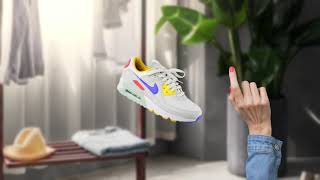
YouTube returned 6 videos for “Pixelcut AI Photo Editor”, and we withheld 5: 5 did not mention Pixelcut AI Photo Editor. Showing the 1 we can prove is about Pixelcut AI Photo Editor.
Official links
Tools that pair well with Pixelcut AI Photo Editor
Common stack mates teams adopt alongside Pixelcut AI Photo Editor, with the specific reason each pairing earns its keep.

PixelMotion
Turn product photos into professional marketing videos with 57 AI models, from $29/mo.

mnml AI
mnml AI turns sketches, photos and SketchUp, Revit or Rhino views into photoreal architectural renders with a guided Studio workspace and a collaborative Flow

X-Design
On-brand AI design agent that keeps logos, posters, social posts, and videos tied to your Brand Kit.
Featured Head-to-Head Comparisons
Pixelcut Ai Photo Editor vs Splice
Choose Splice if you're a music producer needing a vast sample library and rent-to-own plugins; choose Pixelcut if you create visual content and need AI-powered editing like background removal, upscaling, or generation. They serve non-overlapping creative needs.
Pixelcut Ai Photo Editor vs Storyfile
Choose StoryFile if you need authentic, historically accurate AI conversations for museums or legacy preservation, backed by real footage and enterprise support. Choose Pixelcut if you're an e-commerce seller or marketer needing fast, affordable AI photo/video editing with generative features. They serve fundamentally different needs with no direct overlap.
Pixelcut Ai Photo Editor vs The New Black
For fashion brands needing specialized design tools, The New Black is unmatched with its fashion AI model, tech packs, and virtual try-on. For general photo/video editing—especially e-commerce product visuals and social media—Pixelcut offers a broader suite (background removal, upscaling, generative fill) at a lower price. Choose based on your core need: fashion-specific vs. versatile creative editing.
Alternatives to Pixelcut AI Photo Editor
View all
PixelMotion
Turn product photos into professional marketing videos with 57 AI models, from $29/mo.


Frequently Asked Questions
Best-of guides
Used Pixelcut AI Photo Editor? Help shape our editorial sentiment research.