
(Not Boring) Camera
Capture SUPER RAW DNG photos in a game-like iOS camera app with no menus — just swipes and taps.
If you want the raw file and the pleasure of shooting, this is the iOS camera we'd hand you — the DNG pipeline produces genuinely editable files and the game-feel design makes you shoot more. Just don't buy it expecting manual ISO and shutter control; this product is swipe-and-tap simplicity, not manual pro workflows. Need those dials? Halide is the alternative.
Verified 5d ago · liveness 71/100 · cite: rightaichoice.com/tools/not-boring-camera
- iPhone shooters who edit raw DNG files in Lightroom
- Creatives tired of AI-heavy, sterile mobile camera apps
- Design-minded users who value game-feel UI, skins and haptics
- Minimalists who want a focused camera with no menus or clutter
- Photographers who need manual ISO and shutter speed control
- Android users — the app is iOS and iPadOS only
- Anyone wanting to edit photos inside the same app
We scan live Reddit threads, YouTube comments, X posts, G2 reviews and other communities — and hand you an honest verdict in under a minute.
- Honest verdict, not marketing
- Real pros & cons from real users
- Attributed quotes with receipts
3 free scans · no card needed
Skip Not Boring Camera if you want manual ISO and shutter speed control on your phone — the app trades pro dials for swipes, taps and skins.
The free download covers the core camera; the full seasonal skin collections and the Debug, Artist and Creator Series are locked behind the paid membership.
For a solo iPhone shooter, the single-app tier at $14.99/yr ($1.25/mo) is the cheapest way in, with Super at $49.99/yr ($4.25/mo) making sense only once you want several of the studio's apps. Both are cheaper per year than the pro camera apps that compete on manual controls, and the Price Lock means your rate stays put while you stay subscribed.
In short
(Not Boring) Camera — Capture SUPER RAW DNG photos in a game-like iOS camera app with no menus — just swipes and taps. Best for iPhone shooters who edit raw DNG files in Lightroom, Creatives tired of AI-heavy, sterile mobile camera apps, Design-minded users who value game-feel UI, skins and haptics. Free to use.
What's new in (Not Boring) Camera
Checked 5 days agoAcross the latest 1 update: 1 changelog entry.
What people actually say about (Not Boring) Camera — is it worth it?
We ran a structured research pass across product reviews, community discussions, and post-purchase forum threads to surface the patterns vendors won't publish themselves. Below: the recurring strengths, the hidden costs people mention most, and the cohort that consistently regrets adopting this tool.
55 mentions across 3 sources (YouTube, Product Hunt, App Store) · researched Aug 11, 2026.
Average across the 3 sources that answered — each source counts once, not each post.
- +Super RAW DNG capture preserves natural detail and film-like quality.
- +Playful 3D animations, physics, haptics, and sounds make shooting fun.
- +No AI over-processing gives photos an honest, organic look.
- +Skins designed by artists add seasonal variety to the interface.
- +Fast and easy swipe/tap navigation for quick shooting.
- −Video recording is completely missing, a major dealbreaker.
- −Many features are locked behind a costly subscription.
- −Lack of editing tools—no cropping flexibility or post-process options.
- −No Live Photos, slow-mo, or other modern camera conveniences.
- −Steep learning curve due to unconventional UI; users report confusion.
- • Subscription required for advanced features.
- • IAPs for skin packs may add to total cost.
Viability Score
How well maintained and how widely used is (Not Boring) Camera? Built from what the vendor actually publishes (docs, changelog, tutorials, integrations, pricing), whether the site is live, and how much real users discuss it. How we calculate this
Last calculated: October 2026
How we score →Key Features
- SUPER RAW DNG capture — unstretched, unprocessed raw files
- No AI over-processing or algorithmic image enhancement
- Game-like interface built with 3D animation and physics
- Haptic feedback and sound effects on every interaction
- Menu-free navigation via swipes and taps
- Seasonal skin collections refreshed each season
- Debug Series skins: Depth, Normal, Wireframe
- Artist Series collaborations: Eran Hilleli (Cedar), Presstube (Monsters, Andy)
- Creator Series skins: Andy, Graphite, Opal
- Home-screen weather widget
- Home-screen preset timer widget
- DNG export for editing in Lightroom
- iOS and iPadOS apps
- Independently-owned studio, member-supported with no ads and no data deals
About (Not Boring) Camera
(Not Boring) Camera is an iOS camera app for people who want a genuinely unprocessed raw file without wading through a settings screen. Its headline move is SUPER RAW DNG capture: a raw digital negative with natural grain and film-like exposure, delivered without the smeared, over-sharpened look that comes out of AI-heavy phone cameras. Point, shoot, done. The interface is the other half of the pitch. Not Boring Software builds its apps "like a game, runs like an app" — 3D, animation, physics, haptics and sound on every interaction, and navigation via swipes and taps rather than sliders or menus. Skin collections keep the look fresh each season, including the Debug Series (Depth, Normal, Wireframe), the Artist Series with collaborators like Eran Hilleli (Cedar) and Presstube (Monsters, Andy), and the Creator Series (Andy, Graphite, Opal). Home-screen widgets show the weather or fire a preset timer in one tap. It comes from Not Boring Software, a 100% independently-owned studio behind Vibes, Habits, Weather, Timer and Calculator, and its own line — "Stop optimizing. Start Living." — is basically the positioning. It is a freemium iOS/iPadOS app with a one-time Pro unlock rather than a subscription. Versus Halide, which competes on manual controls and pro workflows, Not Boring Camera competes on feel and unprocessed output. Versus the stock iOS camera and VSCO, it competes by not doing the AI thing. Pick it for the shooting experience and clean DNGs, not for a spec-sheet checklist.
Behind the Verdict
There are two reasons to install this app. First, the SUPER RAW DNG output — files that behave like proper negatives in your editor, with grain and latitude instead of the plastic sheen phone cameras often bake in. Second, the feel. Not Boring treats capture as a toy in the best sense: physics, sound and haptics make the shutter satisfying, and because there are no menus to negotiate, you actually take the photo instead of fiddling first. Pick it if your workflow is iPhone capture into Lightroom or another raw developer, and you want files with room to grade. Pick it if you're bored of the computational-photography sameness and want a camera that leaves the processing choice to you. Pass if you need manual ISO or shutter-speed control. That's the sharpest edge here — the design deliberately withholds the pro controls, so long-exposure or deliberately underexposed work is awkward. Pass if you're on Android; this is iOS and iPadOS only. And pass if you want to crop, grade and retouch inside the same app — Not Boring handles capture, not editing. The obvious alternative is Halide, which sits on the manual-control and pro-workflow side of the same fence. If your priority is dials, pick Halide; if it's feel and unprocessed output, this is the one. The stock camera and VSCO are the other comparisons, and both lose on the raw-file purity angle. A practical caveat: the Pro unlock is a one-time purchase, so pricing is simple, but check the current in-app price at the point of sale before committing. Also budget for a good raw editor if you don't already have one — the app is the front half of the pipeline, not the whole of it. One more thing worth knowing: this comes from an independent studio, so the skin collections and seasonal drops are part of the appeal — you're
Researching (Not Boring) Camera? Get your full AI stack in 60 seconds.
Free, no signup — tell us your goal and get tools matched to your budget & existing stack.
Real-world workflow fit
Concrete scenarios for the personas (Not Boring) Camera actually fits — and what changes day-one when you adopt it.
Open Not Boring Camera, swipe to frame, tap to fire. The app saves an unprocessed SUPER RAW DNG; import it into Lightroom and grade from a neutral starting point.
Outcome: You get honest raw files with natural grain instead of the smeared output a computational-photography pipeline would produce, and you keep your existing Lightroom workflow.
Set the home-screen widget to your favorite skin and preset, then shoot through a season of the Debug, Artist or Creator Series skins.
Outcome: Taking photos feels like play again — physics, haptics and sound on every tap — and the seasonal drops give you a reason to come back to the camera app itself.
Replace the stock iOS camera icon with Not Boring Camera, use swipes and taps instead of menus, and pull the weather or timer widget onto the home screen.
Outcome: You shoot more often because the camera is one tap away and has nothing to configure, without any of the AI over-processing the stock app applies.
Use Cases
- Capture raw DNG photos with natural grain and film-like exposure for post-processing in Lightroom.
- Use seasonal Skins to change the look and feel of your camera and photos.
- Enjoy a playful, haptic-rich camera experience that makes taking photos fun again.
- Replace your default iPhone camera with a minimalist, distraction-free app.
- Share photos that stand out from over-processed AI images.
Limitations
- iOS-only, so Android users are out.
- The game-like, menu-free interface is deliberately minimal: if you need manual ISO and shutter-speed control, this isn't the camera for that job.
- There is no in-app editor, so you'll finish files in something like Lightroom.
- For commercial workflows that depend on consistent, reproducible output, the app's raw-then-edit chain adds a step you may not want.
as of 2026-10-02
Verification history
We have re-verified (Not Boring) Camera 7 times since . Each pass re-reads the vendor's own pages and re-checks every listed field against that evidence; passes where nothing had changed are marked as such.
- — re-verified summary, description, our verdict, our analysis, pricing model, pricing tiers, features, integrations, who it suits, who should skip it
- — re-verified summary, description, our verdict, our analysis, pricing model, pricing tiers, features, integrations, who it suits, who should skip it
- — re-checked, vendor evidence unchanged
- — re-checked, vendor evidence unchanged
- — re-checked, vendor evidence unchanged
- — re-verified summary, description, our verdict, our analysis, pricing model, pricing tiers, features, integrations, who it suits, who should skip it
Showing the 6 most recent of 7 verification passes.
Free to cite with attribution — this page re-verifies continuously.
12-month cost
Project the real annual outlay, including the implied monthly cost when only an annual tier is published.
Vendor list price only. Add-on usage, seat overages, and contract minimums are surfaced under Hidden costs & gotchas.
Plans compared
For each published (Not Boring) Camera tier: who it actually fits, and what it adds vs. the previous tier. Cross-reference the cost calculator above for projected annual outlay.
Free
$0
Ideal for
iPhone shooters who want to try unprocessed SUPER RAW DNG capture and the game-like interface before paying anything.
What this tier adds
Free entry point — core camera, DNG capture, swipe/tap interface, widgets and default skins at no cost.
Pro (In-App Purchase)
One-time
Ideal for
Returning shooters who want the full seasonal skin collections and the Debug, Artist and Creator Series looks.
What this tier adds
Unlocks the full skin collections (Debug Series, Artist Series, Creator Series) and new seasonal drops that the free tier doesn't include.
Where the pricing makes sense
The company stage and team size where (Not Boring) Camera's pricing actually pencils out — and where peers do it cheaper.
For a solo iPhone shooter, the single-app tier at $14.99/yr ($1.25/mo) is the cheapest way in, with Super at $49.99/yr ($4.25/mo) making sense only once you want several of the studio's apps. Both are cheaper per year than the pro camera apps that compete on manual controls, and the Price Lock means your rate stays put while you stay subscribed.
Setup time & first value
How long it actually takes to get something useful out of (Not Boring) Camera — broken out by persona, not the marketing-page minute.
For an iPhone user, install from the App Store and you're shooting within a minute — the app has no menus to configure, and the free download includes the core camera. Accessing the full skin collections or the other studio apps takes a quick subscription purchase through the Plans page, with a 14-day refund window handled by Apple.
Switching to or from (Not Boring) Camera
How to bring data in from common predecessors and how to get it back out — written for the switcher, not the buyer.
- →From the stock iOS camera: install Not Boring Camera and shoot as usual; the app saves DNG instead of a processed JPEG.
- →From Halide: move across if you want swipe-and-tap simplicity and unprocessed output rather than manual ISO and shutter controls.
- →From VSCO: bring your edit workflow to Lightroom and use Not Boring Camera only for capture, skipping in-app filters.
- ↗To Halide: switch if you need manual ISO and shutter speed control for pro or commercial work.
- ↗To the stock iOS camera: revert if you want zero setup and don't need raw DNG output.
Integrations
Resources & Guides
Tutorials & Learning
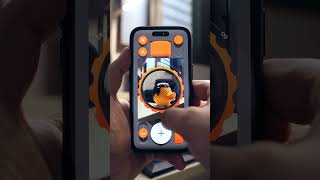
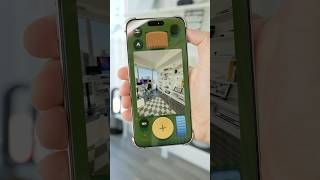
YouTube returned 6 videos for “(Not Boring) Camera”, and we withheld 4: 4 did not mention (Not Boring) Camera. Showing the 2 we can prove are about (Not Boring) Camera.
Official links
Tools that pair well with (Not Boring) Camera
Common stack mates teams adopt alongside (Not Boring) Camera, with the specific reason each pairing earns its keep.

Timestamp Camera
Mobile camera app that burns live date, time, GPS, weather and altitude onto photos and videos as you shoot them.

PixelMotion
Turn product photos into professional marketing videos with 57 AI models, from $29/mo.

Painnt
Painnt turns iPhone and iPad photos into AI paintings, sketches, and comic-book cartoons with 2000+ filters.
Featured Head-to-Head Comparisons
Not Boring Camera vs The New Black
If you're an iPhone user who loves playful, raw photography without AI smoothing, (Not Boring) Camera is your go-to. If you're in fashion design and need AI-generated apparel concepts with tech pack exports, The New Black is the clear choice. These tools serve entirely different needs — pick based on your creative domain.
Not Boring Camera vs Adobe Firefly Services
Choose (Not Boring) Camera if you want a playful, raw digital photography experience with no algorithmic tampering—perfect for iPhone users seeking joy in shooting. Choose Adobe Firefly Services if you need enterprise-grade generative AI APIs for high-volume content creation with commercial safety and Adobe ecosystem integration. They serve entirely different needs; one is a mobile camera app, the other a cloud API suite.
Not Boring Camera vs Qoves
These tools serve completely different needs: (Not Boring) Camera is a delightful iOS photography app for raw, authentic capture; QOVES is an AI facial analysis platform for non-surgical beauty insights. Choose based on whether you want to take better photos or analyze your face. No overlap in use cases.
Alternatives to (Not Boring) Camera
View all
Timestamp Camera
Mobile camera app that burns live date, time, GPS, weather and altitude onto photos and videos as you shoot them.

PixelMotion
Turn product photos into professional marketing videos with 57 AI models, from $29/mo.

Frequently Asked Questions
Categories
Topics
Used (Not Boring) Camera? Help shape our editorial sentiment research.