
Openai Edge Tts
Free, open-source TTS web app and OpenAI-compatible API using Microsoft Edge's neural voices.
Pick Openai Edge TTS when the budget is zero and the requirement is plain narration in one of Microsoft Edge's published voices. The 400-plus voice catalogue, the locale/gender/language filters and the OpenAI-compatible REST endpoint cover most prototype and hobby workloads, and the Chrome extension and Obsidian plugin mean you can test a voice without writing any code at all. Skip it the moment the job needs a cloned or branded voice, a signed uptime commitment, or a vendor you can escalate to — that is ElevenLabs or Azure TTS territory, and no amount of free voices substitutes for it.
Verified 4d ago · liveness 49/100 · cite: rightaichoice.com/tools/openai-edge-tts
- Developers prototyping voice features on a zero budget
- Solo content creators adding narration without recurring costs
- Language learners sampling native-accent voices by locale
- Hobbyists self-hosting a TTS endpoint
- Teams that need a cloned or brand-specific voice
- Buyers who require SLAs, uptime guarantees or a support contract
- Regulated environments needing compliance and data-handling assurances
We scan live Reddit threads, YouTube comments, X posts, G2 reviews and other communities — and hand you an honest verdict in under a minute.
- Honest verdict, not marketing
- Real pros & cons from real users
- Attributed quotes with receipts
3 free scans · no card needed
Skip Openai Edge TTS if you need a cloned or brand-consistent voice, a signed uptime commitment, or a vendor you can escalate to — those requirements point at a paid TTS provider instead.
Openai Edge Tts's pricing fits teams whose volume aligns with the published tiers. Compare against the alternatives listed below for stage-specific value.
In short
Openai Edge Tts — Free, open-source TTS web app and OpenAI-compatible API using Microsoft Edge's neural voices. Best for Developers prototyping voice features on a zero budget, Solo content creators adding narration without recurring costs, Language learners sampling native-accent voices by locale. Free to use.
What people actually say about Openai Edge Tts — is it worth it?
We ran a structured research pass across product reviews, community discussions, and post-purchase forum threads to surface the patterns vendors won't publish themselves. Below: the recurring strengths, the hidden costs people mention most, and the cohort that consistently regrets adopting this tool.
30 mentions across 4 sources (Hacker News, YouTube, GitHub, Lemmy) · researched Jul 14, 2026.
Average across the 4 sources that answered — each source counts once, not each post.
- +Completely free with no usage limits.
- +Over 400 voices across 100+ languages.
- +Drop-in replacement for OpenAI/Azure/ElevenLabs API.
- +Simple REST API – easy to integrate.
- +Open-source with active GitHub and Discord community.
- −Frequent reliability issues – Microsoft may block access.
- −SSL certificate errors cause connection failures.
- −No ARM64 Docker images for SBCs like Raspberry Pi.
- −Long texts (500+ words) trigger bugs.
- −Missing ffmpeg in official Docker image.
- • Requires self-hosting – server/cloud costs may apply
- • Potential need for a fallback paid TTS if service goes down
Viability Score
How well maintained and how widely used is Openai Edge Tts? Built from what the vendor actually publishes (docs, changelog, tutorials, integrations, pricing), whether the site is live, and how much real users discuss it. How we calculate this
Last calculated: October 2026
How we score →Key Features
- REST API with an OpenAI-compatible TTS endpoint
- In-browser speech generation with no API key
- 400+ Microsoft Edge neural voices across 100+ locales
- Voice catalogue filterable by gender, name, locale, country and language
- Save favourite voices in the web app
- In-browser audio preview and voice samples
- Pagination across 32 pages of voice listings
- Chrome browser extension
- Obsidian plugin
- Open-source, self-hostable GitHub repository
- Streaming audio responses from the API
- Drop-in base-URL swap for existing OpenAI TTS code
- Locale-accurate regional accents (e.g. af-ZA, ar-AE, ar-BH, ar-DZ, am-ET)
About Openai Edge Tts
Openai Edge TTS is a free, open-source text-to-speech front end for Microsoft Edge's built-in neural voices, run by developer Travis Van (travisvn). The website at tts.travisvn.com lets you generate speech directly in the browser without an API key, and its published voice library lists more than 400 voices across 100+ locales — the site's own filter table paginates through 32 pages of voices, from af-ZA-AdriNeural (Afrikaans, South Africa, Female) to dozens of English, Arabic, Amharic and other regional variants. You can filter that catalogue by gender, name, locale, country and language, favourite the voices you use most, and preview audio in the page before you commit code to a voice. For developers the project exposes a REST endpoint shaped like OpenAI's TTS API, so existing OpenAI TTS client code can point at it instead of a paid provider, and the whole thing is self-hostable from its public GitHub repository. Two companion clients ship with the project: a Chrome extension and an Obsidian plugin, which let you trigger speech outside the browser tab you're working in. It suits developers prototyping voice features, content creators adding narration on a budget, and language learners sampling native-accent voices. It is not a voice-cloning or custom-voice platform, and it carries none of the contractual guarantees a paid TTS vendor signs up to.
Behind the Verdict
The honest framing is that this is a convenience layer, not a speech model. Every voice you hear is a Microsoft Edge neural voice; the project's value is that it puts a clean web UI, a browsable voice catalogue and an OpenAI-shaped REST endpoint in front of them, for free. That combination is genuinely useful. The voice table on the site is the strongest part — more than 400 entries with locale, country, language and gender columns, plus favourites, so instead of guessing at a voice ID from documentation you audition real samples in the browser first. The OpenAI-compatible endpoint is the second strong part: if you already have code that calls a TTS API, repointing the base URL is a small change, which makes it a sensible way to de-risk a prototype before paying anyone. The Chrome extension and Obsidian plugin extend the reach to a browser and a notes app, which is where a lot of ad-hoc narration actually gets used. Where it falls short is equally clear. There is no voice cloning, no fine-tuning, no custom pronunciation dictionary beyond what the underlying voices offer, and no commercial relationship behind it — you are depending on a community project and on Microsoft continuing to serve Edge voices through the channel this project uses. Voice quality sits at the Edge neural level: perfectly listenable, but noticeably flatter than the top paid generators for long-form narration or emotional delivery. My recommendation: use it deliberately as a zero-cost tier. Prototype, internal tooling, accessibility narration, pronunciation samples, side projects — all good fits. Anything customer-facing, high-volume or contractually sensitive should be budgeted against a paid vendor from day one, and you can migrate later without rewriting much because the API shape is deliberately familiar.
Researching Openai Edge Tts? Get your full AI stack in 60 seconds.
Free, no signup — tell us your goal and get tools matched to your budget & existing stack.
Real-world workflow fit
Concrete scenarios for the personas Openai Edge Tts actually fits — and what changes day-one when you adopt it.
You already have code that calls an OpenAI-style TTS endpoint. You swap the base URL to the project's endpoint, pick a voice from the browser catalogue (say en-US), generate a handful of clips and listen to them in the page.
Outcome: You hear real narration of your own text within minutes and can decide whether the voice quality is good enough before committing any budget.
You open the web app, filter the 400-plus voice table by language and gender, favourite two or three candidates, preview samples, then generate the script into audio files for your edit.
Outcome: You get finished narration tracks without a per-character bill, at the cost of doing the voice picking and file handling yourself.
You filter the catalogue by locale — af-ZA for Afrikaans, ar-AE for Emirati Arabic — and generate short sample clips of target words in the matching regional accent.
Outcome: You get accent-accurate practice audio for the specific locale you are studying, generated on demand.
Use Cases
- Generate voiceover for a YouTube video or podcast episode without paying per character
- Point an existing OpenAI TTS code path at a free endpoint to test a feature before budgeting for a paid vendor
- Audition regional accents in the browser for a language-learning or pronunciation tool
- Narrate notes and documents inside Obsidian with the companion plugin
- Add basic read-aloud accessibility narration to an internal web app
- Self-host the service on your own infrastructure and call it from an internal tool
- Prototype a voice-enabled chatbot or virtual assistant without API spend
Models Under the Hood
as of 2026-10-18
Limitations
- Every voice is a Microsoft Edge neural voice, so there is no custom training or cloning and quality caps at that level.
- Because it is a community project riding on Microsoft's Edge voice channel rather than a commercial service, there is no uptime commitment, no support contract and no notice period if the channel changes or a hosted instance throttles.
- There is no vendor accountability chain — nobody is contractually on the hook if it stops working on a deadline day.
- It is also a thin layer over someone else's speech engine rather than a speech platform of its own.
as of 2026-10-04
Verification history
We have re-verified Openai Edge Tts 8 times since . Each pass re-reads the vendor's own pages and re-checks every listed field against that evidence; passes where nothing had changed are marked as such.
- — re-checked, vendor evidence unchanged
- — re-checked, vendor evidence unchanged
- — re-checked, vendor evidence unchanged
- — re-checked, vendor evidence unchanged
- — re-checked, vendor evidence unchanged
- — re-checked, vendor evidence unchanged
Showing the 6 most recent of 8 verification passes.
Free to cite with attribution — this page re-verifies continuously.
12-month cost
Project the real annual outlay, including the implied monthly cost when only an annual tier is published.
Vendor list price only. Add-on usage, seat overages, and contract minimums are surfaced under Hidden costs & gotchas.
Where the pricing makes sense
The company stage and team size where Openai Edge Tts's pricing actually pencils out — and where peers do it cheaper.
Openai Edge Tts's pricing fits teams whose volume aligns with the published tiers. Compare against the alternatives listed below for stage-specific value.
Setup time & first value
How long it actually takes to get something useful out of Openai Edge Tts — broken out by persona, not the marketing-page minute.
Browser-only use: under a minute — open the site and start generating. Chrome extension or Obsidian plugin: a few minutes to install and pick a voice. Self-hosting: an afternoon if you are comfortable cloning a GitHub repo and running a service.
Switching to or from Openai Edge Tts
How to bring data in from common predecessors and how to get it back out — written for the switcher, not the buyer.
- →From OpenAI TTS: keep your existing client code and repoint the base URL at the OpenAI-compatible endpoint.
- →From Azure TTS: map your preferred locale and gender to the equivalent Edge neural voice in the browser catalogue, then swap the endpoint.
- →From ElevenLabs: acceptable for draft or internal audio, but expect a quality drop on expressive long-form narration; keep paid output for customer-facing work.
- ↗To OpenAI TTS: because the endpoint shape is deliberately compatible, migrating back is largely a base-URL and API-key change.
- ↗To Azure TTS: move to the same voice family with a commercial contract, SLAs and support attached.
- ↗To ElevenLabs: move when you need cloned voices, more expressive delivery or commercial licensing.
Integrations
Resources & Guides
Tutorials & Learning
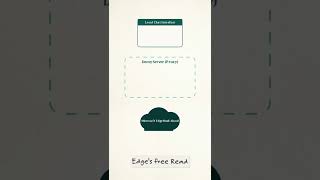
OpenAI Edge TTS GitHub Tutorial: Free AI Voice Interfaces for LLMs
Alex Hitt

OpenAI Edge TTS Local Install And Serve As Voice For Local LLM - AI Voice TTS
Future Thinker @Benji
YouTube returned 6 videos for “Openai Edge Tts”, and we withheld 4: 4 did not mention Openai Edge Tts. Showing the 2 we can prove are about Openai Edge Tts.
Official links
Tools that pair well with Openai Edge Tts
Common stack mates teams adopt alongside Openai Edge Tts, with the specific reason each pairing earns its keep.

Edge Tts
Free text-to-speech in Node.js, PHP, Go and the browser with 300+ Microsoft Edge neural voices — no API key required.

TalkifyTTS
Talkify is a free open-source Android TTS engine that turns reader apps into AI-voiced audiobook players.

Fish Audio
Fish Audio delivers expressive AI text to speech and voice cloning, with emotion tags and a free S2.1 Pro TTS API.
Featured Head-to-Head Comparisons
Openai Edge Tts vs Soniox
Pick Soniox if you need production-grade multilingual speech (STT/TTS/translation) with low latency, compliance, and a unified API—ideal for voice agents and enterprise apps. Choose Openai Edge Tts for free, no-fuss TTS in side projects, prototypes, or personal use where voice variety and zero cost matter more than reliability or advanced features.
Openai Edge Tts vs Retell Ai
If you need a free, simple TTS for prototyping or personal projects, Openai Edge Tts is unbeatable—no API key, no limits. For businesses automating phone calls with human-like AI agents (appointments, payments, outbound), Retell AI’s low-latency, configurable platform is the serious pick, but expect to pay for scale. Choose based on whether you’re coding a toy or running a contact center.
Openai Edge Tts vs Voiceitt
If you have non-standard speech and need a voice interface that actually understands you, Voiceitt is the only tool that adapts to your unique voice—but it requires upfront training and premium pricing. If you need free, high-quality text-to-speech with many voices and no usage limits, Openai Edge Tts is the obvious choice. The two don't directly compete; pick based on whether you're inputting or outputting speech.
Alternatives to Openai Edge Tts
View all
Edge Tts
Free text-to-speech in Node.js, PHP, Go and the browser with 300+ Microsoft Edge neural voices — no API key required.

TalkifyTTS
Talkify is a free open-source Android TTS engine that turns reader apps into AI-voiced audiobook players.

Fish Audio
Fish Audio delivers expressive AI text to speech and voice cloning, with emotion tags and a free S2.1 Pro TTS API.
Frequently Asked Questions
Categories
Best-of guides
Used Openai Edge Tts? Help shape our editorial sentiment research.