
Perplexity Personal Computer
A macOS app that turns your Mac into an always-on agent that reads your files, drives native apps, and runs voice-controlled multi-step tasks.
Personal Computer is one of the few desktop agents that actually touches your machine rather than a chat window. The combination that matters: connect-any-folder local file read/write, control of Mail, Finder, Messages, Notes and Slack, Comet browser driving, and agent teams spread across 20+ frontier models. Sandboxed execution with on-device authorization is the reason to trust it with real folders, and voice mode plus the global-shortcut task bar make it fast to summon. If your work lives in local files and native Mac apps, it competes with doing it yourself far more than with a chatbot. If you are on Windows, need shared multi-user workspaces, or want to run the same agent on a Linux
Verified 2d ago · liveness 60/100 · cite: rightaichoice.com/tools/perplexity-personal-computer
- Mac power users with repetitive local file and app workflows
- Developers building desktop agent pipelines on macOS
- Knowledge workers who mix local documents with web research
- Researchers managing multi-source projects on a Mac
- Windows or Linux users — the app requires macOS 15 Sequoia or later
- Teams that need shared multi-user workspaces or shared automation libraries
- Users who want a simple chat assistant with no access to local files
We scan live Reddit threads, YouTube comments, X posts, G2 reviews and other communities — and hand you an honest verdict in under a minute.
- Honest verdict, not marketing
- Real pros & cons from real users
- Attributed quotes with receipts
3 free scans · no card needed
Skip Personal Computer if your team runs on Windows or Linux, or if the automation you need has to be shared and edited by several people rather than run on one person's Mac.
Always-on 24/7 operation assumes a Mac that stays awake, so a Mac mini running continuously adds hardware, electricity and an always-connected machine to the cost.
Perplexity Personal Computer's pricing fits teams whose volume aligns with the published tiers. Compare against the alternatives listed below for stage-specific value.
In short
Perplexity Personal Computer — A macOS app that turns your Mac into an always-on agent that reads your files, drives native apps, and runs voice-controlled multi-step tasks. Best for Mac power users with repetitive local file and app workflows, Developers building desktop agent pipelines on macOS, Knowledge workers who mix local documents with web research. Contact Sales pricing.
What people actually say about Perplexity Personal Computer — is it worth it?
We ran a structured research pass across product reviews, community discussions, and post-purchase forum threads to surface the patterns vendors won't publish themselves. Below: the recurring strengths, the hidden costs people mention most, and the cohort that consistently regrets adopting this tool.
6 mentions across 2 sources (Hacker News, Lemmy) · researched Jul 3, 2026.
Average across the 2 sources that answered — each source counts once, not each post.
- +Deep local file and app integration on macOS.
- +Auditable action logs and user-controlled approval.
- +Combines local, web, and app orchestration in one tool.
- +Context-aware reasoning across disparate data sources.
- +Multi-step workflow automation without manual scripting.
- −Limited to Mac — no Windows or Linux support yet.
- −Pricing is unlisted — likely expensive (€200/mo rumored).
- −Very new — almost no user reviews or community feedback.
- −Potential security risks from local file access.
- −Steep learning curve for non-power-users.
- • €200/month rumored — no free tier confirmed
- • May require compatible Mac hardware (Mac mini-based bundles reported)
- • Potential per-seat or per-workflow pricing beyond base
Viability Score
How well maintained and how widely used is Perplexity Personal Computer? Built from what the vendor actually publishes (docs, changelog, tutorials, integrations, pricing), whether the site is live, and how much real users discuss it. How we calculate this
Last calculated: September 2026
How we score →Key Features
- Local folder connection with direct file search, read, and write
- Control of native Mac apps including Mail, Finder, Messages, Notes, and Slack
- Voice mode with natural-language understanding and action execution
- Global keyboard shortcut that summons a context-aware task bar from anywhere
- Context awareness that detects your active app and surfaces matching tools
- Always-on 24/7 background operation on a Mac mini, secured with 2FA
- iPhone remote task initiation with pickup at your desk
- Comet browser control for web browsing, research, and automation
- Agent teams orchestrated across 20+ frontier models per objective
- Sandboxed execution in an isolated environment
- On-device authorization gating sensitive steps
- Natural conversation with background task execution
- Requires macOS 15 Sequoia or later
- Runs inside the Perplexity macOS app
About Perplexity Personal Computer
Perplexity Personal Computer is a macOS app, built into Perplexity for Mac, that turns your Mac into an orchestrator for multi-step work. It connects to any folder you point it at, so it can search, read, and write local files directly, and it can operate native Mac apps including Mail, Finder, Messages, Notes, and Slack. One keyboard shortcut summons a task bar anywhere on your Mac; Computer sees which app is active and surfaces the matching tools automatically. Voice mode lets you speak a request in natural language and have Computer listen, reason, and act on your machine. Under the hood it creates teams of agents across 20+ frontier models to work a single objective, rather than relying on one model. Actions run in an isolated sandbox with on-device authorization, so sensitive steps wait for your approval before anything happens. Computer also runs 24/7 on a Mac mini in the background, secured with 2FA, and you can kick off a task from your iPhone anywhere and pick it up at your desk. It drives the Comet browser for web research and automation without switching context. Requirements are macOS 15 Sequoia or later. It is aimed at Mac power users, developers, and knowledge workers who want repetitive local work — file wrangling, cross-app data moves, multi-source research — offloaded to an agent they still control.
Behind the Verdict
The interesting thing about Personal Computer is where it draws the line. Most AI desktop tools stop at 'read my screen and answer questions.' This one writes: it searches, reads and writes files in any folder you connect, and it drives Mail, Finder, Messages, Notes and Slack through the native apps themselves. That is a meaningfully different capability class, and it is why the sandbox and on-device authorization matter so much — you are handing an agent write access to real directories, and Perplexity's answer is isolated execution plus a checkpoint where sensitive steps need your approval on-device. Strengths, concretely: the task bar is summoned by one global shortcut and is context aware, so it notices your active app and surfaces the relevant tools instead of making you configure a workflow graph. Voice mode means you can dictate a task and let it run. Agent teams across 20+ frontier models let the app split an objective rather than chain one model. The always-on mode is the sleeper feature — a Mac mini running 24/7 with 2FA, startable from your iPhone, turns a spare machine into a personal automation server you can hand work to from anywhere. Comet browser control closes the loop between local files and the web, so a report can draw on both. Where it strains: macOS 15 Sequoia or later is the floor, and the whole product is Mac-only, so Windows and Linux teams are out. Everything runs through your machine, which is the point, but it also means an always-on Mac mini is effectively part of the setup if you want the 24/7 story — a laptop that sleeps breaks it. The feature list is about controlling existing apps; if you need a shared workspace where several people see and edit the same automations, nothing on the page describes that. And because the docs and developer pages were not available to us this run, we are not going to characterise API access or extensibility one way or the other. Where it fits: a developer or analyst whose day is a loop of 'find the files, pull the numbers, update the spreadsheet, send the mail' — that loop is exactly what agent control of Finder, Mail and local folders collapses. Where it does not: anyone who wants a simple chat assistant with no file access, and any team whose automation has to be shared, versioned, and reviewed by more than one person.
Researching Perplexity Personal Computer? Get your full AI stack in 60 seconds.
Free, no signup — tell us your goal and get tools matched to your budget & existing stack.
Real-world workflow fit
Concrete scenarios for the personas Perplexity Personal Computer actually fits — and what changes day-one when you adopt it.
Connect the Downloads and documents folders, then ask Computer by voice to find every PDF mentioning Q1 revenue and pull the figures into a summary in Notes.
Outcome: The file sweep and the extraction happen on the local machine, with you approving the write step on-device before anything is saved.
Leave Personal Computer running 24/7 on a Mac mini with 2FA, and start a multi-source research task from an iPhone while away from the desk.
Outcome: The task is already underway when you sit down, and you pick up the result at your desk with the machine still working.
Have Computer drive Comet to gather web sources, then cross-reference them against PDFs in a connected folder and draft a consolidated report.
Outcome: Local documents and live web research land in one output without you switching between browser and Finder.
Use Cases
- Find and organize files across a connected folder — for example locating every PDF in Downloads about Q1 revenue
- Move data between native Mac apps without manual copy-paste, driving Mail, Notes and Messages directly
- Run web research in Comet and combine it with local documents to produce one report
- Dictate a multi-step task by voice and let it execute while you keep working
- Leave a Mac mini running 24/7 and start tasks from your iPhone while away from your desk
- Approve or reject sensitive agent actions on-device before they run on your files
Models Under the Hood
as of 2026-09-14
Limitations
- Mac-only and it requires macOS 15 Sequoia or later, so Windows and Linux are out of scope.
- The always-on 24/7 mode assumes a machine that stays awake — typically a Mac mini — which means an extra piece of hardware if your daily driver is a laptop that sleeps.
- The page describes control of existing apps and local files rather than shared or multi-user automation workspaces, so teams coordinating on the same workflows have nothing here to build on.
- We could not reach the documentation or developer pages this run, so we are not making any claim about API access or how extensible the agent is.
as of 2026-09-26
Verification history
We have re-verified Perplexity Personal Computer 9 times since . Each pass re-reads the vendor's own pages and re-checks every listed field against that evidence; passes where nothing had changed are marked as such.
- — re-checked, vendor evidence unchanged
- — re-checked, vendor evidence unchanged
- — re-checked, vendor evidence unchanged
- — re-checked, vendor evidence unchanged
- — re-checked, vendor evidence unchanged
- — re-checked, vendor evidence unchanged
Showing the 6 most recent of 9 verification passes.
Free to cite with attribution — this page re-verifies continuously.
Where the pricing makes sense
The company stage and team size where Perplexity Personal Computer's pricing actually pencils out — and where peers do it cheaper.
Perplexity Personal Computer's pricing fits teams whose volume aligns with the published tiers. Compare against the alternatives listed below for stage-specific value.
Setup time & first value
How long it actually takes to get something useful out of Perplexity Personal Computer — broken out by persona, not the marketing-page minute.
Install the Perplexity macOS app on a machine running macOS 15 Sequoia or later, and you are into the guided setup immediately. Connecting your first folder and trying a file search is a single-session task. Getting to the always-on configuration — a Mac mini that stays awake, 2FA enabled, iPhone remote paired — is the longer part, because it involves a second machine and leaving it running.
Switching to or from Perplexity Personal Computer
How to bring data in from common predecessors and how to get it back out — written for the switcher, not the buyer.
- →From doing it by hand: point Computer at the folders you already work in and move one repeated file task at a time into a spoken or typed request.
- ↗To a manual workflow: stop connecting folders and run file and app tasks yourself, keeping the agent out of your local directories.
Integrations
Resources & Guides
Tutorials & Learning
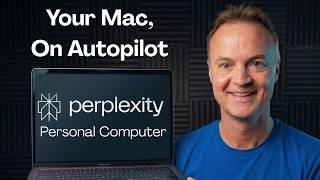
YouTube returned 6 videos for “Perplexity Personal Computer”, and we withheld 5: 5 did not mention Perplexity Personal Computer. Showing the 1 we can prove is about Perplexity Personal Computer.
Official links
Tools that pair well with Perplexity Personal Computer
Common stack mates teams adopt alongside Perplexity Personal Computer, with the specific reason each pairing earns its keep.
MindsDB
MindsHub (formerly MindsDB) turns plain-language tasks into live apps, dashboards, spreadsheets, and briefs from your connected data.

Instabase
Enterprise agentic automation platform that turns multi-document packets into auditable, verifiable intelligence.
Glide
GlideOS turns spreadsheets into business apps with AI — build internal tools without code.
Featured Head-to-Head Comparisons
Perplexity Personal Computer vs Truleo
Choose Truleo if you are a law enforcement agency needing automated leads from siloed data like jail calls and body cameras. Choose Perplexity Personal Computer if you are a power user or developer wanting to automate complex desktop workflows across local apps and the web. They serve completely different audiences and use cases.
Perplexity Personal Computer vs Locus Robotics
These products solve entirely different problems. Locus Robotics is a warehouse automation platform using AMRs to boost fulfillment productivity; Perplexity Personal Computer is a desktop agent for automating work across apps and files. Choose Locus if you run a high-volume distribution center; choose Perplexity if you're a power user doing complex workflows on your PC. They are not direct competitors.
Perplexity Personal Computer vs Presto Voice
Presto Voice and Perplexity Personal Computer serve completely different problems. If you run a QSR chain and need to automate drive-thru ordering with proven upselling (95% non-intervention, 6% revenue lift), Presto Voice is the right choice—recent adoption by Dairy Queen confirms its enterprise traction. If you're a power user or developer needing a desktop agent that orchestrates local files, apps, and web tasks, Perplexity Personal Computer is the tool. They are not substitutes.
Alternatives to Perplexity Personal Computer
View all
Frequently Asked Questions
Categories
Best-of guides
Used Perplexity Personal Computer? Help shape our editorial sentiment research.