Recruit CRM is live · pricing from $95/user/mo · last verified 26 Oct 2026 · viability healthy

Recruit CRM
Recruit CRM is an AI-powered ATS + CRM for recruitment agencies, with agents that parse, format and pitch candidates for you.
The agents worth paying for are the dull ones — custom field parsing and resume formatting — because they delete work recruiters currently do by hand at 6pm. Recruit CRM MCP is the genuine differentiator if your desk already lives in Claude or ChatGPT. Budget for credits though: sourcing, matching, enrichment and multiposting all draw from a pooled monthly allowance, and a busy contract desk will notice.
Verdict generatedVerified 4d ago · liveness 79/100 · cite: rightaichoice.com/tools/recruit-crm
- Recruitment agencies running perm, exec search or contract desks that want an AI-first ATS + CRM in one subscription
- Desks drowning in CV formatting, submission prep and pitch emails that the four live ARC agents can absorb
- Recruiters already working inside Claude or ChatGPT who want pipeline data queryable there via MCP
- Contract staffing teams that need timesheets, invoicing and contractor pay alongside placements
- Internal TA teams hiring for a single employer — the client/deal/commission half of the CRM is dead weight
- Agencies that need deep Workday or SAP SuccessFactors integration
- High-volume sourcing teams that will burn through the monthly credit allowance and don't want to top up
We scan live Reddit threads, YouTube comments, X posts, G2 reviews and other communities — and hand you an honest verdict in under a minute.
- Honest verdict, not marketing
- Real pros & cons from real users
- Attributed quotes with receipts
3 free scans · no card needed
Skip Recruit CRM if you run an internal TA team hiring for a single employer, or if your stack depends on deep Workday or SAP SuccessFactors integration rather than an agency desk.
Pro includes 100 credits per user per month and Business 200, pooled at the account level — but AI Sourcing + Matching, Data Enrichment, Workflow Automation, Job multiposting, job change alerts, the meeting notetaker,
At $95 per user/month on Pro and $135 per user/month on Business (monthly; the annual toggle advertises savings up to 17%), Recruit CRM sits under a heavier Bullhorn-or-Salesforce stack and roughly in line with other mid-market agency ATS products. It fits a 3-30 seat agency or executive search firm that wants ATS, CRM, timesheets and AI agents on one invoice. Solo recruiters will feel the per-user cost unless they're placing regularly; large agencies should model the credit consumption before
In short
Recruit CRM — Recruit CRM is an AI-powered ATS + CRM for recruitment agencies, with agents that parse, format and pitch candidates for you. Best for Recruitment agencies running perm, exec search or contract desks that want an AI-first ATS + CRM in one subscription, Desks drowning in CV formatting, submission prep and pitch emails that the four live ARC agents can absorb, Recruiters already working inside Claude or ChatGPT who want pipeline data queryable there via MCP. Plans from $95/user/mo.
No head-to-head comparison for Recruit CRM yet — the alternatives below are the closest matches we list.
What is Recruit CRM?
Recruit CRM — Recruit CRM is an AI-powered ATS + CRM for recruitment agencies, with agents that parse, format and pitch candidates for you. Best for Recruitment agencies running perm, exec search or contract desks that want an AI-first ATS + CRM in one subscription, Desks drowning in CV formatting, submission prep and pitch emails that the four live ARC agents can absorb, Recruiters already working inside Claude or ChatGPT who want pipeline data queryable there via MCP. Plans from $95/user/mo.
Recruit CRM pairs an applicant tracking system with a sales CRM built specifically for recruitment agencies: permanent and direct hire desks, retained executive search, contract staffing, RPO and corporate/PE recruitment teams. Candidates, companies, contacts, jobs, deals, placements and billing all sit in one connected database, and a natural-language search bar reaches both your own records and 800M+ external profiles from the same screen. The AI layer, branded ARC, is where the day gets shorter. Four agents are live: a Resume Formatting Agent that produces client-ready branded CVs, a Candidate Submission Agent that assembles a polished shortlist in a click, a Candidate Pitching Agent that writes branded pitch emails, and a Custom Field Parser Agent that learns your custom fields and populates them from parsed resumes. A Screening Agent and an Outreach Agent are listed as coming soon. Supporting AI features cover AI Resume Parsing into structured records, AI Matching with job-role analysis, Natural Language Search that converts plain English into Boolean, AI Email Replies drafted as you type, and AI Outreach Sequencing across email, LinkedIn and SMS. Recruit CRM MCP connects your recruitment data to Claude, ChatGPT and other assistants, so recruiters can query pipeline and run tasks in plain language from tools they already keep open. Beyond AI, the platform carries workflow automation across 1000+ apps, job multiposting to 3000+ boards, a Hiring Manager Portal, timesheets and invoicing, a no-code website builder, and a Chrome sourcing extension. Pro runs $95 per user/month with 100 credits (worth $10), Business $135 with 200 credits, both pooled at the account level, and annual billing saves up to 17%. Against Bullhorn or JobAdder, the draw here is that the AI agents ship in the base subscription rather than as an add-on.
Key features
- Resume Formatting Agent generates client-ready branded CVs as PDFs
- Candidate Submission Agent assembles a polished candidate shortlist in a click
- Candidate Pitching Agent writes branded pitch emails to clients
- Custom Field Parser Agent learns your custom fields and fills them from parsed resumes
- AI Resume Parsing converts raw resumes into structured candidate records
- AI Sourcing searches 800M+ external profiles in natural language
- AI Matching ranks candidates by fit against a job role
- Natural Language Search turns plain English into Boolean queries
- Recruit CRM MCP connects recruitment data to Claude, ChatGPT and other AI tools
- AI Email Replies drafts context-aware responses as you type
- AI Outreach Sequencing builds multi-step email, LinkedIn and SMS sequences
- Chrome sourcing extension grabs LinkedIn and web profiles in one click
- Workflow automation with triggers across 1000+ apps
- Job multiposting to 3000+ job boards
- Timesheets, invoicing and contractor billing
Behind the verdict
Where Recruit CRM earns its keep is the end of the desk workflow, not the front. Formatting a CV to client branding, redacting it, writing the submission email, writing the pitch: that's an hour of admin per shortlist that the agents now handle in a click. If you run a perm or exec search desk, that's the pitch. If you run high-volume contract staffing, the same is true plus timesheets and invoicing sitting next to the placements rather than in a separate system. We'd reach for it when the team is small and the ambition is to look bigger than the headcount. The Hiring Manager Portal, the branded website builder and the client-ready submissions all serve that. Add MCP on top and a recruiter can ask Claude for the top candidates on the React role without opening the ATS. Where it bites is the credit meter. Sourcing, matching, data enrichment, workflow automation, multiposting, job change alerts, the meeting notetaker, LinkedIn messaging, WhatsApp, SMS and advanced analytics are all credit consumers on the pricing page. Pro's 100 credits per user per month (a $10 value) sounds generous until a recruiter runs three sourcing searches and a multipost in the same morning. Pooling at the account level helps, but a busy contract desk should price Business, or budget for credit top-ups, before signing. Pass if you're an internal TA team hiring for one employer. The CRM half — clients, deals, splits, commissions — is dead weight there, and you'd be paying for agency machinery. Pass too if you need deep Workday or SAP SuccessFactors integration; that isn't the shop this is built for. The closest alternative depends on where you sit. Bullhorn is the default at larger agencies and has the ecosystem depth, but you'll pay more per seat and the AI arrives as separate products.
Models under the hood
as of 2026-10-23
Limitations
- Recruit CRM is purpose-built for recruitment agencies (contract, permanent staffing and executive search) rather than in-house TA teams.
- Its MCP connects Recruit CRM data to external AI assistants like Claude and ChatGPT, but the site names no underlying models powering the AI agents themselves.
- AI agents such as the Custom Field Parsing, Candidate Submission, Resume/CV Formatting, Candidate Pitching agents and AI Sourcing/Matching require setup and training on your own schemas before output matches your house style.
- Below the headline prices sits a credit system: AI Sourcing + Matching, Data Enrichment, Workflow Automation, Job Multiposting, job change alerts, the AI Meeting Notetaker, LinkedIn Messaging and Project Sync, WhatsApp Messaging, Advanced Analytics, SMS & Bulk Texting and dedicated phone numbers all consume credits.
as of 2026-10-09
Researching Recruit CRM? Get your full AI stack in 60 seconds.
Free, no signup — tell us your goal and get tools matched to your budget & existing stack.
Is Recruit CRM still active?
Recruit CRM is live · pricing from $95/user/mo · last verified 26 Oct 2026 · viability healthy.
Viability score
How well maintained and how widely used is Recruit CRM? Built from what the vendor actually publishes (docs, changelog, tutorials, integrations, pricing), whether the site is live, and how much real users discuss it. How we calculate this
Last calculated: October 2026
How we score →What do users say about Recruit CRM?
What people actually say about Recruit CRM — is it worth it?
We ran a structured research pass across product reviews, community discussions, and post-purchase forum threads to surface the patterns vendors won't publish themselves. Below: the recurring strengths, the hidden costs people mention most, and the cohort that consistently regrets adopting this tool.
ResearchedDiscussed by users across 4 sources (YouTube, Product Hunt, App Store, Lemmy) · researched Aug 29, 2026.
Average across the 4 sources that answered — each source counts once, not each post.
- +Clean and intuitive interface praised in vendor responses and App Store review.
- +Mobile app offers most web functionality, useful for on-the-go tasks.
- +All-in-one ATS+CRM replaces fragmented tools like Bullhorn or Salesforce.
- +AI agents automate repetitive tasks like resume parsing and candidate pitching.
- +24/7 live support with sub-2-minute response times as claimed.
- −Described as 'terrible' and 'expensive' for the features offered.
- −Feature set called 'basic' compared to Itris, Vincere, and JobAdder.
- −Positive feedback mostly from vendor, not independent users.
- −Product Hunt traction minimal (3 upvotes), indicating weak buzz.
- −AI features not validated by user reviews.
- • Contract staffing features like timesheets may be add-ons
- • API access and premium integrations may incur extra charges
How we verified this
Every listed fact about Recruit CRM— pricing, features, links, status — is re-read from the vendor's own pages by our verification pipeline and each change is logged with a date; the last pass ran on 26 Oct 2026. Pages mix model-assisted synthesis with human review; see how we verify.
Verification history
We have re-verified Recruit CRM 22 times since . Each pass re-reads the vendor's own pages and re-checks every listed field against that evidence; passes where nothing had changed are marked as such.
- — changed pricing page
- — changed features, who it suits, summary, pricing model, description, integrations, pricing tiers, our verdict, who should skip it
- — changed pricing tiers, our verdict, who should skip it, summary, description, who it suits, features
- — changed features, who it suits, description, our verdict, hidden costs, integrations, limitations, switching in, switching out, who should skip it, pricing tiers, pricing fit, setup time, summary, use cases, pricing page
- — changed hidden costs, description, who should skip it, limitations, switching in, features, who it suits, switching out, summary, pricing fit, our verdict, use cases, setup time, pricing tiers
- — changed limitations, pricing page, models
Showing the 6 most recent of 22 verification passes.
Free to cite with attribution — this page re-verifies continuously.
How much does Recruit CRM cost in 2026?
Recruit CRM: Plans from $95/user/mo. Pricing last verified 26 Oct 2026.
Plans compared
Every published Recruit CRM tier, its price as the vendor publishes it, who it fits, and what it adds over the tier below. The 12-month cost projection follows.
| Plan | Price | Billing | Who it's for |
|---|---|---|---|
| Pro | $95/user/moVendor: “$95 per user/month” | monthly, per seat | Startup recruitment businesses and solo-to-small agencies that want AI parsing, sourcing and pitching without contract staffing scale.Adds: Starting paid tier at $95 per user/month with 100 credits per user per month, the Custom Field Parsing, Candidate Submission and Candidate Pitching agents, Chrome sourcing extension and a two-way sync mailbox. |
| Business | $135/user/moVendor: “$135 per user/month” | monthly, per seat | Growing agencies running high-volume outreach that need multichannel sequences, MCP access and branded client reporting.Adds: Adds 200 credits per user per month over Pro, plus the Resume Formatting Agent, Recruit CRM MCP, multichannel email/LinkedIn/WhatsApp sequences and the client-branded Executive Search Report. |
| Enterprise | Custom | quote | Established agencies and executive search firms standardising on one platform across multiple desks and pipelines.Adds: Adds Workflow Automation (1,000 tasks per user per month), Advanced Analytics, LinkedIn Messaging, Data Enrichment (500 credits per user per month), calling and texting credits, Recruit Craft, and Job Multiposting with Direct Apply (10 jobs per user per month). |
12-month cost
Project the real annual outlay, including the implied monthly cost when only an annual tier is published.
Vendor list price only. Add-on usage, seat overages, and contract minimums are surfaced under Hidden costs & gotchas.
Where the pricing makes sense
The company stage and team size where Recruit CRM's pricing actually pencils out — and where peers do it cheaper.
At $95 per user/month on Pro and $135 per user/month on Business (monthly; the annual toggle advertises savings up to 17%), Recruit CRM sits under a heavier Bullhorn-or-Salesforce stack and roughly in line with other mid-market agency ATS products. It fits a 3-30 seat agency or executive search firm that wants ATS, CRM, timesheets and AI agents on one invoice. Solo recruiters will feel the per-user cost unless they're placing regularly; large agencies should model the credit consumption before
Has Recruit CRM's pricing changed?
No plan price for Recruit CRM has moved since we began logging in Aug 2026; the pricing page is re-read on every verification pass.
Who should pick Recruit CRM?
Pick Recruit CRM if you are Recruitment agencies running perm, exec search or contract desks that want an AI-first ATS + CRM in one subscription, Desks drowning in CV formatting, submission prep and pitch emails that the four live ARC agents can absorb, Recruiters already working inside Claude or ChatGPT who want pipeline data queryable there via MCP, Contract staffing teams that need timesheets, invoicing and contractor pay alongside placements.
Look elsewhere if you are Internal TA teams hiring for a single employer — the client/deal/commission half of the CRM is dead weight, Agencies that need deep Workday or SAP SuccessFactors integration, High-volume sourcing teams that will burn through the monthly credit allowance and don't want to top up, Recruiters who want sourcing and candidate screening left fully manual.
Skip it if Skip Recruit CRM if you run an internal TA team hiring for a single employer, or if your stack depends on deep Workday or SAP SuccessFactors integration rather than an agency desk.
GeneratedReal-world workflow fit
Concrete scenarios for the personas Recruit CRM actually fits — and what changes day-one when you adopt it.
A resume lands for an open role. The AI Resume Parser builds the candidate profile, the Custom Field Parsing Agent fills your custom fields, the Resume/CV Formatting Agent produces a branded PDF, and the Candidate Submission Agent assembles the client-ready list.
Outcome: The submission goes out the same day instead of the next morning, with your schema and branding intact.
Multiple contractors are on placements this month. Timesheets, invoicing and contractor pay run inside Recruit CRM, and the Job Change & Backdoor Hire Alert watches for placed candidates moving on.
Outcome: Billing and placement tracking sit in one system, so fee-recovery alerts don't get lost in a separate finance tool.
You run a confidential search. Shortlists and a client-branded Executive Search Report are generated in the platform, calls are captured by the AI Meeting Notetaker, and you query pipeline data in Claude via Recruit CRM MCP.
Outcome: Client-ready reporting and call transcripts come out of the same tool you search in, without exporting candidate data anywhere.
Use cases
- Agency recruiter automating resume parsing, CV formatting and pitch emails so submissions go out the same day.
- Recruitment team running multichannel outreach sequences across email, LinkedIn and WhatsApp against a live job campaign.
- Executive search firm generating shortlists and client-branded executive search reports while tracking confidential candidate data.
- Contract staffing desk handling timesheets, invoicing and contractor pay inside the same ATS.
- Recruiter turning a recorded client or candidate call into a searchable, video-synced transcript with the AI Meeting Notetaker.
- Recruitment agency monitoring candidate job changes to catch backdoor hires and recover fees.
- Solo recruiter using the Chrome extension to capture LinkedIn profiles and verified contact details.
- Agency analyst querying pipeline data through Claude or ChatGPT via Recruit CRM MCP.
Setup time & first value
How long it actually takes to get something useful out of Recruit CRM — broken out by persona, not the marketing-page minute.
A solo recruiter can set up on the web and start working on mobile the same day, with the Chrome extension capturing LinkedIn profiles within minutes. A team of 5-20 should budget a few days: importing candidates and clients, mapping your custom fields so the Custom Field Parsing Agent recognises them, and training agents on your house CV and pitch style before output matches. Expect one to two
Switching to or from Recruit CRM
How to bring data in from common predecessors and how to get it back out — written for the switcher, not the buyer.
- →From Bullhorn: export candidates, contacts, jobs and placements, then map your custom fields so the Custom Field Parsing Agent recognises them on your first parse.
- →From Salesforce: move accounts, contacts and opportunities into the client CRM and rebuild deal pipelines using the deal pipeline builder.
- →From a plain ATS plus spreadsheet: import candidates and jobs, then recreate your stages as hiring pipelines before switching outreach sequences on.
- →From manual LinkedIn sourcing: install the Chrome sourcing extension first so new profiles flow in while historical data imports in the background.
- ↗To Bullhorn: export candidates, contacts, jobs and placements, and expect to rebuild workflows that relied on Recruit CRM's agents manually.
- ↗To Salesforce: export contacts, accounts and deal pipeline records, and line up replacements for timesheets, invoicing and the website builder.
- ↗To a lighter standalone ATS: export parsed candidate profiles and job records, and expect to lose the agent layer and MCP access to your data.
Resources & guides
- Resourcerecruitcrm.io
Blog
Helpful link from recruitcrm.io
- Resourcerecruitcrm.io
Recruit CRM pricing | Highest-rated recruitment software
Recruit CRM offers flexible and scalable pricing plans designed for modern recruitment challenges. Find your solution today.
- Resourcerecruitcrm.io
Integrations
Helpful link from recruitcrm.io
- Resourcerecruitcrm.io
Features
Helpful link from recruitcrm.io
Tutorials & Learning
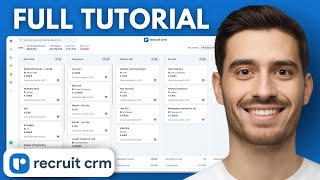

Official links
What are the best Recruit CRM alternatives?
The closest alternatives to Recruit CRM we list are Spott, Manatal and Juicebox PeopleGPT. Ranked by direct product-type match, not category overlap.
| Alternative | Pricing | Starts at | Last verified |
|---|---|---|---|
| Spott | Paid | Pricing not published | — |
| Manatal | Freemium | Pricing not published | — |
| Juicebox PeopleGPT | Freemium | Pricing not published | — |
Alternatives to Recruit CRM
View all
Spott
AI-native ATS and recruitment CRM for staffing agencies, with semantic candidate matching and multi-channel outreach in one workspace.

Manatal
Manatal is AI recruitment software with an ATS, recruitment CRM, and a 24/7 AI Interviewer that video-screens candidates automatically.

Juicebox PeopleGPT
PeopleGPT turns a plain-English brief into a ranked candidate pool from 800M+ profiles, with AI agents that source and email while you sleep
Tools that pair well with Recruit CRM
Common stack mates teams adopt alongside Recruit CRM, with the specific reason each pairing earns its keep.

Spott
AI-native ATS and recruitment CRM for staffing agencies, with semantic candidate matching and multi-channel outreach in one workspace.

Manatal
Manatal is AI recruitment software with an ATS, recruitment CRM, and a 24/7 AI Interviewer that video-screens candidates automatically.

Juicebox PeopleGPT
PeopleGPT turns a plain-English brief into a ranked candidate pool from 800M+ profiles, with AI agents that source and email while you sleep
Frequently asked questions
Best-of guides
Topics
Used Recruit CRM? Help shape our editorial sentiment research.