
Shopify Sales Tracker
Shopify sales tracker dashboard for daily revenue, orders, and traffic snapshots
If you run a Shopify store and want yesterday's revenue, orders, and traffic in one screen, this does the job at $19/month — well under Triple Whale or Lifetimely. It is not an attribution tool: campaign-level and cohort analysis aren't here, and figures are estimates rather than payout-reconciled numbers. Buy it for the daily pulse check, not for investor reporting.
Verified 1d ago · liveness 53/100 · cite: rightaichoice.com/tools/shopify-sales-tracker
- Shopify store owners who want yesterday's revenue, orders, and traffic in one screen
- Solo e-commerce operators who prefer a daily email report over opening an analytics suite
- Small to medium Shopify retailers tracking conversion rate and average order value trends
- Marketing managers checking whether a campaign moved traffic and sales
- Stores on WooCommerce, BigCommerce, or Amazon — this reads Shopify data only
- Multi-channel retailers who need cross-platform revenue comparison in one view
- Teams needing customer-level cohort, LTV, or campaign attribution analysis
We scan live Reddit threads, YouTube comments, X posts, G2 reviews and other communities — and hand you an honest verdict in under a minute.
- Honest verdict, not marketing
- Real pros & cons from real users
- Attributed quotes with receipts
3 free scans · no card needed
Skip Shopify Sales Tracker if you need revenue figures that reconcile to your Shopify payouts or attribution down to the ad campaign — its numbers are estimates for a subset of stores, and it has no cross-channel view.
Second storefront is not free — multi-store support sits on the Business tier, so each additional Shopify store pushes you up a plan.
The entry tier is pitched at solo Shopify sellers who want a daily revenue pulse; the higher tier targets merchants running multiple storefronts or wanting API access and shared dashboards. It sits below Triple Whale and Lifetimely, which charge materially more for ad attribution and customer analytics. If attribution is what you actually need, the cheaper tool is the wrong purchase.
In short
Shopify Sales Tracker — Shopify sales tracker dashboard for daily revenue, orders, and traffic snapshots. Best for Shopify store owners who want yesterday's revenue, orders, and traffic in one screen, Solo e-commerce operators who prefer a daily email report over opening an analytics suite, Small to medium Shopify retailers tracking conversion rate and average order value trends. Free to start; paid plans from $19/mo.
Viability Score
How well maintained and how widely used is Shopify Sales Tracker? Built from what the vendor actually publishes (docs, changelog, tutorials, integrations, pricing), whether the site is live, and how much real users discuss it. How we calculate this
Last calculated: October 2026
How we score →Key Features
- Real-time sales dashboard for Shopify orders and revenue
- Traffic source tracking against sessions and visitors
- Conversion rate monitoring by day, week, and month
- Average order value metrics with trend comparison
- Customizable date range comparisons
- Automated daily email reports of revenue and orders
- Order and sales history view
- Product performance reports
- Export sales and traffic data to CSV
- Multi-store support on the Business plan
- API access on the Business plan
- Team collaboration on the Business plan
- Mobile-friendly web dashboard
About Shopify Sales Tracker
Shopify Sales Tracker is a web dashboard for Shopify store owners who want a quick, at-a-glance read on orders, revenue, and traffic without learning a general analytics suite. You connect your store and it pulls order and visitor data into dashboards covering total revenue, conversion rate, and average order value, with day, week, and month comparisons and automated daily email reports. The deliberate scope is Shopify: it skips the generic web metrics a general analytics platform would surface and keeps the view to e-commerce numbers. CSV export is available, and multi-store support, API access, and team collaboration are attached to the higher Business tier. It's a pulse-check tool, cheaper and simpler than Triple Whale or Lifetimely, but far less deep on attribution and customer-level behavior. Note the data-source caveats before you rely on any figure for accounting or investor reporting: revenue and traffic figures are estimates rather than your Shopify admin numbers, and estimates exist for only a slice of indexed stores.
Behind the Verdict
We'd reach for Shopify Sales Tracker when the daily question is simply 'how did we do yesterday' and you don't want to open Google Analytics to answer it. The automated daily email report is the part that earns its keep for solo operators: the dashboard is a snapshot, the email is the habit. Conversion rate, average order value, and day/week/month comparisons cover the routine checks most small stores actually make, and CSV export means you can hand a number to a bookkeeper without a screenshot. Pick the Business tier only when you need multi-store rollups, API access, or team seats. For a single store, Pro at $19/month is the honest ceiling — paying for API access you never call is wasted money. Where it bites: the figures are estimates, not your Shopify admin totals, and they exist for only a slice of indexed stores. If your accountant or an investor needs numbers that reconcile to payouts, this will not satisfy them — pull from Shopify directly instead. Attribution and customer-level cohort or LTV work aren't in scope at all. The closest alternatives split two ways. Triple Whale and Lifetimely go deeper on attribution and customer behavior at a higher price, which is the right trade if those are your questions. A general web analytics platform is cheaper and covers non-Shopify traffic, but you'll rebuild the e-commerce view yourself. Sales Tracker sits between them: narrower than both, faster to read than either. One practical caveat before you buy: the vendor site is currently behind a bot-verification wall for scrapers, so confirm current pricing and the tier boundaries on the signup page before you commit. Tier names and limits can shift, and we're working from the tiers on file rather than a live pricing page. Verdict: a fair-priced pulse check for
Researching Shopify Sales Tracker? Get your full AI stack in 60 seconds.
Free, no signup — tell us your goal and get tools matched to your budget & existing stack.
Real-world workflow fit
Concrete scenarios for the personas Shopify Sales Tracker actually fits — and what changes day-one when you adopt it.
Connect the store, open the dashboard each morning, and let the automated daily email cover days you don't log in; use the period comparison to see week-over-week revenue direction.
Outcome: You know within a minute whether yesterday was normal, without opening Shopify admin or Google Analytics.
After launching a paid campaign, watch conversion rate and average order value in the dashboard alongside traffic sources, then export the data to CSV for the weekly performance deck.
Outcome: You can tell whether campaign traffic converted at the same rate as your baseline, and you have a spreadsheet to show it.
Use the multi-store view on the Business tier to compare revenue and conversion across both stores in one place, with API access feeding numbers into an internal sheet.
Outcome: Both storefronts get the same daily review instead of one being checked and the other neglected.
Use Cases
- Check yesterday's revenue, orders, and conversion rate in a single dashboard before your morning standup
- Compare this week's revenue against last week to spot growth or a seasonal dip
- Get an automated daily email summary you can forward to a co-founder or agency
- Watch conversion rate and average order value after a campaign launch to see whether traffic quality held up
- Identify top-selling products from product performance reports to guide restocking and promotions
Limitations
- Revenue and traffic figures are estimates, not your actual store data, and estimate coverage extends to only a subset of indexed stores — so the dashboard number will not match your Shopify admin.
- The tool is built exclusively for Shopify, so there is no cross-channel view.
- Depth stops at surface metrics: no advertising-attribution modeling and no customer-level cohort analysis.
- Multi-store support, API access, and team collaboration sit on the Business tier, so single-tier buyers cannot add a second storefront or pull data programmatically.
- Free-tier access is limited.
as of 2026-09-27
Verification history
We have re-verified Shopify Sales Tracker 9 times since . Each pass re-reads the vendor's own pages and re-checks every listed field against that evidence; passes where nothing had changed are marked as such.
- — re-verified summary, description, our verdict, our analysis, pricing model, pricing tiers, features, integrations, who it suits, who should skip it
- — re-checked, vendor evidence unchanged
- — re-checked, vendor evidence unchanged
- — re-checked, vendor evidence unchanged
- — re-checked, vendor evidence unchanged
- — re-checked, vendor evidence unchanged
Showing the 6 most recent of 9 verification passes.
Free to cite with attribution — this page re-verifies continuously.
12-month cost
Project the real annual outlay, including the implied monthly cost when only an annual tier is published.
Vendor list price only. Add-on usage, seat overages, and contract minimums are surfaced under Hidden costs & gotchas.
Plans compared
For each published Shopify Sales Tracker tier: who it actually fits, and what it adds vs. the previous tier. Cross-reference the cost calculator above for projected annual outlay.
Free
$0
Ideal for
A solo Shopify seller who only needs the last 7 days of volume and a daily revenue snapshot, and doesn't need history or sharing.
What this tier adds
Starting tier — real-time sales dashboard, basic traffic tracking, and a daily revenue snapshot capped at the last 7 days of data.
Pro
$19/mo
Ideal for
A single-store merchant who has outgrown the 7-day window and wants automated reports without buying multi-store or API access.
What this tier adds
Adds unlimited historical data, advanced traffic analytics, custom date ranges, and automated daily reports over the Free tier.
Business
$49/mo
Ideal for
A merchant running more than one Shopify storefront, or a small team that wants shared dashboards and programmatic access.
What this tier adds
Adds multi-store support, API access, and team collaboration on top of everything in Pro.
Where the pricing makes sense
The company stage and team size where Shopify Sales Tracker's pricing actually pencils out — and where peers do it cheaper.
The entry tier is pitched at solo Shopify sellers who want a daily revenue pulse; the higher tier targets merchants running multiple storefronts or wanting API access and shared dashboards. It sits below Triple Whale and Lifetimely, which charge materially more for ad attribution and customer analytics. If attribution is what you actually need, the cheaper tool is the wrong purchase.
Setup time & first value
How long it actually takes to get something useful out of Shopify Sales Tracker — broken out by persona, not the marketing-page minute.
For a solo store owner: minutes to connect the store and see the first dashboard, since the seed data describes sync via the Shopify API with no export step. For a multi-store merchant: allow more time to connect each storefront and configure per-store views on the Business tier. Verify on your own store that its revenue estimates actually populate before treating the dashboard as your daily
Switching to or from Shopify Sales Tracker
How to bring data in from common predecessors and how to get it back out — written for the switcher, not the buyer.
- →From Google Analytics 4: keep GA4 running alongside it for on-site behavior, and use this dashboard for the e-commerce revenue and conversion read.
- →From spreadsheets: replace the manual daily sales log with the automated daily email, and use CSV export to keep the sheet if you still want it.
- →From Shopify admin reports: use the dashboard for the at-a-glance daily check, but keep Shopify admin as the source of truth for anything that must reconcile.
- ↗To Triple Whale: move when you need ad-spend attribution and profit-level reporting rather than a revenue pulse.
- ↗To Lifetimely: move when customer lifetime value and cohort analysis become the questions you're asking.
- ↗To a full BI stack: once CSV exports are flowing into a warehouse, the dashboard becomes a convenience layer rather than the system of record.
Resources & Guides
Tutorials & Learning

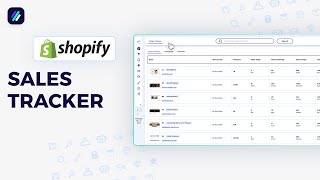
How To Spy On Your Shopify Competitors Store | Shopify Sales Tracker
ZIK Analytics
How To Use The Shopify Sales Tracker | ZIK Analytics Tutorial
ZIK Analytics
Shopify Sales Tracker Made Easy with ZIK for Shopify!
ZIK Analytics
YouTube returned 6 videos for “Shopify Sales Tracker”, and we withheld 2: 2 did not mention Shopify Sales Tracker. Showing the 4 we can prove are about Shopify Sales Tracker.
Official links
Tools that pair well with Shopify Sales Tracker
Common stack mates teams adopt alongside Shopify Sales Tracker, with the specific reason each pairing earns its keep.

EverBee
EverBee overlays estimated Etsy sales and revenue data inside Etsy search so you can pick product winners before a niche saturates.

Formula Bot
Better Analyst — formerly Formula Bot — turns plain-English data questions into charts, dashboards, spreadsheets, and scheduled analytics workflows.

Okendo AI
Okendo unifies Shopify reviews, loyalty, quizzes, referrals, and surveys into one customer marketing platform
Featured Head-to-Head Comparisons
Shopify Sales Tracker vs Nectar Energy
These tools serve entirely different sectors — Nectar Energy for commercial building energy management with advanced AI controls and ESG reporting, Shopify Sales Tracker for direct-to-consumer Shopify revenue analytics. Choose Nectar if you manage multi-building portfolios and need carbon compliance; choose Shopify Sales Tracker if you run a Shopify store and need free, simple sales tracking.
Shopify Sales Tracker vs Geologicai
Choose GeologicAI if you're in critical minerals mining and need rapid, sensor-rich core analysis—its new LIBS capability (from Lumo acquisition) uniquely detects REEs and light elements. Choose Shopify Sales Tracker if you run a Shopify store and want a free, real-time revenue dashboard with zero setup. They serve completely different buyers.
Shopify Sales Tracker vs Screenplayiq
ScreenplayIQ is the right choice for film industry professionals needing data-driven script marketability insights, while Shopify Sales Tracker is essential for Shopify merchants wanting real-time revenue and traffic analytics. They serve entirely different domains, so the decision depends on whether you're in film production or e-commerce.
Alternatives to Shopify Sales Tracker
View allEverBee
EverBee overlays estimated Etsy sales and revenue data inside Etsy search so you can pick product winners before a niche saturates.
Formula Bot
Better Analyst — formerly Formula Bot — turns plain-English data questions into charts, dashboards, spreadsheets, and scheduled analytics workflows.

Frequently Asked Questions
Used Shopify Sales Tracker? Help shape our editorial sentiment research.