
Skywork.ai
Skywork.ai composes slide, doc, image, sheet, code and video agents from mix-and-match skills in one AI workspace.
Skywork earns a look for anyone who wants one workspace covering slides, docs, images, sheets, code and video through composable skills rather than a single model in a chat box. The skill-tree idea is the reason to shortlist it, and the CLI hub plus Skypage sharing make the output usable outside the tool. The trade-offs are real too: assembling a working agent chain takes trial and error, and the entry surfaces listed on the site (Slides, Documents, Images, Sheets, AI Developer, Videos) reward people who already know what they want to produce. Compare it with Microsoft Copilot if you live in Office and want the shortest path from prompt to deck, and with single-purpose generators if you
Verified 4d ago · liveness 53/100 · cite: rightaichoice.com/tools/skywork-ai
- Knowledge workers producing mixed content types regularly
- Content creators generating images and short videos from one brief
- Developers who want code help and documentation output in the same workspace
- Power users comfortable composing agents from discrete skills
- People who want a no-code drag-and-drop builder
- Anyone who needs a finished asset from a single prompt with no configuration
- Buyers who must confirm data-sovereignty terms before any evaluation
We scan live Reddit threads, YouTube comments, X posts, G2 reviews and other communities — and hand you an honest verdict in under a minute.
- Honest verdict, not marketing
- Real pros & cons from real users
- Attributed quotes with receipts
3 free scans · no card needed
Skip Skywork if you want a single prompt to return a finished, polished asset with no workflow setup, or if you need to confirm integrations and current plan terms before your team will even trial it.
Skywork.ai's pricing fits teams whose volume aligns with the published tiers. Compare against the alternatives listed below for stage-specific value.
In short
Skywork.ai — Skywork.ai composes slide, doc, image, sheet, code and video agents from mix-and-match skills in one AI workspace. Best for Knowledge workers producing mixed content types regularly, Content creators generating images and short videos from one brief, Developers who want code help and documentation output in the same workspace. Free to start; paid plans from $19/mo.
What people actually say about Skywork.ai — is it worth it?
We ran a structured research pass across product reviews, community discussions, and post-purchase forum threads to surface the patterns vendors won't publish themselves. Below: the recurring strengths, the hidden costs people mention most, and the cohort that consistently regrets adopting this tool.
2 mentions across 1 source (Hacker News) · researched Aug 19, 2026.
Average across the 1 source that answered — each source counts once, not each post.
- +Generates two slide decks with manual revision in 30 minutes total.
- +Users report AI doing the heavy lifting, leaving quick manual tweaks.
- +Skill-tree modular agents offer granular control for complex workflows.
- +Supports Gemini, Claude, and DeepSeek for flexible model choices.
- +Real-time agent logging and metrics give transparency into AI actions.
- −Very limited community feedback means unknown reliability at scale.
- −Technical skill-tree setup is daunting for non-technical users.
- −No proven track record for integrations like Slack or Notion.
- −Cloud reliance may not satisfy strict data compliance needs.
- −Lack of public support reviews raises questions about responsiveness.
- • Enterprise pricing is custom and not transparently published
- • Higher-tier usage limits may require upgrades for heavy users
- • Potential premium for local deployment not clearly stated
Viability Score
How well maintained and how widely used is Skywork.ai? Built from what the vendor actually publishes (docs, changelog, tutorials, integrations, pricing), whether the site is live, and how much real users discuss it. How we calculate this
Last calculated: October 2026
How we score →Key Features
- AI slide generation from text prompts (Skywork Slides)
- AI document creation for reports and proposals
- AI image generation from text descriptions
- AI spreadsheet analysis and chart creation
- AI developer agent for debugging and code explanations
- AI video creation including short clips and animations
- Skill-tree workflow automation with gates between steps
- Skillhub for reusable agent skills (e.g. Python, UX, Marketing)
- Multi-agent collaboration mode for orchestrated runs
- CLI hub for running agents from a terminal
- Skypage for publishing and sharing interactive AI outputs
- Real-time agent logging and metrics per run
- Natural-language command interface across all surfaces
- Local deployment option advertised for enterprise use
- Dedicated product surfaces for Design and Video
About Skywork.ai
Skywork.ai is an AI workspace that runs modular agents to produce slides, documents, images, spreadsheets, code and short videos from natural-language briefs. Its organising idea is the skill tree: instead of one chat box, you assemble agents out of discrete skills — a Python skill, a UX skill, a marketing skill — and chain them together with gates so a long job (research, then draft, then format a deck) runs step by step. A Skillhub holds the skills you can reuse, Skypage publishes an interactive output you can share, and a CLI hub drives the same agents from a terminal. Real-time agent logging and metrics show what each run did, and an agent collaboration mode orchestrates more than one agent at once. The vendor also advertises local deployment at the enterprise level. Company details on the site are limited to the product navigation: Skywork Design, Skywork Video, Slides, Documents, Images, Sheets, AI Developer and Videos. Because pricing, documentation and integration pages were not reached for this refresh, we make no claim about what a plan costs or what Skywork connects to beyond the skills and agent surfaces described here. It suits knowledge workers, content creators and developers who are comfortable composing a workflow rather than clicking through a template gallery.
Behind the Verdict
Skywork's bet is that knowledge work fragments into assets — a deck, a report, a chart, a clip — and that you should be able to build the machine that produces them rather than prompt for each one. The skill tree carries that bet: agents built from named skills, chained with gates, orchestrated together in an agent collaboration mode, and observed through real-time agent logging and metrics. The Skillhub and CLI hub extend it beyond the browser, and Skypage turns a finished run into something you can hand to someone else. That is a meaningfully different shape from a general assistant — it is closer to a workflow builder with generative steps. Strengths. Breadth of modality in one place: Slides, Documents, Images, Sheets, AI Developer and Videos are all first-party surfaces, so a single project can produce a deck, its charts, and a short explainer without leaving the product. Composability: a Python skill in the same chain as a marketing skill is the kind of combination single-purpose tools can't express. Observability: per-run logging and metrics matter once a chain has five steps and one of them fails. Handoff: Skypage and the CLI hub mean the output isn't trapped in the editor. Weaknesses. The cost of composability is setup. Nothing on the site suggests a drag-and-drop builder, so you are configuring skills and chains, and a chain you didn't design carefully fails in ways that are harder to diagnose than a bad prompt. Breadth also means each surface competes with a specialist — a dedicated slide generator or video tool will often be the faster route for one asset. And the things a buyer asks first — what it costs, what it connects to, how stable the agents are — were not reachable in this refresh, so treat those as open questions to verify directly with the vendor. Where it fits. Teams producing mixed content regularly: a researcher who needs a report and a deck from the same body of work; a marketer producing images and short videos from one brief; a developer who wants code help and documentation output in the same place. Where it doesn't: anyone who wants one prompt and a finished polished artefact with no configuration, and operations that need a mature ecosystem of third-party connectors verified up front.
Researching Skywork.ai? Get your full AI stack in 60 seconds.
Free, no signup — tell us your goal and get tools matched to your budget & existing stack.
Real-world workflow fit
Concrete scenarios for the personas Skywork.ai actually fits — and what changes day-one when you adopt it.
Writes one brief for a product launch, then runs Skywork's image and video surfaces to produce social visuals and a short explainer, and a slide agent for the launch deck.
Outcome: A set of launch assets from one written brief instead of three separate tools, published via Skypage for review.
Uses the AI Developer agent for code debugging and explanations, then chains a Python skill into a scripted job that runs from the CLI hub rather than the browser.
Outcome: Code help and repeatable automation in the same workspace, with agent logs showing what each run executed.
Describes a topic and section headings to the Documents agent, adds charts from the spreadsheet agent and generated imagery, then shares the result as an interactive Skypage.
Outcome: A structured report with visuals built in one place, ready to send without reformatting elsewhere.
Use Cases
- Turn a one-paragraph brief into a 10-slide deck with Skywork Slides, then share the result as a Skypage.
- Produce a research report with embedded charts and generated images by describing the topic and section headings.
- Create marketing images for social posts from a product description and a stated visual style.
- Clean and visualise spreadsheet data using natural-language commands instead of formulas.
- Paste an error message into the AI Developer agent to get a debug and an explanation.
- Build a short tutorial video with generated visuals from a written script.
- Chain skills with gates so a long multi-step job runs and reports progress through agent logs.
Models Under the Hood
as of 2026-09-26
Limitations
- Composability is the point and also the cost: building a skill chain takes configuration and trial and error, and a badly designed chain fails in ways that are harder to trace than a weak prompt.
- Breadth means Skywork meets specialists everywhere and beats none of them outright — a dedicated slide or video generator is usually the faster route for a single asset.
- The product is organised around named output types (Slides, Documents, Images, Sheets, AI Developer, Videos) rather than a guided template flow, so you need to know what you want before you start.
- Pricing, connected apps and release history were not reachable during this refresh, so verify current plans, connector coverage and agent reliability directly with the vendor before committing a team.
as of 2026-10-04
Verification history
We have re-verified Skywork.ai 9 times since . Each pass re-reads the vendor's own pages and re-checks every listed field against that evidence; passes where nothing had changed are marked as such.
- — re-checked, vendor evidence unchanged
- — re-checked, vendor evidence unchanged
- — re-checked, vendor evidence unchanged
- — re-checked, vendor evidence unchanged
- — re-checked, vendor evidence unchanged
- — re-checked, vendor evidence unchanged
Showing the 6 most recent of 9 verification passes.
Free to cite with attribution — this page re-verifies continuously.
12-month cost
Project the real annual outlay, including the implied monthly cost when only an annual tier is published.
Vendor list price only. Add-on usage, seat overages, and contract minimums are surfaced under Hidden costs & gotchas.
Where the pricing makes sense
The company stage and team size where Skywork.ai's pricing actually pencils out — and where peers do it cheaper.
Skywork.ai's pricing fits teams whose volume aligns with the published tiers. Compare against the alternatives listed below for stage-specific value.
Setup time & first value
How long it actually takes to get something useful out of Skywork.ai — broken out by persona, not the marketing-page minute.
Plan on an afternoon for a first useful chain: pick the target surface (Slides, Documents, Images, Sheets, AI Developer or Videos), run it on one real brief, then add a second skill and a gate and watch the agent logs to confirm each step behaved. A single one-shot asset takes minutes; a reliable multi-step workflow is an iterative build.
Switching to or from Skywork.ai
How to bring data in from common predecessors and how to get it back out — written for the switcher, not the buyer.
- →From single-purpose slide generators: rebuild your deck brief as a Skywork Slides prompt, then add the Images surface for visuals.
- →From chat assistants: move recurring prompts into a skill chain with gates so long jobs run in sequence rather than in one message.
- →From separate document and spreadsheet tools: use the Documents and Sheets agents on the same source material and publish via Skypage.
- ↗To Microsoft Copilot: if you live in Office and need the shortest path from prompt to deck, move there instead.
- ↗To a dedicated slide or video generator: if you only ever produce one asset type and don't need orchestration.
- ↗To a mature workflow platform with a verified connector catalogue: if pre-approved integrations are a hard requirement.
Resources & Guides
Tutorials & Learning
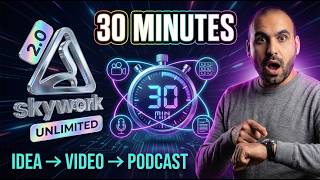
YouTube returned 6 videos for “Skywork.ai”, and we withheld 5: 5 could not be judged, because “Skywork.ai” is a single word that other videos use for other things. Showing the 1 we can prove is about Skywork.ai.
Official links
Tools that pair well with Skywork.ai
Common stack mates teams adopt alongside Skywork.ai, with the specific reason each pairing earns its keep.

Twistly
AI presentation maker that turns topics, PDFs, and Word docs into editable PowerPoint slides inside PowerPoint itself.
SlidesAI
AI presentation maker that turns notes, docs and prompts into slides inside Google Slides, PowerPoint or ChatGPT.

Writingmate
Writingmate puts 350+ chat, image, and video models plus web search and files in one $20/month workspace.
Featured Head-to-Head Comparisons
Skywork Ai vs Locus Robotics
Locus Robotics and Skywork.ai serve completely different realms: one automates physical warehouse operations, the other automates digital content creation. Choose Locus if you run a high-volume fulfillment center and need proven AMRs that boost picking productivity 2-3x. Choose Skywork if you're a knowledge worker or team drowning in slide decks, reports, and images. The only common thread is AI-driven efficiency.
Skywork Ai vs Truleo
If you're in law enforcement drowning in siloed data, Truleo is the clear choice—it connects RMS, CAD, jail calls, and body cameras into one search with automated lead generation. For knowledge workers or content creators seeking a multi-purpose AI workspace, Skywork.ai's freemium model and skill-tree automation offer far broader functionality at lower cost. Pick based on your domain: crime analysis vs. general productivity.
Skywork Ai vs Presto Voice
Choose Presto Voice if you run a QSR chain and need proven drive-thru voice AI with upselling; choose Skywork.ai if you want a versatile AI workspace agent for content and code. They serve entirely different needs, so the decision hinges on your domain and workflow.
Alternatives to Skywork.ai
View all
Twistly
AI presentation maker that turns topics, PDFs, and Word docs into editable PowerPoint slides inside PowerPoint itself.
SlidesAI
AI presentation maker that turns notes, docs and prompts into slides inside Google Slides, PowerPoint or ChatGPT.

Writingmate
Writingmate puts 350+ chat, image, and video models plus web search and files in one $20/month workspace.
Frequently Asked Questions
Categories
Best-of guides
Used Skywork.ai? Help shape our editorial sentiment research.