
Token Monitor
Token Monitor is a free desktop widget that tracks AI coding token usage, cost, and quota limits across 44+ tools and providers.
For a free, MIT-licensed widget the depth here is genuinely surprising — per-reply cost attribution and the cache-hit versus cache-miss split are normally paid-tier features. If you juggle Codex, Claude Code, and a local model or two, the limits view alone earns the download. The catch: cross-device rollup means bringing your own hub.
Verified 1d ago · liveness 68/100 · cite: rightaichoice.com/tools/token-monitor
- Developers running several AI coding assistants who want one local read on tokens and spend
- Anyone blindsided by a weekly quota reset who wants countdown warnings before the wall
- Privacy-conscious users who want usage telemetry to stay on their machine by default
- Multi-account users (e.g. two Codex logins) needing per-account quota windows
- Teams needing shared dashboards, seat management, or cost-center reporting
- Buyers who want a zero-setup hosted telemetry service with nothing to self-host
- Enterprises that require SOC 2 or similar compliance artifacts out of the box
We scan live Reddit threads, YouTube comments, X posts, G2 reviews and other communities — and hand you an honest verdict in under a minute.
- Honest verdict, not marketing
- Real pros & cons from real users
- Attributed quotes with receipts
3 free scans · no card needed
Skip Token Monitor if you need a shared team dashboard with seat management and cost-center reporting, or if you're not willing to run your own hub for cross-device rollup.
Cross-device rollup isn't included — you supply the hub yourself, whether that's the in-widget hub, the Node CLI hub, or a Cloudflare Worker you deploy and pay for.
Token Monitor is a free, MIT-licensed desktop app — there is no paid tier, no seat cost, and no per-token markup, so it undercuts hosted AI observability platforms like Helicone or Langfuse on price by the full amount, while covering a different surface: your local coding-tool usage rather than server-side API traffic. The real cost comparison is the hub you host for multi-device sync, which those hosted tools bundle.
In short
Token Monitor — Token Monitor is a free desktop widget that tracks AI coding token usage, cost, and quota limits across 44+ tools and providers. Best for Developers running several AI coding assistants who want one local read on tokens and spend, Anyone blindsided by a weekly quota reset who wants countdown warnings before the wall, Privacy-conscious users who want usage telemetry to stay on their machine by default. Free to use.
What people actually say about Token Monitor — is it worth it?
We ran a structured research pass across product reviews, community discussions, and post-purchase forum threads to surface the patterns vendors won't publish themselves. Below: the recurring strengths, the hidden costs people mention most, and the cohort that consistently regrets adopting this tool.
60 mentions across 6 sources (Hacker News, YouTube, Product Hunt, Bluesky, GitHub, Lemmy) · researched Jul 6, 2026.
Average across the 6 sources that answered — each source counts once, not each post.
- +Free and open-source with no account or cloud required.
- +Local-first design ensures privacy; data never leaves your machine.
- +Supports many AI tools: Claude Code, Codex, OpenCode, Hermes, Cursor, and more.
- +Real-time token and cost tracking in a compact desktop widget.
- +Optional self-hosted sync enables multi-device aggregation.
- −macOS performance issues: high CPU and syspolicyd crashes from concurrent scanning.
- −Hermes Agent integration broken on Windows with WSL.
- −Cursor and Codex limit displays not working for some users.
- −Setup requires manual configuration and knowledge of local file paths.
- −UI is basic and lacks polish; no native mobile app (iOS via Widgy/Scriptable).
- • No paid tiers; no hidden costs beyond optional self-hosted server infrastructure
Viability Score
How well maintained and how widely used is Token Monitor? Built from what the vendor actually publishes (docs, changelog, tutorials, integrations, pricing), whether the site is live, and how much real users discuss it. How we calculate this
Last calculated: October 2026
How we score →Key Features
- Token, cost, and quota tracking across 44+ AI coding tools and providers
- Per-tool and per-model usage breakdown with cache-hit versus cache-miss input splits
- Session, weekly, billing, credit, and balance quota windows with estimated reset times
- Multi-account provider handling — two Codex or Claude logins shown side by side
- Per-session drill-down with each prompt and reply, input/output/cache counts, and per-reply cost
- Provider status view showing active incidents for Claude, OpenAI, Cursor, and others
- Drag-to-arrange menu bar and system tray built from icons, quota bars, reset times, cost, tokens, and live tok/s
- Opt-in Edge Dock rail with auto-hide or always-visible modes
- Floating bubble mode — draggable mini-window with click or hover preview
- Opt-in history dashboard with GitHub-style activity heatmap and streaks
- Stacked per-tool and per-model bar charts plus K-line time series across 7 days to all-time
- Native macOS 14+ widgets: Summary, Activity, Breakdown, Quota, and Dashboard
- Subscription tracking comparing what you pay against monthly usage value
- Predicted Codex reset forecasts (regular versus banked) and credit-backed balance display
- Self-hosted cross-device rollup via in-widget hub, Node CLI hub, or Cloudflare Worker
About Token Monitor
Token Monitor is a free desktop widget for developers who run more than one AI coding assistant and want a single local read on tokens burned, dollars spent, and how close each quota window is to resetting. It reads local usage summaries through tokscale and renders them on your own machine — macOS, Windows, or Linux — so nothing leaves the box unless you deliberately point it at a self-hosted hub. The provider list now covers 44+ entries, including Claude Code, Codex, OpenCode, Cursor, Cline, Kimi, Qwen, Grok, Copilot, Zed, DeepSeek, MiniMax, OpenRouter, Trae, Cherry Studio, LM Studio, Ollama, and StepFun. The widget splits into nine views you open one at a time. A totals view breaks usage down per tool and per model, keeping the cache-hit versus cache-miss input split that most billing dashboards flatten (the demo shows 86% hit, 14% miss). A limits view shows session, weekly, billing, credit, and balance windows with estimated reset times, and handles multi-account providers like Codex or Claude side by side. Per-session drill-down opens any session to inspect each prompt and reply with input, output, and cache counts plus a per-reply cost, while a provider status view surfaces active incidents for Claude, OpenAI, and Cursor without a browser tab. Layout is unusually configurable for a free tool. Menu bar and tray displays are drag-to-arrange from icons, quota bars, reset times, cost, tokens, live tok/s, and text. An opt-in Edge Dock keeps limits and running sessions on a screen edge with auto-hide or always-visible modes. Turn on history and a full dashboard window opens: a GitHub-style activity heatmap with streaks, per-tool and per-model stacked bars plus K-line time series across 7-day to all-time ranges, and native macOS 14+ widgets for Summary, Activity, Breakdown, Quota, and Dashboard. It is built for solo developers and small crews juggling several assistants at once — not for teams needing shared dashboards, seat management, or cost-center reporting.
Behind the Verdict
The question Token Monitor answers is narrow, and that's why it works: how many tokens have I burned today, on which tool, and how close is my weekly quota to resetting. If you've ever been mid-refactor when a quota wall hit, the limits view with countdown reset times is the reason to install it. We'd reach for this when you're paying for two or three coding subscriptions and have lost track of which one is eating the budget. The subscription tracker compares what you pay against monthly usage value, which turns a vague "am I getting my money's worth from Claude Max?" into a number. Multi-account handling matters more than it sounds — two Codex logins with separate weekly windows sit side by side instead of being averaged into nonsense. The per-session drill-down is the sleeper feature. Seeing per-reply cost and cache counts tells you whether a long agent session is thrifty or quietly expensive in a way aggregate totals never will. Pass if your team needs shared dashboards, seat management, or SOC 2 paperwork — this is a local tool, not a telemetry platform, and the compliance story is whatever your own machine provides. Also pass if your assistants don't write local usage summaries that tokscale can read; the widget has nothing to show without them. The closest alternative is hosted spend tracking like Helicone or Langfuse. Those watch server-side API calls and give teams reporting; Token Monitor watches your desktop tools and quotas. Different jobs. Some people will want both. Caveats worth knowing. Cross-device rollup is bring-your-own-hub — in-widget hub, Node CLI hub, or a Cloudflare Worker — so single-machine users get the full experience and multi-machine users get homework. The 44+ provider list is broad but uneven; obscure tools depend on whether their
Researching Token Monitor? Get your full AI stack in 60 seconds.
Free, no signup — tell us your goal and get tools matched to your budget & existing stack.
Real-world workflow fit
Concrete scenarios for the personas Token Monitor actually fits — and what changes day-one when you adopt it.
You keep the widget in the menu bar with quota bars for both providers, glance at session and weekly percentages before starting a long refactor, and open the limits view when the weekly bar drops below 20%.
Outcome: You stop mid-task quota resets, and you can see which of the two providers has headroom before you pick one for a heavy job.
You enable opt-in history, then use the per-session drill-down to inspect the prompt and reply list for the session that showed an 8.3M-token total, checking input/output/cache counts and the per-reply cost.
Outcome: You find the agent loop or runaway context that is inflating spend and fix the prompt instead of guessing.
You add both Codex accounts to the limits view so they sit side by side, add Ollama and LM Studio to your provider set, and roll the whole thing up across a desktop and a laptop through a self-hosted Cloudflare Worker hub.
Outcome: You get a single view of personal and work quota windows plus local model usage, without sending prompt data to a third party.
Use Cases
- Watch real-time token burn and cost across Claude Code, Codex, and Cursor without switching tabs.
- See session, weekly, and billing quota windows before a limit stops you mid-task.
- Open a session to inspect every prompt and reply with input, output, and cache token counts and a per-reply cost.
- Track AI tool usage trends across multiple machines over months via the opt-in history dashboard.
- Check provider status for Claude, OpenAI, Cursor, and others from inside the widget.
- Collapse the widget into a floating bubble when you want a smaller always-on display.
- Roll up usage from several devices through a self-hosted Cloudflare Worker hub.
- Show today's token totals on an iPhone Home Screen with Widgy or Scriptable.
Models Under the Hood
as of 2026-10-18
Limitations
- Token Monitor depends on local usage data surfaced through tokscale, so a tool has to leave a readable local trace for it to appear — a tool that only reports usage server-side won't show up.
- Everything beyond the single machine is opt-in and self-hosted: the in-widget hub, Node CLI hub, and Cloudflare Worker are the only sync paths, and the iPhone Home Screen totals via Widgy or Scriptable require the Worker hub specifically.
- There is no team layer — no shared dashboards, seat management, collaboration, or compliance artifacts such as SOC 2.
- History charts only exist once you turn on opt-in history, and the widget is a desktop application, so there is no browser version.
- Finally, because the source is local usage summaries rather than provider billing records, the cost figures are an accurate estimate of your own usage, not an authoritative invoice.
as of 2026-10-10
Verification history
We have re-verified Token Monitor 9 times since . Each pass re-reads the vendor's own pages and re-checks every listed field against that evidence; passes where nothing had changed are marked as such.
- — re-verified summary, description, our verdict, our analysis, pricing model, pricing tiers, features, integrations, who it suits, who should skip it
- — re-verified summary, description, our verdict, our analysis, pricing model, pricing tiers, features, integrations, who it suits, who should skip it
- — re-verified summary, description, our verdict, our analysis, pricing model, pricing tiers, features, integrations, who it suits, who should skip it
- — re-verified summary, description, our verdict, our analysis, pricing model, pricing tiers, features, integrations, who it suits, who should skip it
- — re-verified summary, description, our verdict, our analysis, pricing model, pricing tiers, features, integrations, who it suits, who should skip it
- — re-verified summary, description, our verdict, our analysis, pricing model, pricing tiers, features, integrations, who it suits, who should skip it
Showing the 6 most recent of 9 verification passes.
Free to cite with attribution — this page re-verifies continuously.
12-month cost
Project the real annual outlay, including the implied monthly cost when only an annual tier is published.
Vendor list price only. Add-on usage, seat overages, and contract minimums are surfaced under Hidden costs & gotchas.
Plans compared
For each published Token Monitor tier: who it actually fits, and what it adds vs. the previous tier. Cross-reference the cost calculator above for projected annual outlay.
Free
$0
Ideal for
Individual developers and small teams who run several AI coding assistants and want local token, cost, and quota visibility without an account or a subscription.
What this tier adds
Starting tier — the entire product is here: MIT-licensed desktop widget for macOS, Windows, and Linux, 41+ tracked providers, nine views, configurable menu bar and tray layouts, and self-hosted cross-device rollup.
Where the pricing makes sense
The company stage and team size where Token Monitor's pricing actually pencils out — and where peers do it cheaper.
Token Monitor is a free, MIT-licensed desktop app — there is no paid tier, no seat cost, and no per-token markup, so it undercuts hosted AI observability platforms like Helicone or Langfuse on price by the full amount, while covering a different surface: your local coding-tool usage rather than server-side API traffic. The real cost comparison is the hub you host for multi-device sync, which those hosted tools bundle.
Setup time & first value
How long it actually takes to get something useful out of Token Monitor — broken out by persona, not the marketing-page minute.
Download and first launch: a minute or two on macOS, Windows, or Linux — the widget picks up local summaries via tokscale and shows totals immediately. Adding menu bar or tray items and an Edge Dock is a few more minutes of drag-and-arrange. Cross-device rollup via the in-widget hub, Node CLI hub, or Cloudflare Worker is the real time sink: budget an afternoon if you want multi-machine history.
Switching to or from Token Monitor
How to bring data in from common predecessors and how to get it back out — written for the switcher, not the buyer.
- →From a spreadsheet: stop logging token counts by hand and let the widget read local summaries, then keep the sheet only for anything tokscale can't see.
- →From provider billing dashboards: keep the provider page for authoritative invoices and use Token Monitor for the live, per-session view it doesn't give you.
- →From Helicone or Langfuse: those track server-side API calls, so run Token Monitor alongside them for local coding-tool quotas rather than as a replacement.
- →From a menu bar system monitor: swap the CPU/RAM readout for quota bars, reset countdowns, and live tok/s from your AI tools.
- ↗To a hosted AI observability platform: if you need shared team dashboards and server-side API tracing, look at Helicone or Langfuse instead.
- ↗To provider billing pages: if you need authoritative, invoice-grade numbers rather than local estimates, the provider dashboard is the source of truth.
- ↗To a spreadsheet: export or screenshot totals from the history dashboard if you want a static record, then track manually.
Integrations
Resources & Guides
Tutorials & Learning
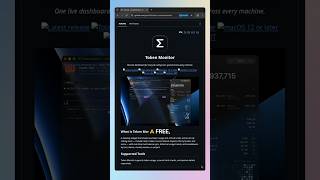
YouTube returned 6 videos for “Token Monitor”, and we withheld 5: 5 did not mention Token Monitor. Showing the 1 we can prove is about Token Monitor.
Official links
Tools that pair well with Token Monitor
Common stack mates teams adopt alongside Token Monitor, with the specific reason each pairing earns its keep.

Burntop
Free open-source AI usage tracking and analytics that syncs your token and cost data from Claude, Cursor, ChatGPT and other tools onto a shareable dashboard.

ToolSpend
ToolSpend tracks AI API spend across OpenAI, Anthropic, Google AI, Bedrock and Azure in one live cost dashboard.

TheFastest.ai
Free daily LLM speed benchmarks — compare time-to-first-token and tokens-per-second across models and regions.
Featured Head-to-Head Comparisons
Token Monitor vs Spider Cloud
Token Monitor and Spider Cloud are complementary tools. Token Monitor excels for developers tracking AI assistant usage and costs locally, while Spider Cloud is ideal for AI agents needing scalable web data extraction. Choose Token Monitor if you juggle multiple coding AIs and want to avoid rate limits; choose Spider Cloud if you build RAG pipelines or AI applications that require real-time, high-volume web scraping.
Token Monitor vs Temporal Ai
If you need to build reliable AI agents that survive failures, choose Temporal AI for its durable execution and workflow orchestration. If you want to track token usage and costs across multiple AI coding tools, Token Monitor is the free, privacy-first choice. The two tools serve entirely different needs and can even complement each other.
Token Monitor vs Screenplayiq
If you're a screenwriter or producer seeking data-driven script feedback and box office forecasts, ScreenplayIQ is your tool. If you're a developer juggling multiple AI coding assistants and need to track token usage, costs, and limits in real time, Token Monitor is a free must-have. Choose based on your domain—they serve completely different needs.
Alternatives to Token Monitor
View all
Burntop
Free open-source AI usage tracking and analytics that syncs your token and cost data from Claude, Cursor, ChatGPT and other tools onto a shareable dashboard.
ToolSpend
ToolSpend tracks AI API spend across OpenAI, Anthropic, Google AI, Bedrock and Azure in one live cost dashboard.

TheFastest.ai
Free daily LLM speed benchmarks — compare time-to-first-token and tokens-per-second across models and regions.
Frequently Asked Questions
Categories
Used Token Monitor? Help shape our editorial sentiment research.