
Agenda Hero Magic
Agenda Hero Magic turns text, images, and PDFs into shareable calendar events — school district PDFs included.
Magic is the cheapest honest fix for the specific misery of retyping a school district PDF or a flyer into a calendar; the Free plan is a real plan, not a trial, so you can test conversion quality before spending anything. Plus at $5/mo billed monthly takes every cap off. Don't buy it expecting an API, an admin console, or project management — buy it because your events arrive as screenshots.
Verified 8h ago · liveness 75/100 · cite: rightaichoice.com/tools/agenda-hero-magic
- Parents converting 2026-27 school district PDFs into a family schedule
- Anyone who gets meeting requests as text messages, screenshots, or flyers
- Students importing class schedules and deadlines from screenshots
- Freelancers tracking appointments that arrive as photos and PDFs
- Developers wanting an API to create events programmatically
- Teams needing an admin console with roles, SSO, or audit logs
- Power users who want a deep calendar client like Fantastical or Motion
We scan live Reddit threads, YouTube comments, X posts, G2 reviews and other communities — and hand you an honest verdict in under a minute.
- Honest verdict, not marketing
- Real pros & cons from real users
- Attributed quotes with receipts
3 free scans · no card needed
Skip Agenda Hero Magic if you need an API for programmatic event creation or deep task and project management alongside your calendar — this is a conversion and sharing tool, not a power-user calendar client.
Free looks generous until you count uploads: you get 10 image/PDF conversions total, then file input is a paid feature.
Free and Plus at $5/mo billed monthly sit well below full-featured calendar apps like Fantastical, and Family at $10/mo billed monthly spreads that across 6 Plus accounts. Organizations at $20/mo billed monthly is priced for schools, clubs, and companies sharing branded public calendars rather than for solo power users. If you only convert typed text, Free may be enough; if your events arrive as PDFs and screenshots, Plus is the realistic entry point.
In short
Agenda Hero Magic — Agenda Hero Magic turns text, images, and PDFs into shareable calendar events — school district PDFs included. Best for Parents converting 2026-27 school district PDFs into a family schedule, Anyone who gets meeting requests as text messages, screenshots, or flyers, Students importing class schedules and deadlines from screenshots. Free to start; paid plans from $5/mo.
What's new in Agenda Hero Magic
Checked 7 days agoAcross the latest 4 updates: 3 feature updates and 1 launch.
Say hello to Dates by Agenda Hero
Introduces Dates, a feature for creating printable and shareable interactive calendars powered by Magic.
2026-27 School Calendars
School district calendars for 2026-27 are now converted from PDF into calendar-ready events by Magic.
Stop Doing Time Zone Math. Let AI Handle It.
Agenda Hero AI removes time zone friction from calendars so cross-zone bookings don't require manual arithmetic.
Make Calendars Glanceable with Emojis
Add emojis in bulk via Magic Chat to make dense calendars easier to scan.
What people actually say about Agenda Hero Magic — is it worth it?
We ran a structured research pass across product reviews, community discussions, and post-purchase forum threads to surface the patterns vendors won't publish themselves. Below: the recurring strengths, the hidden costs people mention most, and the cohort that consistently regrets adopting this tool.
20 mentions across 2 sources (Product Hunt, Lemmy) · researched Jul 3, 2026.
Average across the 2 sources that answered — each source counts once, not each post.
- +Fastest way to create events from text selection in browser.
- +Works with text, images, and PDFs – flexible input options.
- +Integrates with Google, Microsoft, Apple, and other calendars.
- +Free tier sufficient for light, occasional use.
- +Simple UX praised as beautiful and intuitive.
- −No automated extraction from Slack or emails; manual input needed.
- −Lacks long-term user reviews to confirm reliability.
- −Pricing for unlimited edits is unlisted in community data.
- −No mention of handling time zones or recurring events well.
- −Potential privacy concerns with processing images/PDFs on cloud.
- • Price of Plus plan is not mentioned in community data; may be a barrier.
- • Unlimited AI edits may be throttled under heavy usage; no clarity.
Viability Score
How well maintained and how widely used is Agenda Hero Magic? Built from what the vendor actually publishes (docs, changelog, tutorials, integrations, pricing), whether the site is live, and how much real users discuss it. How we calculate this
Last calculated: October 2026
How we score →Key Features
- Natural language text to calendar events
- Image parsing for flyers, posters, and screenshots
- PDF event extraction, including 2026-27 school district calendars
- Dates: printable and interactive calendars built from Magic output
- Magic Chat bulk AI edits, including adding emojis in bulk
- AI time zone handling for cross-zone scheduling
- Public calendar sharing by link with no account needed to view
- Collaborative calendars with unlimited co-editors on Plus
- Synced feeds from Google Calendar, TeamSnap, GameChanger, and any ICS feed
- Source clean-up to hide unwanted feed events
- Push created events to Google, Apple, and Outlook
- Custom color palettes and a full view library per calendar
- Branded URL calendar links and logos on calendars (Organizations)
- Text reminders to Family plan members (US numbers only)
- Connect to Claude or ChatGPT to check calendars and add events
About Agenda Hero Magic
Agenda Hero Magic is the conversion engine behind Agenda Hero: you paste a line like "Lunch with Sarah next Tuesday at 1pm," drop in a screenshot of a flyer, or upload a PDF, and it returns calendar-ready events instead of a typing session. The vendQQor page leads with exactly that promise — "Turn text, images, PDFs into calendar events" — plus a one-click Convert School PDF shortcut for the season when district calendars land. Output is where it separates from a plain converter. Magic output feeds Dates, launched August 2026, which builds printable and interactive calendars you can hand around the way you'd hand around a doc. Calendars support a library of views, color palettes, brand logos and images, and branded URL links (agendahero.com/page/your-name) on the Organizations tier. Public sharing means recipients view without an account. Inputs are broader than most conversion tools on the market. Alongside text, images, and PDFs, calendars pull in synced sources — Google Calendar, TeamSnap, GameChanger, any ICS feed — with source clean-up to hide the noise you don't want. Events push back out to Google, Apple, and Outlook. Magic Chat handles bulk AI edits, including emoji passes that make a crowded month scannable, and AI time zone handling skips the arithmetic on cross-zone bookings. It runs on web, iOS, Android, and a Chrome extension, and connects to Claude or ChatGPT so an assistant can check calendars, add events, and make changes. Pricing is freemium and unusually generous at the entry point: Free has no time limit and no credit card, with unlimited text conversions and 10 file uploads. Paid tiers separate the household case from the audience case — Family for people who plan together, Organizations for teams and schools publishing to a crowd. Position it as a conversion-and-sharing tool, not a calendar client: Fantastical and Motion still own power-user depth, and scheduling suites own team admin controls. Magic sits in the narrow but real gap between
Behind the Verdict
Pick this when your schedule arrives from other people. A district PDF, a screenshot of a birthday invite, a poster on a school door — Magic was built for that intake, and the April 2026 school-calendar work shows where the team's attention is. Parents with two kids at two schools will feel it fastest. Pass if you're the power user. There's no API and no admin console with roles, SSO, or audit logs, so developers automating event creation and IT departments standardizing a team should look at dedicated scheduling platforms instead. Fantastical and Motion remain the deeper calendar clients. Read the plan lines carefully, because Free and Plus are the same person at different caps. Free gives unlimited text conversions but only 10 file uploads and caps views at 2 and collaborators at 2. If PDFs and images are your main input, the 10-upload ceiling lands quickly and Plus is the honest answer at $5/mo. Family is a group plan, not a bigger Plus for you: 6 Plus accounts plus text reminders, and those reminders only reach US numbers. Organizations at $20/mo includes 5 Plus accounts, with every 5 more costing $10 monthly — do that math before you invite a whole school. Where it bites in practice: recipients never need an account, which is why sharing works, but that also means you're handing out a link rather than controlling membership. Source clean-up does the real labor on messy ICS feeds — without it a TeamSnap sync floods the month. The Claude/ChatGPT connection is the sleeper feature. If you already work in an assistant, telling it to add an event or check a calendar beats opening another app, and it works on Free too. Compared with a plain calendar app, Magic earns its keep on intake and distribution rather than daily calendaring. Compared with a scheduling suite,
Researching Agenda Hero Magic? Get your full AI stack in 60 seconds.
Free, no signup — tell us your goal and get tools matched to your budget & existing stack.
Real-world workflow fit
Concrete scenarios for the personas Agenda Hero Magic actually fits — and what changes day-one when you adopt it.
The district publishes its 2026-27 calendar as a PDF in August. You upload it to Magic, convert it into events, and share the resulting calendar by public link so grandparents and a co-parent can see it without signing up.
Outcome: A single shareable family calendar fed by one PDF upload, with source clean-up hiding the feeds you don't want on it.
Client meeting details arrive as a text message and a screenshot of a booking confirmation. You paste the text and upload the image to Magic, let AI time zone handling settle the cross-zone time, and push both events to Google Calendar.
Outcome: Two events on your Google Calendar from two messy sources, without retyping either.
You build the season calendar from a mix of flyers and an ICS feed from the league, apply a logo and branded URL link, then share it publicly so members and parents view it for free.
Outcome: One branded public calendar with synced feeds and a custom link, plus onboarding help from the Agenda Hero team.
Use Cases
- Convert a photo of a conference poster into a calendar entry
- Turn an email thread into a scheduled meeting
- Add a PDF itinerary to your Google Calendar
- Create events from text like 'Dinner Friday 7pm'
- Batch-process multiple event descriptions from a list
- Import a 2026-27 school district PDF into a family calendar
- Bulk add emojis to calendar events via Magic Chat
- Generate a printable yearly calendar that also syncs digitally
Models Under the Hood
as of 2026-10-17
Limitations
- Pricing tiers are Free, Plus ($5/mo billed monthly), Family ($10/mo billed monthly for 6 Plus accounts), and Organizations ($20/mo billed monthly for 5 Plus accounts, with each additional 5 at $10/mo).
- Free allows unlimited text conversions but caps file uploads at 10 images/PDFs, 2 views per calendar, 2 collaborators, and 1 color palette.
- AI edits by chat and sources/feeds are Plus and above only; source clean-up and account-free public sharing also start at Plus.
- Family text reminders are limited to US numbers, and Organizations is where logos, branded URL calendar links, and onboarding with the Agenda Hero team live.
- Annual billing is advertised as saving up to 50%, so check which period a quoted rate refers to before comparing.
as of 2026-10-02
Verification history
We have re-verified Agenda Hero Magic 9 times since . Each pass re-reads the vendor's own pages and re-checks every listed field against that evidence; passes where nothing had changed are marked as such.
- — re-verified summary, description, our verdict, our analysis, pricing model, pricing tiers, features, integrations, who it suits, who should skip it
- — re-verified summary, description, our verdict, our analysis, pricing model, pricing tiers, features, integrations, who it suits, who should skip it
- — re-verified summary, description, our verdict, our analysis, pricing model, pricing tiers, features, integrations, who it suits, who should skip it
- — re-verified summary, description, our verdict, our analysis, pricing model, pricing tiers, features, integrations, who it suits, who should skip it
- — re-checked, vendor evidence unchanged
- — re-verified summary, description, our verdict, our analysis, pricing model, pricing tiers, features, integrations, who it suits, who should skip it
Showing the 6 most recent of 9 verification passes.
Free to cite with attribution — this page re-verifies continuously.
12-month cost
Project the real annual outlay, including the implied monthly cost when only an annual tier is published.
Vendor list price only. Add-on usage, seat overages, and contract minimums are surfaced under Hidden costs & gotchas.
Plans compared
For each published Agenda Hero Magic tier: who it actually fits, and what it adds vs. the previous tier. Cross-reference the cost calculator above for projected annual outlay.
Free
$0 forever
Ideal for
One person testing whether Magic reads their text, flyers, and PDFs accurately before paying anything
What this tier adds
Starting tier: unlimited text conversions but only 10 image/PDF uploads, 2 views, 2 collaborators, 1 palette, no AI chat edits
Plus
$5/mo billed monthly
Ideal for
A single person whose schedule arrives as screenshots, PDFs, and app feeds and who needs it shareable
What this tier adds
Removes the caps and adds unlimited uploads, AI edits by chat, unlimited co-editors and views, synced sources, source clean-up, and account-free public sharing
Family
$10/mo billed monthly
Ideal for
A household or small planning group of up to six who share calendars and want reminders
What this tier adds
Adds a shared space for your people plus 6 Plus accounts and text reminders to Family plan members (US numbers only)
Organizations
$20/mo billed monthly
Ideal for
Schools, clubs, studios, and companies publishing calendars to an audience
What this tier adds
Adds org-wide shared calendars, logo or custom images, branded URL links, 5 Plus accounts ($10/mo per additional 5), and onboarding with the Agenda Hero team
Where the pricing makes sense
The company stage and team size where Agenda Hero Magic's pricing actually pencils out — and where peers do it cheaper.
Free and Plus at $5/mo billed monthly sit well below full-featured calendar apps like Fantastical, and Family at $10/mo billed monthly spreads that across 6 Plus accounts. Organizations at $20/mo billed monthly is priced for schools, clubs, and companies sharing branded public calendars rather than for solo power users. If you only convert typed text, Free may be enough; if your events arrive as PDFs and screenshots, Plus is the realistic entry point.
Setup time & first value
How long it actually takes to get something useful out of Agenda Hero Magic — broken out by persona, not the marketing-page minute.
Free and Plus are self-serve: sign up, run one text prompt or upload, and you have your first event in minutes. Family adds inviting your people into a shared space, so budget an evening to get 6 accounts and a shared calendar arranged. Organizations includes onboarding and setup with the Agenda Hero team, which is the path for schools and clubs that need branded links and multi-calendar
Switching to or from Agenda Hero Magic
How to bring data in from common predecessors and how to get it back out — written for the switcher, not the buyer.
- →From manual Google Calendar entry: convert your existing screenshots and PDFs with Magic instead of retyping, then push events to Google Calendar.
- →From a spreadsheet of dates: paste rows as text into Magic and batch-create the events.
- →From TeamSnap or GameChanger: sync the feed into an Agenda Hero calendar and use source clean-up to hide unwanted events.
- ↗To Google Calendar: events you create in Magic can be added to Google Calendar for a single owner.
- ↗To Apple or Outlook Calendar: the same created events push out to Apple and Outlook.
- ↗To a printed artifact: use Dates to produce a printable calendar instead of moving platforms.
Integrations
Resources & Guides
Tutorials & Learning

Magic ✨ Emojis as Data + Bulk Updates | Agenda Hero
Agenda Hero
Magic ✨ Automatic Time Zone Conversion | Agenda Hero
Agenda Hero
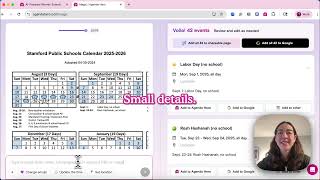
Magic ✨ Zoom Slider: Check AI Results Against Your Source | Agenda Hero
Agenda Hero
YouTube returned 6 videos for “Agenda Hero Magic”, and we withheld 2: 2 did not mention Agenda Hero Magic. Showing the 4 we can prove are about Agenda Hero Magic.
Official links
Featured Head-to-Head Comparisons
Agenda Hero Magic vs Guesty
Choose Agenda Hero Magic if your main goal is to convert text/images/PDFs into calendar events instantly — it’s a one-trick but excellent for that trick. Choose Guesty if you run a vacation rental business and need AI-powered automation for guest messaging, bookings, and operations across multiple channels — it’s a full PMS platform. They solve entirely different problems; no direct competition.
Agenda Hero Magic vs Poke Interaction Co
If your primary need is turning messy text, images, or PDFs into calendar events fast, Agenda Hero Magic wins with its specialized parsing and lower cost ($8/mo Plus). If you want a full-fledged AI assistant that handles email, calendar, tasks, and automations from your messaging app, Poke is more versatile but pricier ($19/mo Pro). Choose Magic for calendar-centric efficiency; choose Poke for broad personal productivity.
Agenda Hero Magic vs Gem
Pick Agenda Hero Magic if you need to turn text, images, or PDFs into calendar events instantly—it's a freemium tool with fast AI parsing and wide calendar integration. Pick Gem if you're a recruiter or talent team needing an all-in-one ATS/CRM with AI sourcing, screening, and fraud detection. They solve completely different problems; don't use Agenda Hero for recruiting or Gem for calendar management.
Popular in Calendar & Scheduling

Chili Piper
Chili Piper is AI-led website conversion software that qualifies B2B visitors and books meetings instantly from forms and chat.

Saner
Saner is an AI personal assistant for ADHD that turns emails, notes, to-dos, and files into one searchable Smart Inbox.

Reclaim.ai
Reclaim.ai is an AI calendar whose 24/7 scheduling agents defend focus time, place tasks, and resolve meeting conflicts automatically.
Frequently Asked Questions
Categories
Topics
Used Agenda Hero Magic? Help shape our editorial sentiment research.