
Fabric CLI
Fabric CLI brings AI semantic search and persistent agent memory to your terminal.
If your library lives in Fabric and your day lives in a shell, the CLI is close to a free upgrade: /search, /ask and fabric save slot into real workflows, and the agent-memory hook for Claude Code, Codex and Cursor is the part worth paying attention to. The build is early at v0.2.14 and Fabric calls it a small set of slash commands, not a full terminal app — expect rough edges. No Fabric subscription, no tool.
Verified 3d ago · liveness 75/100 · cite: rightaichoice.com/tools/fabric-cli
- Developers who already keep their library in Fabric and want it reachable from the shell
- Claude Code, Codex or Cursor users who need persistent memory across agent sessions
- Anyone who wants to save a thought or file mid-task without switching to a browser
- Small teams on a shared Fabric workspace who are comfortable in a terminal
- People who don't use Fabric — the CLI has almost nothing to search or save to
- GUI-only users who rarely open a terminal
- Local-first file purists who want notes stored as plain files they control
We scan live Reddit threads, YouTube comments, X posts, G2 reviews and other communities — and hand you an honest verdict in under a minute.
- Honest verdict, not marketing
- Real pros & cons from real users
- Attributed quotes with receipts
3 free scans · no card needed
Skip Fabric CLI if your notes live outside Fabric or you need plain local files you control — it is a client for Fabric's cloud library, not a standalone or offline tool.
AI usage is metered per plan, with Plus at 5x, Pro at 15x and Max at 45x baseline — heavy terminal or agent use can push you past your tier.
Fabric CLI rides on a Fabric subscription rather than selling separately: Plus at $8/mo billed yearly ($96/yr), Pro at $18/mo billed yearly ($216/yr), Max at $54/mo billed yearly ($648/yr), with monthly billing at a higher rate. That's mid-market for an AI workspace — cheaper than many per-seat AI note tools, and notably less than enterprise knowledge platforms. Solo developers doing light terminal search can sit on Plus; agent-memory and heavier AI use realistically wants Pro.
In short
Fabric CLI — Fabric CLI brings AI semantic search and persistent agent memory to your terminal. Best for Developers who already keep their library in Fabric and want it reachable from the shell, Claude Code, Codex or Cursor users who need persistent memory across agent sessions, Anyone who wants to save a thought or file mid-task without switching to a browser. Free to start; paid plans from $8/mo.
What's new in Fabric CLI
Checked yesterdayAcross the latest 1 update: 1 news mention.
What people actually say about Fabric CLI — is it worth it?
We ran a structured research pass across product reviews, community discussions, and post-purchase forum threads to surface the patterns vendors won't publish themselves. Below: the recurring strengths, the hidden costs people mention most, and the cohort that consistently regrets adopting this tool.
24 mentions across 3 sources (Hacker News, Product Hunt, Lemmy) · researched Jul 3, 2026.
Average across the 3 sources that answered — each source counts once, not each post.
- +One-line install with no dependencies — just works.
- +Fast search across your entire library from the terminal.
- +Natural language queries via /ask to find answers in your data.
- +Piping content into fabric save is frictionless and intuitive.
- +Persistent memory accessible to AI agents across sessions.
- −Very limited community feedback makes long-term trust uncertain.
- −Unknown reliability at scale or with large libraries.
- −No public discussion of support or troubleshooting channels.
- −Early-stage product — features may change or break.
- −Potential confusion with Daniel Miessler's Fabric CLI project.
- • No hidden costs reported, but Pro pricing isn't publicly detailed.
Viability Score
How well maintained and how widely used is Fabric CLI? Built from what the vendor actually publishes (docs, changelog, tutorials, integrations, pricing), whether the site is live, and how much real users discuss it. How we calculate this
Last calculated: October 2026
How we score →Key Features
- Terminal session for Fabric with slash commands, tab completion and inline hints
- /search — AI semantic search across your Fabric library by meaning, not filenames
- /ask — send a natural-language question or task to the Fabric agent
- /path — view a file or folder in your library
- /create — make a new note, link, file or folder from the CLI
- fabric save — drop a note, file or chunk of terminal output into Fabric
- Persistent memory for coding agents including Claude Code, Codex and Cursor
- Any agent that can run a shell command can read from and write to Fabric
- Fabric agent can answer questions, summarize content, create notes, move files and tag items
- One-line install via curl shell script from the CLI download page
- Searches notes, canvas, bookmarks, files, images, PDFs, voice notes and links
- Syncs with Fabric web, mobile and desktop apps plus the web-clipper
- Session commands for /exit and /logout
- Arrow-key selection and escape-to-clear in the session footer
About Fabric CLI
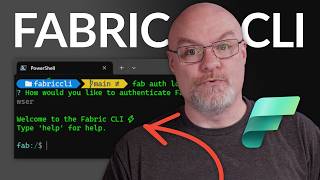
Fabric CLI is a command-line client for Fabric's AI workspace, aimed at developers and the AI coding agents that run alongside them in the shell. You install it with a one-line curl script (the download page shows v0.2.14) and land in a session branded to your account, where slash commands do the work. /search runs semantic search across your whole library — notes, docs, images, links, PDFs, voice notes — and Fabric advertises results in around 200ms. /ask sends a natural-language question or task to the Fabric agent, which can answer, summarize, create notes, move files, tag items and carry out most actions you'd otherwise do through the UI. /path views a file or folder, /create builds a new note, link, file or folder, and /exit or /logout close the session. Shell-level capture is the other half. `fabric save "revisit the auth retry logic"` or `fabric save ./design-v3.png` drops a thought, file or chunk of output into Fabric without breaking flow. The vendor's pitch is workflow continuity: capture mid-task and let Fabric resurface the item later. The feature developers actually come for is agent memory. Coding agents like Claude Code, Codex and Cursor forget between sessions, and preferences don't carry across them. Any agent that can run a shell command can pull context from your Fabric library at the start of a task and write back what it learned at the end, so Fabric becomes persistent, searchable memory that accumulates with every run. This is not a standalone notes app. The CLI is a client for Fabric's cloud library, which syncs to Fabric's web, mobile and desktop apps plus the web-clipper. If your notes and files aren't in Fabric, there's little for the CLI to search or save to. Pricing rides on Fabric's individual plans — Plus at $8/mo billed yearly at $96/yr, Pro at $18/mo billed yearly at $216/yr, and Max at $54/mo billed yearly at $648/yr — plus a Teams plan for shared workspaces. Treat the CLI as a power-user interface for an existing Fabric
Behind the Verdict
Reach for Fabric CLI when the friction you're solving is context switching, not note-taking. You're deep in a task, an idea or a file lands, and the choice is between a browser tab and one shell command. `fabric save` wins that trade every time. The /ask command is the sleeper feature: querying your whole library without opening the app is genuinely useful once your library has enough in it to matter. The agent-memory angle is where this gets interesting for teams running coding agents. Claude Code, Codex and Cursor each start cold. Wiring them to read from and write to Fabric at the edges of a task turns your library into shared state that compounds. That's the argument for paying for a Fabric subscription in the first place, and the CLI is how you wire it up. Where it bites: the CLI is a client, not a product. Zero Fabric library means zero value — nothing to search, nothing to save to. The sync is to Fabric's cloud, so local-first purists who want plain files on disk are in the wrong store. And at v0.2.14 with Fabric itself describing the interface as a handful of slash commands, don't expect a rich TUI. We'd pick this over rolling your own shell scripts against a generic notes API when the agent-memory loop matters, and over Obsidian-plus-plugins when you want the cloud sync and semantic search handled for you. We'd pass if you live in a GUI, or if you'd rather not add another subscription before you've tested whether the memory loop actually changes how your agents behave. One practical caveat: run it for a week on a real project before committing to a paid tier. The value depends entirely on how much you feed it.
Researching Fabric CLI? Get your full AI stack in 60 seconds.
Free, no signup — tell us your goal and get tools matched to your budget & existing stack.
Real-world workflow fit
Concrete scenarios for the personas Fabric CLI actually fits — and what changes day-one when you adopt it.
Mid-refactor, you run fabric save "revisit the auth retry logic" to park the thought, then later run /search to find the spec a teammate shared, and /ask "summarize everything tagged with project-atlas" to catch up on context without opening a browser.
Outcome: Notes and questions stay in the flow of terminal work, and the library you already keep in Fabric becomes reachable in one command instead of a tab switch.
At the start of a task the agent runs a shell command to pull relevant context from your Fabric library; at the end it writes back what it learned. Fabric's search understands meaning, so retrieval doesn't depend on filenames or folders.
Outcome: Preferences and findings survive between agent sessions, and state carries across Claude Code, Codex and Cursor instead of resetting each time.
You run fabric save ./design-v3.png for a mockup and fabric save for a chunk of debug output, then /create a folder for the project and /path to view what's already there.
Outcome: Screenshots, files and output land in Fabric in place, and /search surfaces them later by meaning — e.g. "the screenshot with the weird error".
Use Cases
- Search your personal knowledge base from the terminal without opening a browser
- Save an idea, file or chunk of terminal output mid-task with fabric save
- Ask the Fabric agent a question about your stored documents and get answers in the shell
- Create and organize notes, links, files and folders without leaving your shell
- Give a coding agent persistent memory across sessions by reading from and writing to Fabric
- Run fabric search against your library from scripts for automated retrieval
- Pull reference material into an agent session — e.g. a spec or diagram saved months ago
Limitations
- The CLI requires a network connection to reach Fabric's servers, so offline functionality is limited.
- It is only useful if you already have a Fabric library — there is nothing to search without one.
- The build on the download page is v0.2.14 and Fabric describes the interface as a small set of slash commands rather than a full terminal application, so some areas may still be incomplete or change.
- Your files are indexed and stored in Fabric's cloud, which rules out a purely local-first setup.
- Fabric states it cannot offer refunds, though you can cancel at any time.
as of 2026-10-09
Verification history
We have re-verified Fabric CLI 9 times since . Each pass re-reads the vendor's own pages and re-checks every listed field against that evidence; passes where nothing had changed are marked as such.
- — re-verified summary, description, our verdict, our analysis, pricing model, pricing tiers, features, integrations, who it suits, who should skip it
- — re-verified summary, description, our verdict, our analysis, pricing model, pricing tiers, features, integrations, who it suits, who should skip it
- — re-verified summary, description, our verdict, our analysis, pricing model, pricing tiers, features, integrations, who it suits, who should skip it
- — re-checked, vendor evidence unchanged
- — re-checked, vendor evidence unchanged
- — re-checked, vendor evidence unchanged
Showing the 6 most recent of 9 verification passes.
Free to cite with attribution — this page re-verifies continuously.
12-month cost
Project the real annual outlay, including the implied monthly cost when only an annual tier is published.
Vendor list price only. Add-on usage, seat overages, and contract minimums are surfaced under Hidden costs & gotchas.
Plans compared
For each published Fabric CLI tier: who it actually fits, and what it adds vs. the previous tier. Cross-reference the cost calculator above for projected annual outlay.
Plus
$8/mo billed yearly at $96/yr
Ideal for
Individual developers with a modest Fabric library who want terminal search and capture without heavy AI or agent-memory use
What this tier adds
Starting paid tier: 50GB storage, 50MB file upload limit, unlimited items, AI notetaker and voice notes, 5x AI usage
Pro
$18/mo billed yearly at $216/yr
Ideal for
Serious creatives and developers running persistent agent memory and frequent /ask or /search through the CLI
What this tier adds
Adds assistant web search, 250GB storage and 15x AI usage (up from Plus's 5x), plus up to 10 scheduled AI jobs
Max
$54/mo billed yearly at $648/yr
Ideal for
Heavy AI users with large media libraries or demanding multi-agent memory setups across Claude Code, Codex and Cursor
What this tier adds
Raises storage to 1TB, AI usage to 45x and scheduled jobs to 50 over Pro
Teams
Custom
Ideal for
Startups, agencies and research teams that need one shared Fabric library with permissions and centralized billing
What this tier adds
Shared workspace, team management, centralized team billing and an admin dashboard with usage stats
Where the pricing makes sense
The company stage and team size where Fabric CLI's pricing actually pencils out — and where peers do it cheaper.
Fabric CLI rides on a Fabric subscription rather than selling separately: Plus at $8/mo billed yearly ($96/yr), Pro at $18/mo billed yearly ($216/yr), Max at $54/mo billed yearly ($648/yr), with monthly billing at a higher rate. That's mid-market for an AI workspace — cheaper than many per-seat AI note tools, and notably less than enterprise knowledge platforms. Solo developers doing light terminal search can sit on Plus; agent-memory and heavier AI use realistically wants Pro.
Setup time & first value
How long it actually takes to get something useful out of Fabric CLI — broken out by persona, not the marketing-page minute.
Install is a single curl command from the download page, and after that you're in a session branded to your account — call it under five minutes for a developer already signed into Fabric. The real prerequisite is having a Fabric library with content in it, since there is nothing for /search or fabric save to work against otherwise. Teams adding CLI access for every seat on a shared workspace
Switching to or from Fabric CLI
How to bring data in from common predecessors and how to get it back out — written for the switcher, not the buyer.
- →From browser-only Fabric use: install the curl script and run /search or fabric save for the same library from the shell
- →From copy-pasting notes into agent prompts: have the agent call Fabric at the start and end of a task instead
- →From separate per-agent memory setups: point Claude Code, Codex and Cursor at one Fabric library so memory carries across them
- ↗To plain local files (e.g. Obsidian): there is no export path described here — your library is indexed and stored in Fabric's cloud
- ↗To a notes app without CLI access: expect to lose terminal search and shell-level save until you rebuild the workflow elsewhere
- ↗To an offline-only setup: the CLI's limited offline functionality means this isn't a drop-in substitute
Integrations
Resources & Guides
Tutorials & Learning


Official links
Tools that pair well with Fabric CLI
Common stack mates teams adopt alongside Fabric CLI, with the specific reason each pairing earns its keep.

Saner
Saner is an AI personal assistant for ADHD that turns emails, notes, to-dos, and files into one searchable Smart Inbox.
Mintlify
Mintlify is the documentation platform for agents — self-updating docs with MCP and WebMCP access.

Goodnotes
Goodnotes turns handwritten tablet notes, PDF markups, and meeting minutes into searchable, AI-organized work.
Featured Head-to-Head Comparisons
Fabric Cli vs Gem
Choose Gem if you're a recruiting team wanting an AI-powered ATS/CRM that automates sourcing, screening, scheduling, and fraud detection—especially with recent AI agents like application review (June 2024) and fraud detection (Oct 2024). Choose Fabric CLI if you're a developer or knowledge worker needing a terminal-native memory layer to search, create, and chat with your personal knowledge base—ideal for reducing context switching in a command-line workflow.
Fabric Cli vs Poke Interaction Co
Choose Fabric CLI if you live in the terminal and need a powerful memory layer to search and manage your entire digital library. Choose Poke if you want a proactive AI assistant that handles email, calendar, and tasks directly inside your messaging apps. They serve different primary needs — knowledge retrieval vs. task automation.
Fabric Cli vs Cognition Ai
For enterprise engineering teams needing autonomous production code generation and bug triage, Cognition AI Devin is the clear choice with its new FrontierCode evaluation and $10M productivity guarantee. For developers and knowledge workers who live in the terminal and want a personal AI memory layer, Fabric CLI offers a fast, CLI-native workspace that syncs across devices. Choose Devin if you need an autonomous software engineer; choose Fabric if you need a smart knowledge base.
Alternatives to Fabric CLI
View all

Frequently Asked Questions
Used Fabric CLI? Help shape our editorial sentiment research.