
Filect
AI-powered file organization: clean folders & instant search in plain English.
Filect delivers on its promise of AI-powered file organization with minimal setup. The natural language search is genuinely useful, though the pricing is unclear beyond the trial. It's a solid choice for individuals drowning in digital clutter, but lacks integrations and API access for power users.
Verified 19d ago · liveness 60/100 · cite: rightaichoice.com/tools/filect
- Creative professionals with cluttered desktops
- Developers managing code and assets
- Video editors handling large media libraries
- Productivity enthusiasts seeking zero-friction file management
- Enterprise teams needing cloud-based or multi-user file management
- Users requiring offline-only solutions (Filect needs OS access)
- Command-line power users who prefer scripts over GUI automation
We scan live Reddit threads, YouTube comments, X posts, G2 reviews and other communities — and hand you an honest verdict in under a minute.
- Honest verdict, not marketing
- Real pros & cons from real users
- Attributed quotes with receipts
3 free scans · no card needed
Skip Filect if you need cloud sync, team collaboration, API access, or transparent pricing—none are available, and the lack of commitment to a clear price point makes long-term planning difficult.
After the 10-day free trial, you must subscribe to a paid plan, but the website doesn't publish prices, so you only learn the cost after trying it.
Filect offers a free 10-day trial, after which you must pay, but prices are undisclosed. This is riskier than competitors like TagSpaces (which has a free tier) or Everything (free). For a single user willing to commit, it may be worth it, but without pricing transparency, it's hard to compare value.
In short
Filect — AI-powered file organization: clean folders & instant search in plain English. Best for Creative professionals with cluttered desktops, Developers managing code and assets, Video editors handling large media libraries. Free to use.
What people actually say about Filect — is it worth it?
We ran a structured research pass across product reviews, community discussions, and post-purchase forum threads to surface the patterns vendors won't publish themselves. Below: the recurring strengths, the hidden costs people mention most, and the cohort that consistently regrets adopting this tool.
21 mentions across 2 sources (YouTube, Product Hunt) · researched Aug 21, 2026.
Average across the 2 sources that answered — each source counts once, not each post.
- +Autopilot and custom rules offer flexible control and automation.
- +Natural language search eliminates the need to remember filenames.
- +Runs in the background, continuously tidying folders without manual effort.
- +Batch rename and move operations save time on bulk organization.
- +Undo and rollback features provide some safety net for mistakes.
- −Pricing not shown until after install creates frustration and distrust.
- −Lack of preview or audit trail raises fear of files being moved unpredictably.
- −Only handles Desktop, Downloads, and Documents, ignoring nested folders.
- −No evidence of support for non-English filenames, concerning international users.
- −Handling of ambiguous files is unclear; may guess without asking.
- • Pricing is hidden until after install, causing frustration and potential surprise costs
- • No clear info on whether there are limits on files handled per month
Viability Score
How well maintained and how widely used is Filect? Built from what the vendor actually publishes (docs, changelog, tutorials, integrations, pricing), whether the site is live, and how much real users discuss it. How we calculate this
Last calculated: September 2026
How we score →Key Features
- Automatic file sorting into folders
- Natural language file search
- Customizable organization rules
- Real-time file monitoring
- AI-driven content classification
- Batch rename and move operations
- Undo and rollback for changes
- Dashboard for rule management
- Context-aware folder structure suggestions
- Support for documents, images, videos, code files
- Cross-platform: Windows and macOS
- Autopilot mode for hands-free tidying
About Filect
Filect is an AI-native file organizer for Windows and macOS that automatically categorizes files into clean folder structures. It runs on autopilot or follows custom rules, continuously tidying your Desktop, Downloads, and Documents without manual effort. The tool uses machine learning to understand file content and context, moving, renaming, and sorting files based on user-defined or AI-suggested taxonomies. Beyond organization, Filect offers semantic search: type a natural language query like 'that invoice I made for client X last Tuesday' and it locates the file instantly by understanding intent and metadata. This eliminates the need to remember exact filenames or folder locations. Targeted at creators, coders, designers, video editors, and anyone overwhelmed by digital clutter, Filect aims to save time and reduce cognitive load. The app runs in the background, applying rules as new files appear, and provides a dashboard to monitor and tweak its behavior. What sets Filect apart is its combination of proactive auto-organization and conversational retrieval. Unlike traditional file managers or tag-based systems, it requires no upfront setup—just install and let the AI learn your patterns. A free 10-day trial is available, with paid plans after that.
Behind the Verdict
Strengths: Filect's key differentiator is its proactive, AI-driven organization that doesn't require you to pre-tag or manually sort files. You install it, and it learns your patterns. The natural language search is a genuine time-saver—you can find files by describing them conversationally, which is far more intuitive than hunting through folders. The custom rules engine gives you control when you want it, and the real-time monitoring means new files are handled as they appear. For creative professionals who work with large, messy media libraries, the batch operations and undo feature reduce risk. Weaknesses: The most glaring issue is the lack of published pricing. You get a 10-day free trial, but there's no indication of what it costs afterward, making it hard to evaluate long-term value. The product is desktop-only and single-user; there's no cloud sync, no team features, and no API. If you're a developer who prefers scripting, or an enterprise needing shared file management, this isn't for you. Accuracy depends on file content and may struggle with encrypted or obscure file types. Where it fits: It's ideal for individuals—creators, developers, video editors, students—who have a cluttered Downloads folder and want a zero-setup way to get organized. It's a great fit for non-technical users who don't want to learn complex file management systems. Where it doesn't: Teams, enterprises, and power users who need integrations, API access, or cloud storage compatibility will find it limiting. If you're already using a tag-based system like TagSpaces or a scripted solution, Filect might not win you over. Comparison: Compared to traditional file management tools, Filect is more like a virtual assistant than a utility. It's less about giving you manual control and more about automating the boring stuff. For a single user, it can rival the convenience of cloud storage with AI search, but without the cloud. The lack of transparency on pricing and integrations is a major risk, so you should test the trial thoroughly and be prepared for a subscription model that might be steeper than expected.
Researching Filect? Get your full AI stack in 60 seconds.
Free, no signup — tell us your goal and get tools matched to your budget & existing stack.
Real-world workflow fit
Concrete scenarios for the personas Filect actually fits — and what changes day-one when you adopt it.
Install Filect and give it access to the Desktop and Downloads folders. The AI immediately starts categorizing files into suggested folders (Images, Brand Assets, Client Projects). Within an hour, the Desktop is clean and searchable.
Outcome: You find a client logo by typing 'the logo for the coffee shop project' instead of digging through folders, saving time each day.
On a new project, set a custom rule to route all files containing 'HolidayPromo' to a dedicated project folder. Real-time monitoring sorts new exports and assets as they appear.
Outcome: Your project folder stays organized without manual moves, and you can quickly retrieve the final render by asking 'the holiday promo export from last Friday'.
Use Filect to sort code files by extension and content into Dev, Assets, and Docs folders. You set rules for .zip files to be moved to a Downloads Archive folder after extraction.
Outcome: Your Downloads folder no longer accumulates junk, and you can find a specific SDK by describing 'the React library for charts'.
Use Cases
- Automatically sort new downloads into Documents, Images, and other predefined folders.
- Find a misplaced file by describing it in plain English, like 'the budget spreadsheet I edited last Thursday'.
- Set custom rules to move all PDFs from a specific client into a dedicated project folder.
- Clean up a decade-old Desktop by letting AI categorize everything without manual tagging.
- Monitor a shared download folder and automatically sort files into team member folders.
- Instantly locate a video project file by asking 'the After Effects comp for the holiday promo'.
Limitations
- Pricing details beyond the free trial are not published on the website, making long-term cost evaluation impossible.
- The product is limited to local desktop use with a single user—no cloud sync, team collaboration, or API.
- Search and organization accuracy depend on file content and may not work perfectly for encrypted or extremely rare file types.
as of 2026-09-09
Verification history
We have re-verified Filect 8 times since . Each pass re-reads the vendor's own pages and re-checks every listed field against that evidence; passes where nothing had changed are marked as such.
- — re-checked, vendor evidence unchanged
- — re-checked, vendor evidence unchanged
- — re-checked, vendor evidence unchanged
- — re-checked, vendor evidence unchanged
- — re-checked, vendor evidence unchanged
- — re-checked, vendor evidence unchanged
Showing the 6 most recent of 8 verification passes.
Free to cite with attribution — this page re-verifies continuously.
12-month cost
Project the real annual outlay, including the implied monthly cost when only an annual tier is published.
Vendor list price only. Add-on usage, seat overages, and contract minimums are surfaced under Hidden costs & gotchas.
Plans compared
For each published Filect tier: who it actually fits, and what it adds vs. the previous tier. Cross-reference the cost calculator above for projected annual outlay.
Free Trial
$0
Ideal for
Anyone evaluating if AI file organization will solve their clutter problems before committing money.
What this tier adds
Free entry point for 10 days, including full access to all features—no payment required to start.
Where the pricing makes sense
The company stage and team size where Filect's pricing actually pencils out — and where peers do it cheaper.
Filect offers a free 10-day trial, after which you must pay, but prices are undisclosed. This is riskier than competitors like TagSpaces (which has a free tier) or Everything (free). For a single user willing to commit, it may be worth it, but without pricing transparency, it's hard to compare value.
Setup time & first value
How long it actually takes to get something useful out of Filect — broken out by persona, not the marketing-page minute.
Installation takes minutes: download, install, grant folder access, and let the AI scan. Within the first hour, files start getting sorted. For most users, seeing immediate value happens in the first session—under 15 minutes to basic organization, with the AI learning patterns over a few days.
Resources & Guides
Tutorials & Learning
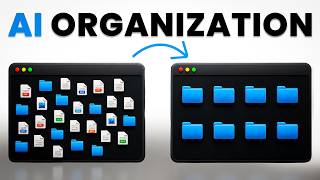
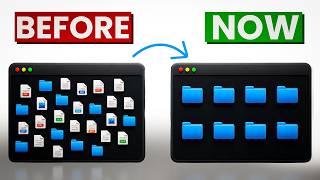
YouTube returned 6 videos for “Filect”, and we withheld 4: 4 could not be judged, because “Filect” is a single word that other videos use for other things. Showing the 2 we can prove are about Filect.
Official links
Tools that pair well with Filect
Common stack mates teams adopt alongside Filect, with the specific reason each pairing earns its keep.

Gemini for Government
FedRAMP High & IL5 compliant Gemini AI for U.S. government agencies
Gemini
Gemini is Google's multimodal AI assistant for drafting, research, and grounded answers across Gmail, Docs, and Search.

BeeDone
BeeDone is a gamified AI productivity app that turns your to-do list into an RPG quest with XP, power-ups, and Dopa, your AI coach.
Featured Head-to-Head Comparisons
Filect vs Gem
Gem vs Filect is not a meaningful comparison because they serve entirely different domains: Gem is an enterprise recruiting platform with AI agents for sourcing, screening, and fraud detection, while Filect is a desktop file organizer for decluttering folders. Choose based on your need: hire better with Gem, or tidy your files with Filect.
Filect vs Guesty
Guesty and Filect serve completely different needs: Guesty is a full-stack vacation rental PMS with AI-driven automation for property managers and enterprises, while Filect is a local file organizer for individuals. Choose Guesty if you manage 4+ listings and want AI agents, dynamic pricing, and 60+ channel integration. Pick Filect if your desktop is a mess and you need automatic file sorting and natural language search.
Filect vs Poke Interaction Co
Buy Filect if your pain is digital clutter on your desktop and you need automatic file sorting with semantic search—it’s a purpose-built local tool with no subscription tiers. Buy Poke if your daily grind involves juggling email, calendar, health data, and tasks from your phone, and you want a proactive AI assistant embedded in your messaging apps. They serve completely different needs; choose based on whether you manage files or manage life.
Alternatives to Filect
View all
Gemini for Government
FedRAMP High & IL5 compliant Gemini AI for U.S. government agencies

Frequently Asked Questions
Categories
Best-of guides
Used Filect? Help shape our editorial sentiment research.