
Hello Aria
Chat-first AI productivity assistant that turns WhatsApp, Telegram, or Slack messages and voice notes into reminders, tasks, and meeting
If your day already runs through WhatsApp, Telegram, or Slack, Aria removes the app-switching tax that kills most reminder tools — and at ₹749/year it is a cheap experiment. The Claude MCP integration with 21 tools on every plan is the sleeper feature for people who live inside Claude. Pick it for capture speed; skip it the moment you need dependencies, Gantt charts, or documented databases.
Verified 3d ago · liveness 76/100 · cite: rightaichoice.com/tools/hello-aria
- Professionals who live in WhatsApp, Telegram, or Slack and want tasks captured there
- Remote teams that need simple group reminders and task assignment without a project tool
- Freelancers and founders juggling reminders, notes, and calendar across chat, iOS, and web
- Students and ADHD users who prefer talking a task out loud over typing it
- Teams needing Gantt charts, task dependencies, or structured project management
- Organizations that require self-hosted deployment or SSO outside the Enterprise tier
- Teams using Notion as their documentation or database source of truth — that integration isn't live yet
We scan live Reddit threads, YouTube comments, X posts, G2 reviews and other communities — and hand you an honest verdict in under a minute.
- Honest verdict, not marketing
- Real pros & cons from real users
- Attributed quotes with receipts
3 free scans · no card needed
Skip Hello Aria if you need structured project management with dependencies and timelines, or if your team's source of truth is Notion or Airtable rather than a chat thread.
Basic's 5 voice notes and 5 image analyses per month run out fast if voice capture is your main habit — unlimited only arrives on Pro at ₹1089/year.
At ₹749/year Basic and ₹1089/year Pro, Hello Aria undercuts Todoist, TickTick, and Apple Reminders Pro tiers for chat-first capture, and the 14-day trial requires no credit card. It sits below Notion's paid team plans, but above free options like Google Tasks or Apple Reminders for the AI voice and image features. Enterprise is custom-priced and sales-led.
In short
Hello Aria — Chat-first AI productivity assistant that turns WhatsApp, Telegram, or Slack messages and voice notes into reminders, tasks, and meeting. Best for Professionals who live in WhatsApp, Telegram, or Slack and want tasks captured there, Remote teams that need simple group reminders and task assignment without a project tool, Freelancers and founders juggling reminders, notes, and calendar across chat, iOS, and web. Free to start; paid plans from ₹62/mo.
What's new in Hello Aria
Checked todayAcross the latest 1 update: 1 feature update.
What people actually say about Hello Aria — is it worth it?
We ran a structured research pass across product reviews, community discussions, and post-purchase forum threads to surface the patterns vendors won't publish themselves. Below: the recurring strengths, the hidden costs people mention most, and the cohort that consistently regrets adopting this tool.
23 mentions across 2 sources (Bluesky, Lemmy) · researched Jul 4, 2026.
Average across the 2 sources that answered — each source counts once, not each post.
- +All-in-one chat-based productivity across WhatsApp, Telegram, email.
- +Voice note transcription to tasks and reminders is convenient.
- +Native iOS app with push notifications and offline support.
- +Google Calendar, Drive, Meet, Gmail integrations.
- +Circles team reminders and task assignment.
- −No community feedback confirming any of the claimed benefits.
- −All scraped posts are off-topic or roleplay, not user reviews.
- −Cannot verify reliability, performance, or accuracy.
- −No evidence of real user adoption or satisfaction.
- −Integration quality and uptime unknown.
- • None reported but free tier may be very limited.
Viability Score
How well maintained and how widely used is Hello Aria? Built from what the vendor actually publishes (docs, changelog, tutorials, integrations, pricing), whether the site is live, and how much real users discuss it. How we calculate this
Last calculated: October 2026
How we score →Key Features
- Convert WhatsApp, Telegram, or Slack messages into reminders and tasks
- Transcribe voice notes into tasks, reminders, and notes
- Extract tasks and details from images and photos
- Set one-time natural-language reminders from chat
- Repeat reminders for recurring events (Pro and above)
- Smart to-do lists with deadline tracking in the dashboard
- MOM mode records and transcribes meetings into minutes with action items
- Save quick notes and ideas from chat
- Circles for group reminders and task assignment
- AI Memory for personalized interactions (Pro)
- Google Calendar event create, edit, and delete from chat
- Upload and share Google Drive files from chat
- Draft and send Gmail from chat
- Generate Google Meet links from chat
- Sync Microsoft OneDrive, Outlook Mail and Outlook Calendar
About Hello Aria
Hello Aria is a chat-native AI productivity assistant for people who never wanted another task app. You message it where you already talk — WhatsApp, Telegram, Slack, or email — and it converts plain language into reminders, to-dos, notes, calendar events, and meeting summaries. A native iOS app and a web dashboard keep everything in sync, so a reminder you text on WhatsApp shows up on your phone and in the browser. Capture is the point. Send a voice note and Aria builds the task; send a photo and it extracts the details. Reminders can be one-time or repeating, to-do lists track deadlines, and MOM mode records a call and returns minutes with action items. Basic tiers cap voice notes and image analysis at 5 per month, which is the first wall most casual users hit. Team features center on Circles, the group reminder and task-assignment layer, and Aria plugs into Google Calendar, Drive, Meet, and Gmail plus Microsoft OneDrive, Outlook Mail and Calendar. Pricing is simple and cheap: ₹62/month on the yearly Basic plan (₹749/year), ₹91/month on Pro (₹1089/year), and a custom Enterprise tier, all behind a 14-day free trial with no card required. The May 2026 Claude MCP release puts 21 Aria tools — reminders, todos, calendar, notes, contacts — inside Claude on every plan. That is the differentiator versus Todoist, TickTick, and Notion here — Aria wins on frictionless capture, not on structured project management.
Behind the Verdict
Aria is best understood as a capture layer, not a project manager. The thing it does better than almost anything at this price is turn a voice note into a filed, reminder-linked task in the channel you already have open. In practice that means the friction that normally kills reminder apps — opening another tool — just isn't there. Pick Aria when your work is scattered across chat threads and you want one inbox with a dashboard behind it. Freelancers, students, and remote teams that coordinate over WhatsApp or Telegram get the most out of it, and the Circles feature handles lightweight group assignment without a standup. Pass if your team runs structured projects. There are no dependencies, no Gantt charts, no documented database model — Todoist or Notion are the honest answers there. Same story if you need self-hosted deployment or SSO outside the Enterprise tier; those aren't chat problems and Aria isn't built for them. The Claude MCP integration is the piece I'd actually single out. Twenty-one Aria tools exposed inside Claude — reminders, todos, calendar, notes, contacts, profile management — with OAuth 2.0 and PKCE, live on every plan including the free trial. If Claude is already your main surface, Aria becomes a set of hands inside it rather than a separate destination, and that's a meaningfully different proposition from what Todoist or TickTick offer right now. Watch the plan walls. Basic caps voice notes and image analysis at 5 per month and only lets you receive Circle reminders; sending and managing lists require Pro. If voice capture is your whole reason for trying Aria, budget for the ₹1089/year Pro tier rather than the ₹749 Basic. Also be realistic about what MOM mode is. It records and transcribes and returns action items — useful for standups and
Researching Hello Aria? Get your full AI stack in 60 seconds.
Free, no signup — tell us your goal and get tools matched to your budget & existing stack.
Real-world workflow fit
Concrete scenarios for the personas Hello Aria actually fits — and what changes day-one when you adopt it.
Sends a voice note saying 'remind me to invoice the client Friday 10am' while commuting, then forwards a client email to the Hello Aria inbox to auto-create a follow-up task.
Outcome: Both items land as tasks with deadlines in the web dashboard and sync to the iOS app, without opening a separate to-do app.
Creates a Circle for the team, assigns a task to a teammate, and records a 20-minute call in MOM mode to produce a summary with action items.
Outcome: Group reminders and the assignment are sent through chat, and the meeting summary plus action items arrive without scheduling a follow-up meeting.
Connects HelloAria via the MCP integration using the published mcp.helloaria.in/mcp URL and OAuth, then asks Claude to list today's reminders and add a calendar event.
Outcome: Aria's reminders, todos, and calendar are managed from inside Claude on any plan, including the free trial.
Use Cases
- Set reminders and tasks by messaging WhatsApp while on the go
- Transcribe voice notes into actionable items instantly
- Generate meeting summaries with action items from a recorded call
- Manage Google Calendar events without leaving your messaging app
- Create and share Google Drive files directly from chat
- Draft and send follow-up emails with attachments using natural language
- Forward emails to auto-create categorized tasks (beta)
- Use Aria's reminders, todos, and calendar inside Claude via MCP
Models Under the Hood
as of 2026-09-24
Limitations
- Basic caps voice notes and image analysis at 5 per month.
- Pro caps internet searches at 30 per month and meeting summaries at 10 per month.
- Custom integrations, dedicated support, and advanced security/compliance are Enterprise-only and sales-led.
- Email-to-task is in beta and limited to email addresses registered in your dashboard.
- Setup guide and MCP URL are published, but the MCP connection requires manual configuration in Claude.
- No public documentation of on-premise deployment, and no Notion integration exists despite being listed as 'coming soon' on the homepage.
as of 2026-09-13
Verification history
We have re-verified Hello Aria 9 times since . Each pass re-reads the vendor's own pages and re-checks every listed field against that evidence; passes where nothing had changed are marked as such.
- — re-verified summary, description, our verdict, our analysis, pricing model, pricing tiers, features, integrations, who it suits, who should skip it
- — re-verified summary, description, our verdict, our analysis, pricing model, pricing tiers, features, integrations, who it suits, who should skip it
- — re-verified summary, description, our verdict, our analysis, pricing model, pricing tiers, features, integrations, who it suits, who should skip it
- — re-verified summary, description, our verdict, our analysis, pricing model, pricing tiers, features, integrations, who it suits, who should skip it
- — re-verified summary, description, our verdict, our analysis, pricing model, pricing tiers, features, integrations, who it suits, who should skip it
- — re-verified summary, description, our verdict, our analysis, pricing model, pricing tiers, features, integrations, who it suits, who should skip it
Showing the 6 most recent of 9 verification passes.
Free to cite with attribution — this page re-verifies continuously.
12-month cost
Project the real annual outlay, including the implied monthly cost when only an annual tier is published.
Vendor list price only. Add-on usage, seat overages, and contract minimums are surfaced under Hidden costs & gotchas.
Plans compared
For each published Hello Aria tier: who it actually fits, and what it adds vs. the previous tier. Cross-reference the cost calculator above for projected annual outlay.
Basic
₹62/month (billed yearly, ₹749/year)
Ideal for
Solo individual testing chat-based capture on WhatsApp or Telegram with light voice and image use.
What this tier adds
Free-entry paid tier at ₹749/year: unlimited messages, one-time reminders, 100+ languages, 5 voice notes and 5 image analyses per month.
Pro
₹91/month (billed yearly, ₹1089/year)
Ideal for
Power users and freelancers who want unlimited voice and image analysis plus Google and AI Memory.
What this tier adds
Adds repeat reminders, Google Drive/Calendar/Gmail/Meet integrations, unlimited voice notes and image analysis, AI Memory, 30 internet searches per month, and list management over Basic.
Enterprise
Custom
Ideal for
Teams and organizations needing unlimited usage, custom integrations, and compliance-grade controls.
What this tier adds
Adds unlimited voice notes, image analysis, and minutes of meeting, plus custom integrations, dedicated support, and advanced security and compliance over Pro.
Where the pricing makes sense
The company stage and team size where Hello Aria's pricing actually pencils out — and where peers do it cheaper.
At ₹749/year Basic and ₹1089/year Pro, Hello Aria undercuts Todoist, TickTick, and Apple Reminders Pro tiers for chat-first capture, and the 14-day trial requires no credit card. It sits below Notion's paid team plans, but above free options like Google Tasks or Apple Reminders for the AI voice and image features. Enterprise is custom-priced and sales-led.
Setup time & first value
How long it actually takes to get something useful out of Hello Aria — broken out by persona, not the marketing-page minute.
WhatsApp and Telegram: about 2 minutes to message Aria and set your first reminder. Dashboard and email-to-task: 5–10 minutes to register and connect Google or Microsoft. Claude MCP: 5–10 minutes to add HelloAria under Claude Settings → Integrations or paste the MCP URL. iOS app: 3–5 minutes including Face ID setup.
Switching to or from Hello Aria
How to bring data in from common predecessors and how to get it back out — written for the switcher, not the buyer.
- →From Apple Reminders: recreate recurring reminders on Pro, since repeat reminders aren't available on Basic.
- →From Todoist: move active lists manually; Aria supports list creation and management on Pro but no structured project hierarchy.
- →From Google Keep: forward notes as tasks or re-capture them via voice or chat messages.
- →From Notion: no automated import — Aria sits alongside Notion rather than replacing it, so keep the database and use Aria for capture.
- ↗To Todoist: export your task lists and recreate them as projects with dependencies and Gantt views.
- ↗To Notion: migrate tasks and notes into a database, since Aria lacks relational document structure.
- ↗To Apple Reminders: copy reminders across, accepting that chat and voice capture stop working.
Integrations
Resources & Guides
Tutorials & Learning
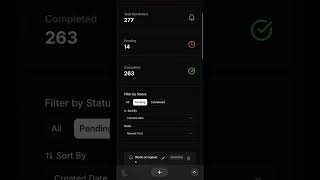
The Hello Aria Dashboard: A Complete Walkthrough & Tutorial
Hello Aria

The Ultimate Guide to To-Do Lists in Hello Aria
Hello Aria

How to Use Hello Aria for All Your Reminders
Hello Aria
YouTube returned 6 videos for “Hello Aria”, and we withheld 1: 1 did not mention Hello Aria. Showing the 5 we can prove are about Hello Aria.
Official links
Tools that pair well with Hello Aria
Common stack mates teams adopt alongside Hello Aria, with the specific reason each pairing earns its keep.

Avoma
Avoma is an AI meeting assistant that records, transcribes, scores, and turns sales calls into coaching and forecast signals.

Read.ai
Read.ai records your meetings across Zoom, Meet, and Teams, then lets you search everything it captured.

Mumble Note
Fast AI voice notetaker for iOS, Mac, and Apple Watch that turns talk into clean notes, tasks, and ideas
Featured Head-to-Head Comparisons
Hello Aria vs Gem
Gem and Hello Aria serve completely different needs: Gem is an enterprise-grade, AI-driven recruiting platform for talent teams, while Hello Aria is a chat-based personal productivity assistant for individuals and small teams. Choose Gem if you manage high-volume hiring and need automated sourcing, screening, and fraud detection; choose Hello Aria if you want a simple, unified interface for reminders, tasks, and calendar across your messaging apps. There is no overlap in use cases.
Hello Aria vs Guesty
Choose Guesty if you manage vacation rentals and need AI-driven operations across multiple channels. Choose Hello Aria if you're a professional or team seeking a chat-based productivity hub that unifies tasks, calendar, and notes across WhatsApp, Telegram, and email. They serve entirely different needs, so your choice depends on whether you run a property business or just want to get organized.
Hello Aria vs Poke Interaction Co
If you need a team-friendly assistant that transcribes voice notes and handles meetings via chat, choose Hello Aria ($8.99/mo). If you want a personal AI deeply embedded in Apple Messages and proactive automations across health and travel, choose Poke ($19/mo Pro). Both are freemium, but Aria is cheaper for basic needs while Poke offers richer integrations for power users.
Alternatives to Hello Aria
View all
Avoma
Avoma is an AI meeting assistant that records, transcribes, scores, and turns sales calls into coaching and forecast signals.

Read.ai
Read.ai records your meetings across Zoom, Meet, and Teams, then lets you search everything it captured.

Mumble Note
Fast AI voice notetaker for iOS, Mac, and Apple Watch that turns talk into clean notes, tasks, and ideas
Frequently Asked Questions
Best-of guides
Used Hello Aria? Help shape our editorial sentiment research.