Recall.ai Meeting API is live · free plan, paid from $0.50/hr of recording · last verified 21 Oct 2026 · viability healthy

Recall.ai Meeting API
Recall.ai is a meeting recording API that captures each participant on a separate audio stream for speaker-accurate transcripts.
If accurate speaker diarization is the hard part of your meeting product, Recall.ai is the obvious starting point. Per-participant audio does something bot-only and screen-capture competitors don't, and the compliance stack plus 99.9% SLA clears security review. Treat it as infrastructure: bring your own summarizer, and don't bank on mobile recording until the SDK ships.
Verified 3d ago · liveness 81/100 · cite: rightaichoice.com/tools/recall-ai-meeting-api
- Developers building AI notetakers or scribes who need clean, diarized per-participant audio
- Compliance and legal-tech teams capturing virtual depositions or regulated calls with consent
- Sales intelligence platforms needing metadata-rich, speaker-labeled recordings at scale
- Teams building interactive meeting agents that display images and stream audio into live calls
- Teams expecting built-in summarization or NLP — Recall returns transcripts, audio, video and metadata only
- Roadmaps that depend on mobile or phone-call recording today, since the Mobile SDK is still Coming Soon
- Non-developers who want a ready-made notetaker app rather than an API and SDKs
We scan live Reddit threads, YouTube comments, X posts, G2 reviews and other communities — and hand you an honest verdict in under a minute.
- Honest verdict, not marketing
- Real pros & cons from real users
- Attributed quotes with receipts
3 free scans · no card needed
Skip Recall.ai if you need a finished notetaker product with summarization built in, or if phone and in-person recording is on your critical path today — the Mobile Recording SDK is still listed as Coming Soon.
Every hour past the first free 5 hours is billed at $0.50/hr of recording, so a product recording 1,000 hours a month is looking at roughly $500 before transcription.
Pay As You Go at $0.50/hr of recording (prorated to the second, no per-participant charge, first 5 hours free) is priced for early-stage startups building a proof of concept. Growth-stage companies that want volume discounts and a shared Slack channel move to the custom-priced Launch tier, and large companies needing SSO, uptime guarantees, contract redlining and a HIPAA BAA go to Enterprise. The startup program at $0.25/hr for the first 10,000 hours undercuts list pricing for qualifying
In short
Recall.ai Meeting API — Recall.ai is a meeting recording API that captures each participant on a separate audio stream for speaker-accurate transcripts. Best for Developers building AI notetakers or scribes who need clean, diarized per-participant audio, Compliance and legal-tech teams capturing virtual depositions or regulated calls with consent, Sales intelligence platforms needing metadata-rich, speaker-labeled recordings at scale. Free to start; paid plans from $0.5.
No head-to-head comparison for Recall.ai Meeting API yet — the alternatives below are the closest matches we list.
What is Recall.ai Meeting API?
Recall.ai Meeting API — Recall.ai is a meeting recording API that captures each participant on a separate audio stream for speaker-accurate transcripts. Best for Developers building AI notetakers or scribes who need clean, diarized per-participant audio, Compliance and legal-tech teams capturing virtual depositions or regulated calls with consent, Sales intelligence platforms needing metadata-rich, speaker-labeled recordings at scale. Free to start; paid plans from $0.5.
Recall.ai is a conversation-data API built for developers who need transcripts, recordings and metadata from video calls, phone calls and in-person meetings without maintaining a separate integration per conferencing platform. The core product, the Meeting Bot API, sends a bot into Zoom, Google Meet, Microsoft Teams, Webex, GoTo Meeting or Slack Huddles to record and transcribe when explicit consent matters or when you're building an interactive meeting agent. A Desktop Recording SDK captures the call from the machine itself with no bot in the participant list, and a free Calendar API enriches recordings with participant emails, names and meeting titles. Audio capture is the technical differentiator. Each person's audio lands on its own stream, so diarized transcripts stay correct even during crosstalk, and you get switchable speaker-view or gallery-view MP4s rather than a screen recording littered with UI buttons. The unified API exposes 100+ pieces of meeting data — separate participant audio and video streams, real-time and async transcripts, screenshare data, and read/write meeting chat. You can also display images and stream audio into a live call to power meeting agents. Data residency is selectable across US, EU or JP regions. A 99.9% SLA plus SOC 2, ISO 27001, HIPAA, GDPR and CCPA coverage handles most procurement reviews, and the company cites 3,000+ customers on the back of a $38M Series B. A Mobile Recording SDK for phone and in-person meetings is listed as Coming Soon. It fits teams building AI notetakers, compliance recording, sales intelligence and AI scribes who would rather buy recording infrastructure than spend months on per-platform edge cases. This is plumbing, not an end product — you get clean capture and metadata, not summarization or NLP, so pair it with your own or a third-party model.
Key features
- Meeting Bot API that joins and records Zoom, Meet, Teams, Webex, GoTo and Slack Huddles calls
- Desktop Recording SDK for on-device capture with no bot appearing in the call
- Mobile Recording SDK for phone calls and in-person meetings (Coming Soon)
- Per-participant audio capture for diarized transcripts that survive crosstalk
- Real-time and async audio recording APIs
- Real-time and async video recording with switchable speaker and gallery views
- 100+ pieces of meeting data through a unified API
- Separate participant audio streams and separate participant video streams
- Built-in transcription at $0.15/hr or bring your own third-party provider
- Calendar API for participant emails, names and meeting titles (free to use)
- Read and send meeting chat messages via the API
- Display images and stream audio into a live meeting to build interactive agents
- Selectable US, EU or JP data residency
- Recording storage and playback with 7 days free per recording
- SOC 2, ISO 27001, HIPAA, GDPR and CCPA compliance posture
Behind the verdict
The pitch for Recall.ai is narrow and honest: you're buying recording infrastructure, not a notetaker. If your roadmap has "capture Zoom, Meet and Teams calls reliably" on it, that's months of per-platform edge-case work you can skip. We'd reach for this when the product promise depends on knowing who said what — legal transcription, clinical scribes, sales intelligence, interview assistants — because per-participant audio streams are genuinely hard to replicate. Where it bites: there's no summarization or NLP layer. You get transcripts, audio, video and metadata; the intelligence is your problem. Teams expecting an end-to-end notetaker will be disappointed, and non-developers have no path in at all — this is an API key, SDK and docs, not a dashboard you hand to a sales team. On price, the Pay As You Go plan starts with 5 free hours, then $0.50/hr of recording, prorated to the second, with no per-participant charge. Volume discounts and custom pricing exist on Launch and Enterprise. Watch the extras: built-in transcription is $0.15/hr if you don't bring a third-party provider, storage beyond the first 7 free days runs $0.05 per hour retained for 30 days, and 4-core or GPU bots carry surcharges ($0.10/hr and $1/hr respectively) — typically only relevant for output-media use cases like an avatar speaking into the call. The closest alternatives are bot-only providers like Attendee or Meeting BaaS. Recall's edge is the capture quality and the separate-stream architecture; if you only need a bot to join and dump a mixed audio file, a cheaper competitor may be enough. Compare on output fidelity before defaulting to price. Two real caveats. Mobile and phone-call recording is still labeled Coming Soon, so a roadmap depending on it today is exposed. And the Desktop SDK,
Limitations
- Usage-based pricing starts at $0.50/hr of recording on Pay As You Go, with Launch and Enterprise tiers priced custom.
- Transcription is either third-party or built-in at $0.15/hr, and storage is free for 7 days then $0.05 per hour retained for 30 days.
- The Mobile Recording SDK for phone and in-person recording is listed as Coming Soon and not yet generally available.
- It is a developer-facing API requiring you to build your own product on top of the returned transcripts, recordings and metadata.
as of 2026-10-09
Researching Recall.ai Meeting API? Get your full AI stack in 60 seconds.
Free, no signup — tell us your goal and get tools matched to your budget & existing stack.
Is Recall.ai Meeting API still active?
Recall.ai Meeting API is live · free plan, paid from $0.50/hr of recording · last verified 21 Oct 2026 · viability healthy.
Viability score
How well maintained and how widely used is Recall.ai Meeting API? Built from what the vendor actually publishes (docs, changelog, tutorials, integrations, pricing), whether the site is live, and how much real users discuss it. How we calculate this
Last calculated: October 2026
How we score →What's new in Recall.ai Meeting API
Checked 6 days agoAcross the latest 1 update: 1 feature update.
What do users say about Recall.ai Meeting API?
What people actually say about Recall.ai Meeting API — is it worth it?
We scanned public community sources for Recall.ai Meeting API on Oct 13, 2026 and could not establish that the discussion we found is about this tool rather than something else sharing its name. Only 2 of the posts we fetched could be positively tied to Recall.ai Meeting API. Rather than publish a sentiment score built on the wrong subject, we publish nothing here and re-run the scan.
How we verified this
Every listed fact about Recall.ai Meeting API— pricing, features, links, status — is re-read from the vendor's own pages by our verification pipeline and each change is logged with a date; the last pass ran on 21 Oct 2026. Pages mix model-assisted synthesis with human review; see how we verify.
Verification history
We have re-verified Recall.ai Meeting API 20 times since . Each pass re-reads the vendor's own pages and re-checks every listed field against that evidence; passes where nothing had changed are marked as such.
- — changed pricing page, limitations, pricing tiers, features, summary, who should skip it, who it suits, description, our verdict
- — changed limitations, description, our verdict, features, hidden costs, switching in, switching out, who should skip it, pricing tiers, pricing fit, setup time, summary, use cases, pricing page
- — changed SSL certificate
- — changed features, our verdict, limitations, who should skip it, switching in, setup time, who it suits, switching out, pricing fit, description, use cases, pricing tiers, hidden costs, summary, integrations
- — changed platforms, limitations, pricing page
- — changed features, our verdict, pricing tiers, summary, who it suits, who should skip it, description
Showing the 6 most recent of 20 verification passes.
Free to cite with attribution — this page re-verifies continuously.
How much does Recall.ai Meeting API cost in 2026?
Recall.ai Meeting API: Free to start; paid plans from $0.5. Pricing last verified 21 Oct 2026.
Plans compared
Every published Recall.ai Meeting APItier, the vendor's own price, who it fits, and what it adds over the tier below. The 12-month cost projection follows.
| Plan | Price | Billing | Who it's for |
|---|---|---|---|
| Pay As You Go | $0.50/hr of recording | — | Early-stage startups building a proof of concept, or any developer who wants to validate multi-platform bot recording inside the free 5-hour allowance before committing.Adds: Starting tier: $0.50/hr of recording prorated to the second, first 5 hours free, no platform fee, no per-participant charge, and email/chat/docs-AI support. |
| Launch | Custom | quote | Companies shipping a meeting-data product to real users who have outgrown list pricing and need volume discounts plus a faster support channel.Adds: Adds shared Slack channel support and custom volume pricing on top of everything in Pay As You Go. |
| Enterprise | Custom | quote | Large companies putting meeting recording through procurement, including regulated teams that need a HIPAA BAA and contract negotiation.Adds: Adds SSO, uptime guarantees, custom contract redlining, a BAA for HIPAA compliance, and white-glove security, support and infrastructure. |
12-month cost
Project the real annual outlay, including the implied monthly cost when only an annual tier is published.
Vendor list price only. Add-on usage, seat overages, and contract minimums are surfaced under Hidden costs & gotchas.
Where the pricing makes sense
The company stage and team size where Recall.ai Meeting API's pricing actually pencils out — and where peers do it cheaper.
Pay As You Go at $0.50/hr of recording (prorated to the second, no per-participant charge, first 5 hours free) is priced for early-stage startups building a proof of concept. Growth-stage companies that want volume discounts and a shared Slack channel move to the custom-priced Launch tier, and large companies needing SSO, uptime guarantees, contract redlining and a HIPAA BAA go to Enterprise. The startup program at $0.25/hr for the first 10,000 hours undercuts list pricing for qualifying
Has Recall.ai Meeting API's pricing changed?
No plan price for Recall.ai Meeting API has moved since we began logging in Aug 2026; the pricing page is re-read on every verification pass.
| Date | Change |
|---|---|
| Pricing page changed, no plan price moved | |
| Pricing page changed, no plan price moved | |
| Pricing page changed, no plan price moved | |
| Pricing page changed, no plan price moved |
Who should pick Recall.ai Meeting API?
Pick Recall.ai Meeting API if you are Developers building AI notetakers or scribes who need clean, diarized per-participant audio, Compliance and legal-tech teams capturing virtual depositions or regulated calls with consent, Sales intelligence platforms needing metadata-rich, speaker-labeled recordings at scale, Teams building interactive meeting agents that display images and stream audio into live calls.
Look elsewhere if you are Teams expecting built-in summarization or NLP — Recall returns transcripts, audio, video and metadata only, Roadmaps that depend on mobile or phone-call recording today, since the Mobile SDK is still Coming Soon, Non-developers who want a ready-made notetaker app rather than an API and SDKs, Buyers treating $0.50/hr as the whole bill without budgeting transcription ($0.15/hr) and storage add-ons.
Skip it if Skip Recall.ai if you need a finished notetaker product with summarization built in, or if phone and in-person recording is on your critical path today — the Mobile Recording SDK is still listed as Coming Soon.
Real-world workflow fit
Concrete scenarios for the personas Recall.ai Meeting API actually fits — and what changes day-one when you adopt it.
Sign up on Pay As You Go, use the quickstart to send a bot into a Google Meet call via the Meeting Bot API, and pull the async diarized transcript plus MP4 recording from the webhook when the call ends.
Outcome: First recording running inside the free 5-hour allowance, with no platform fee and no per-participant charge to model in the pricing page.
Route Zoom depositions through the Meeting Bot API with recording consent enabled, store the separate participant audio streams for speaker attribution, and enrich each recording with participant names and emails from the free Calendar API.
Outcome: Speaker-labeled deposition records produced in weeks rather than the six months an in-house multi-platform build would take, backed by SOC 2, ISO 27001, HIPAA and a 99.9% SLA.
Use the Meeting Bot API to join a call, display images into the meeting and stream audio back in real time, sizing the bot appropriately for media output.
Outcome: A working in-meeting agent demo, with the GPU bot surcharge of $1/hr factored into the cost model from the start.
Use cases
- Build an AI notetaker that joins calls automatically, captures diarized transcripts and pushes summaries downstream.
- Ship a sales conversation intelligence platform that scores calls using speaker-labeled audio and calendar metadata.
- Record depositions and regulated meetings with accurate speaker attribution for legal-tech and compliance products.
- Automate interview notes and scorecards for recruiting teams.
- Build an AI scribe for telehealth visits using the published tutorial and sample app.
- Log call notes and action items into a CRM with participant emails from the Calendar API.
- Power an AI agent that joins a meeting, displays slides and streams audio back into the call.
- Capture in-person and desk meetings through the Desktop Recording SDK when you need a low-profile, no-bot experience.
Setup time & first value
How long it actually takes to get something useful out of Recall.ai Meeting API — broken out by persona, not the marketing-page minute.
Developers: the vendor states integration takes about 24 hours, and a couple of lines of code gets you from quickstart to a bot in a production call. Free-tier signup removes procurement friction for the proof of concept. Non-developers: not applicable — this is an API and SDK product with no end-user app, so there is no self-serve setup path for a non-technical buyer.
Switching to or from Recall.ai Meeting API
How to bring data in from common predecessors and how to get it back out — written for the switcher, not the buyer.
- →From an in-house per-platform recording stack: point the Meeting Bot API at the same conferences and retire the individual Zoom, Meet and Teams integrations, keeping the Calendar API for metadata enrichment.
- →From a screen-capture based recorder: switch to the Desktop Recording SDK or Meeting Bot API to get clean speaker-view and gallery-view output plus separate participant audio streams.
- →From a bot-only competitor: keep the bot flow for consent-sensitive calls and add per-participant audio capture for transcripts that hold up during crosstalk.
- →From a third-party transcription provider: either keep that provider wired in or move to built-in transcription at $0.15/hr without changing the recording pipeline.
- ↗To an end-to-end notetaker product: you would give up the raw separate participant audio streams and 100+ data fields in exchange for built-in summarization, so expect to lose speaker-attribution fidelity unless the
- ↗To a per-platform in-house build: you take back responsibility for Zoom, Meet, Teams, Webex, GoTo and Slack Huddles edge cases, plus data residency and the 99.9% SLA.
Integrations
Resources & guides
Tutorials & Learning

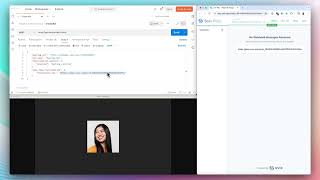
YouTube returned 4 videos for “Recall.ai Meeting API”, and we withheld 2: 2 did not mention Recall.ai Meeting API. Showing the 2 we can prove are about Recall.ai Meeting API.
Official links
What are the best Recall.ai Meeting API alternatives?
The closest alternatives to Recall.ai Meeting API we list are Recall.ai, Fellow and Read.ai. Ranked by direct product-type match, not category overlap.
| Alternative | Pricing | Starts at | Last verified |
|---|---|---|---|
| Recall.ai | Freemium | Free plan | — |
| Fellow | Freemium | Free plan | — |
| Read.ai | Freemium | Free plan | — |
Alternatives to Recall.ai Meeting API
View all


Tools that pair well with Recall.ai Meeting API
Common stack mates teams adopt alongside Recall.ai Meeting API, with the specific reason each pairing earns its keep.

Recall.ai
Meeting recording API that captures transcripts, MP4 video, and per-speaker audio from Zoom, Meet, and Teams calls

Fellow
AI meeting notetaker with botless recording, governed retention policies, and an exportable audit trail for regulated teams.

Read.ai
Read.ai is an AI meeting assistant that turns Zoom, Meet, and Teams calls into searchable summaries, action items, and transcripts.
Frequently asked questions
Best-of guides
Used Recall.ai Meeting API? Help shape our editorial sentiment research.