
Record Once
AI screen recorder that captures your web app's code, not pixels, so tutorials edit, translate, and update themselves.
Pick Record Once if your tutorials are about a web app and you would rather redo a step than re-record a session. The code-based recording is a genuine architectural difference from Loom, Tella, or Screen Studio — it is why typo removal, live app-text translation, and updating an already-published embed all work without a timeline. The ceiling is the price of that difference: publish limits of 3, 10, and 25 videos, with $25 per 10 extra published videos per month thereafter, plus export locked to Professional at $99/mo and data masking to Business. It will not record a desktop or native mobile app, and it has no timeline editor for hand-crafted cuts. For a product team producing web-app
Verified 5d ago · liveness 64/100 · cite: rightaichoice.com/tools/record-once
- Product managers creating quick feature demos
- Customer success teams building multi-language help content
- Software engineers recording code walkthroughs
- Marketing teams producing polished tutorial videos
- Teams that need to record desktop or native mobile apps
- Editors who want full timeline-based video editing
- Recording web apps that sit behind complex auth flows or VPNs
We scan live Reddit threads, YouTube comments, X posts, G2 reviews and other communities — and hand you an honest verdict in under a minute.
- Honest verdict, not marketing
- Real pros & cons from real users
- Attributed quotes with receipts
3 free scans · no card needed
Skip Record Once if you need to record a desktop or native mobile app, or if you want a manual timeline editor for frame-level cuts rather than AI that edits for you.
Publishing is metered even though recording is unlimited: 3 videos on Free Forever, 10 on Startup, 25 on Professional, so a content-heavy quarter can hit the ceiling fast.
Free Forever works for a solo builder who needs 3 published videos. Startup at $49/mo fits a small product team publishing up to 10 videos a month, and Professional at $99/mo is the first tier that exports video files at up to 25 published videos. Business is custom, billed annually, and carries translation, watermark removal, data masking, SSO, and custom SLA. Against general screen recorders like Loom or Tella, the specialized capture and auto-editing justify the per-seat-style pricing only
In short
Record Once — AI screen recorder that captures your web app's code, not pixels, so tutorials edit, translate, and update themselves. Best for Product managers creating quick feature demos, Customer success teams building multi-language help content, Software engineers recording code walkthroughs. Free to start; paid plans from $49/mo.
What people actually say about Record Once — is it worth it?
We scanned public community sources for Record Once on Aug 12, 2026 and could not establish that the discussion we found is about this tool rather than something else sharing its name. Our own analysis of that scan says the posts were off-subject. Rather than publish a sentiment score built on the wrong subject, we publish nothing here and re-run the scan.
Viability Score
How well maintained and how widely used is Record Once? Built from what the vendor actually publishes (docs, changelog, tutorials, integrations, pricing), whether the site is live, and how much real users discuss it. How we calculate this
Last calculated: October 2026
How we score →Key Features
- Records HTML and CSS interactions of web apps instead of pixels
- Built-in browser used to capture web app sessions
- Automatic removal of mistakes, typos, and filler words
- AI voice-overs, with option to record your own voice and camera
- AI translation of on-screen app text into other languages
- AI voice-over translation into other languages
- Automatic text guides with screenshots
- Built-in background music
- Drag-and-drop reordering of steps
- Hide or remove steps in one click
- Skips slow app loading delays during playback
- Instant publishing with no rendering or uploading
- Partial updates to existing videos, reflected in all embeds
- Add slides, images, or videos via drag-and-drop
- Export video files (Professional plan and above)
About Record Once
Record Once is an AI screen recorder built around a browser of its own. Instead of capturing pixels, it records the HTML and CSS of your web app together with how the app responds when you click, type, and navigate. Because it understands what buttons you clicked and what text you typed — including the typo you corrected along the way — the AI can trim mistakes, reorder steps, skip slow app loading delays, and translate the text inside your app itself. The result plays as animated HTML and CSS rather than a rendered video file, so publishing is instant, no export or upload wait, and updating a step pushes out everywhere the video is embedded without a re-record. Automatic voice-overs (or your own voice and camera), built-in background music, automatic text guides with screenshots, and drag-and-drop slides, images, and clips cover the polish. You record in as many takes as you like; only publishing is metered — 3 videos on Free Forever, 10 at $49/mo Startup, 25 at $99/mo Professional, with extra published videos as a $25 per 10 videos per month add-on. Video file export and Business-tier translation, watermark removal, and data masking round out the tiers. It is aimed at teams that regularly ship web-app demos, onboarding walkthroughs, bug-fix recordings, and multi-language help content, not at anyone who needs timeline editing or desktop and native mobile capture.
Behind the Verdict
Record Once makes one bet and follows it all the way through: record the code, not the pixels. Its built-in browser captures the HTML and CSS of your web app plus how the app responds to clicks, typing, and navigation, which is why the AI can do things a normal screen recorder cannot. Corrected a typo during the take? It makes it look like the typo never happened. Need the tutorial in another language? It translates the text inside your app and the voice-over, with no re-recording. Need to fix step four after publishing? You update the step and every embed reflects it, because the output is animated HTML and CSS rather than an exported file. Publishing has no render or upload wait. On top of that you get automatic removal of mistakes and filler words, built-in background music, automatic text guides with screenshots (the vendor notes these help SEO), drag-and-drop order changes, one-click step hiding, and slides or images dropped into the flow. The friction sits in the commercial structure. Recording is unlimited on every plan, but publishing is the meter: 3 videos on Free Forever, 10 on Startup at $49/mo, 25 on Professional at $99/mo, then $25 per 10 published videos per month as an add-on to the paid plans. Video file export only arrives on Professional at $99/mo, and video translation, watermark removal, data masking, custom AI voices, centralized branding, SSO, custom analytics, and custom SLA are Business-tier features (custom pricing, annual billing). Security-conscious teams who want data masking without a sales conversation will feel that wall. The other boundary is capture scope. Record Once records web apps through its own browser, so desktop apps and native mobile apps are out, and web apps behind complex auth flows or VPNs can be awkward. There is no timeline editor — if you want frame-level craft, this is the wrong tool; if you want the AI to have already done the craft, it is the right one. Everyone on the team can produce a video, which is exactly the gap AppSignal's founder described: when their designer left, their video capability left with him. Record Once is that capability restated as a browser tab.
Researching Record Once? Get your full AI stack in 60 seconds.
Free, no signup — tell us your goal and get tools matched to your budget & existing stack.
Real-world workflow fit
Concrete scenarios for the personas Record Once actually fits — and what changes day-one when you adopt it.
Record a new feature walkthrough in one messy take — clicking the wrong tab, correcting a typo, waiting through a slow load — then let the AI drop the mistakes and the load delay, reorder the two steps that landed out of order, and publish.
Outcome: A polished feature demo published the same afternoon, embeddable in the release notes and the help center, with no video editing skills involved.
Record the tutorial once in English, then use the AI to translate the on-screen app text and the voice-over, replacing the recorded voice with an AI one.
Outcome: One recording produces localized tutorials for every language the team supports, without re-recording, re-narrating, or bringing in a translator for the interface text.
Record a bug-fix walkthrough for the internal support team, hide the exploratory dead ends with one click per step, and publish it for the team.
Outcome: A clean internal walkthrough exists within minutes of the fix shipping, and updating it later means editing the step, not re-recording the session.
Use Cases
- Create a product demo in minutes by recording your web app and letting AI edit out mistakes.
- Translate an existing tutorial into multiple languages without re-recording.
- Produce up-to-date help articles with auto-generated text guides and screenshots.
- Record a bug fix walkthrough for your support team without video editing.
- Generate training materials for new employees with minimal effort.
- Update a tutorial video when your app changes without re-recording the whole thing.
- Turn a long demo into a shorter flow by hiding or removing steps in one click.
- Give non-designers the ability to make polished tutorial videos for marketing.
Limitations
- Record Once records web apps through its own built-in browser, capturing HTML and CSS interactions rather than pixels, so desktop and native mobile apps are out of scope, and web apps behind complex auth flows or VPNs can be awkward.
- Publishing is metered: 3 videos on Free Forever, 10 on Startup at $49/mo, 25 on Professional at $99/mo, with an add-on of $25 per 10 published videos per month on the paid plans.
- Recording itself is unlimited on every plan.
- Video file export is only available on Professional at $99/mo or above, while video translation, watermark removal, and data masking are Business-tier features.
- There is no timeline editor for frame-level manual editing — the value depends on trusting the AI's edits and using drag-and-drop, hiding, and step removal for the rest.
as of 2026-10-03
Verification history
We have re-verified Record Once 9 times since . Each pass re-reads the vendor's own pages and re-checks every listed field against that evidence; passes where nothing had changed are marked as such.
- — re-checked, vendor evidence unchanged
- — re-checked, vendor evidence unchanged
- — re-checked, vendor evidence unchanged
- — re-verified summary, description, our verdict, our analysis, pricing model, pricing tiers, features, integrations, who it suits, who should skip it
- — re-verified summary, description, our verdict, our analysis, pricing model, pricing tiers, features, integrations, who it suits, who should skip it
- — re-checked, vendor evidence unchanged
Showing the 6 most recent of 9 verification passes.
Free to cite with attribution — this page re-verifies continuously.
12-month cost
Project the real annual outlay, including the implied monthly cost when only an annual tier is published.
Vendor list price only. Add-on usage, seat overages, and contract minimums are surfaced under Hidden costs & gotchas.
Plans compared
For each published Record Once tier: who it actually fits, and what it adds vs. the previous tier. Cross-reference the cost calculator above for projected annual outlay.
Free Forever
$0/mo
Ideal for
Solo builder or evaluator who wants to test the code-based recorder on a real web app before committing budget.
What this tier adds
Starting tier at $0/mo: unlimited recordings, 3 published videos, automatic editing and voice-overs, no credit card required.
Startup
$49/mo
Ideal for
Small product or support team publishing a steady trickle of web-app demos and how-to videos.
What this tier adds
At $49/mo adds 10 published videos instead of 3, plus AI voice-overs and custom app translation, with recording still unlimited.
Professional
$99/mo
Ideal for
Marketing and customer success teams producing polished tutorials who need downloadable video files for external channels.
What this tier adds
At $99/mo adds video file export, raises publishing to 25 videos, and unlocks drag-and-drop slides, images, and videos.
Business
Custom
Ideal for
Enterprises and security-reviewed organizations needing localization, branding control, and administrative guarantees.
What this tier adds
Custom pricing, annual billing: adds video translation, watermark removal, data masking, custom AI voices, centralized branding, SSO, custom analytics, custom SLA, custom integrations, and custom limits.
Where the pricing makes sense
The company stage and team size where Record Once's pricing actually pencils out — and where peers do it cheaper.
Free Forever works for a solo builder who needs 3 published videos. Startup at $49/mo fits a small product team publishing up to 10 videos a month, and Professional at $99/mo is the first tier that exports video files at up to 25 published videos. Business is custom, billed annually, and carries translation, watermark removal, data masking, SSO, and custom SLA. Against general screen recorders like Loom or Tella, the specialized capture and auto-editing justify the per-seat-style pricing only
Setup time & first value
How long it actually takes to get something useful out of Record Once — broken out by persona, not the marketing-page minute.
You can publish your first video within 5 minutes of signing up, per the pricing page — the account has no credit card requirement. For a product manager, expect first publish in the same sitting; for a customer success team translating content, add time to define which languages and voices you want. Enterprise onboarding through the Business tier (SSO, custom SLA, custom integrations) naturally
Switching to or from Record Once
How to bring data in from common predecessors and how to get it back out — written for the switcher, not the buyer.
- →From Loom: record the same web-app flows in Record Once's built-in browser, then rely on AI editing and on-screen translation instead of trimming the timeline by hand.
- →From Screen Studio or a manual screen recorder: swap timeline-based editing for AI mistake removal, one-click step hiding, and drag-and-drop reordering.
- →From a designer-produced video workflow: hand demo recording to the product or support team, matching the AppSignal case where video capability stopped depending on one person.
- →From an exported MP4-based help library: re-record the walkthrough in Record Once so future updates are partial edits rather than full re-records.
- ↗To Loom or Tella: if you need screen and camera capture beyond web apps, you lose code-aware editing and on-screen translation when you move.
- ↗To a timeline editor like Premiere or DaVinci Resolve: export from the $99/mo Professional tier first, then finish the cut manually.
- ↗To Screen Studio: if the priority shifts to pixel-perfect motion and zoom styling rather than instant publishing and AI edits.
- ↗To an in-house docs tool: use the automatic text guides with screenshots as the source material once you leave Record Once.
Resources & Guides
Tutorials & Learning
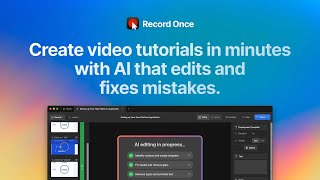
How to create a tutorial video in 30 seconds with Record Once
Record Once
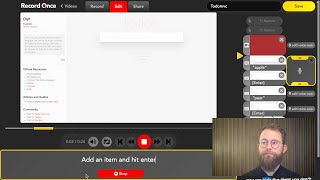
Create great how to videos in less time with Record Once!
Record Once

Record Once… And AI Builds The Automation (Komos AI Review & Tutorial)
AI Tool Corner
YouTube returned 6 videos for “Record Once”, and we withheld 1: 1 did not mention Record Once. Showing the 5 we can prove are about Record Once.
Official links
Tools that pair well with Record Once
Common stack mates teams adopt alongside Record Once, with the specific reason each pairing earns its keep.

Guidde
Guidde turns screen captures of web apps into narrated, translated how-to videos and in-app guidance in minutes.

Reap
Reap is an AI video editor that clips, captions, dubs and translates long videos into publish-ready shorts in 100+ languages.

Visual Translate
Visual Translate detects, erases, and rebuilds on-screen text in videos so titles, labels, and callouts read in your target language.
Featured Head-to-Head Comparisons
Record Once vs Landr Mastering
Choose Record Once if you create software tutorials and need to eliminate re-recording, fix mistakes, and localize content—its HTML/CSS recording and AI editing are unique. Choose LANDR Mastering if you're a musician seeking fast, affordable, and professional-sounding masters with stem control (Pro plan) and DAW integration. They serve entirely different purposes, so the right choice depends on whether your content is video tutorials or audio tracks.
Record Once vs Storyfile
Choose Record Once if you need to create professional software tutorial videos quickly with AI editing and translation; it's affordable and self-service. Choose StoryFile if you are a museum or institution looking to preserve and share authentic human stories via interactive conversational AI—its recent high-profile deployments (CNN, Japanese American National Museum) prove its credibility, but it requires custom pricing and professional production. For most product teams, Record Once is the practical choice; for legacy or exhibit projects, StoryFile is unmatched.
Record Once vs Splice
Choose Record Once if your goal is to quickly create polished, multilingual software tutorials without post-production effort. Choose Splice if you're a music producer needing a vast, affordable sample library and rent-to-own plugins. They serve entirely different needs, so the decision hinges on whether you're making videos or making music.
Alternatives to Record Once
View all
Guidde
Guidde turns screen captures of web apps into narrated, translated how-to videos and in-app guidance in minutes.

Reap
Reap is an AI video editor that clips, captions, dubs and translates long videos into publish-ready shorts in 100+ languages.

Visual Translate
Visual Translate detects, erases, and rebuilds on-screen text in videos so titles, labels, and callouts read in your target language.
Frequently Asked Questions
Best-of guides
Used Record Once? Help shape our editorial sentiment research.