
Runbear
Runbear hires named AI teammates into Slack and Teams that draft replies, prep calls and run triggered agent workflows.
For ops teams that want work to arrive done — a drafted reply, a call brief, a renewal flag — Runbear's shared-agent model beats a chatbot you have to go ask. The July 2026 Advanced agent and the terminal deploy path via the MCP server push it past drafting into real deliverables. Just budget credits honestly: deep research runs 300–1,500 each, so a Team plan's 20,000 won't survive a team that defaults to long-context work.
Verified 1d ago · liveness 83/100 · cite: rightaichoice.com/tools/runbear
- Support teams that want replies drafted from docs and past tickets in the thread where the question was asked
- SalesOps teams generating call briefs and renewal prep from CRM data without leaving Slack
- RevOps teams running daily usage checks that flag at-risk accounts weeks before renewal
- Marketing teams turning meeting notes into recaps, action items and draft follow-up emails
- Teams requiring on-premise or fully offline deployment
- Organizations that want to train or fine-tune their own models on proprietary data
- Buyers looking for a prompt-and-respond chatbot rather than trigger-driven shared agents
We scan live Reddit threads, YouTube comments, X posts, G2 reviews and other communities — and hand you an honest verdict in under a minute.
- Honest verdict, not marketing
- Real pros & cons from real users
- Attributed quotes with receipts
3 free scans · no card needed
Skip Runbear if you need on-premise or offline deployment, want to fine-tune your own model, or expect a team that does long-context research daily to stay inside a 20,000-credit Team plan.
When your monthly credits run out, agents pause until you top up — either by enabling pay-as-you-go at the same per-credit rate or by upgrading your plan.
Team at $99/mo for 20,000 credits and 5 builders fits a single department running channel Q&A and light workflows; Business at $399/mo gives 100,000 credits, 10 builders, HubSpot/Zendesk, BYOK, SSO and an audit log for companies deploying agents across teams. Budget under $100/mo and willing to accept credit pauses, Team is the entry point; if you need SCIM, a BAA or a signed DPA, you're into Enterprise custom pricing.
In short
Runbear — Runbear hires named AI teammates into Slack and Teams that draft replies, prep calls and run triggered agent workflows. Best for Support teams that want replies drafted from docs and past tickets in the thread where the question was asked, SalesOps teams generating call briefs and renewal prep from CRM data without leaving Slack, RevOps teams running daily usage checks that flag at-risk accounts weeks before renewal. Free to start; paid plans from $99/mo.
What's new in Runbear
Checked 8 days agoAcross the latest 4 updates: 3 feature updates and 1 launch.
Ship an Agent Straight From Your Terminal
The Runbear MCP server in early access lets Claude Code, Claude Desktop and Cursor manage agents, and the runbear:deploy skill packs a local project into a teammate from the terminal.
Six managed MCPs
Airtable, ClickUp, Apollo.io, Todoist, Salesforce and Amplitude install as managed MCP tiles you authorize, with no server to stand up.
Gemini 3.7 Flash and more model control
Gemini 3.7 Flash joins 3.6 Flash, 3.5 Flash, Flash Lite and 3.1 Pro while the 2.x generation retires; the full OpenAI catalog gains reasoning-effort and verbosity controls, and Anthropic versions can be pinned with thinking effort.
Summer Update: Agents That Do the Work, Set Themselves Up From Chat, and Learn From Feedback
The Advanced agent (Beta) runs a task through every step to a finished in-thread result with its own file system, reusable skills and code execution; agents can self-configure tools, schedules and triggers from plain language.
What people actually say about Runbear — is it worth it?
We ran a structured research pass across product reviews, community discussions, and post-purchase forum threads to surface the patterns vendors won't publish themselves. Below: the recurring strengths, the hidden costs people mention most, and the cohort that consistently regrets adopting this tool.
27 mentions across 3 sources (Hacker News, YouTube, Product Hunt) · researched Aug 6, 2026.
Average across the 3 sources that answered — each source counts once, not each post.
- +Proactive agents pre-read context and prepare actions before you ask
- +Easy chat-based agent builder, no coding required
- +Shared agents with per-user auth work across Slack, Teams, Discord
- +Integrates with 2,000+ tools, including HubSpot, Jira, Gmail
- +Credit-based pricing covers all teammates, not per-seat
- −No independent long-term user reviews; all buzz is launch-driven
- −Critical questions (like scheduling) went unanswered in comments
- −Proactive 'act before you ask' may raise trust and control concerns
- −No public data on reliability, uptime, or error rates at scale
- −Complex features like Advanced agent are still in Beta
- • Credits can be consumed quickly if agents are triggered frequently, potentially pushing users to higher tiers
- • BYOK requires paying the LLM provider directly, adding a separate cost stream
Viability Score
How well maintained and how widely used is Runbear? Built from what the vendor actually publishes (docs, changelog, tutorials, integrations, pricing), whether the site is live, and how much real users discuss it. How we calculate this
Last calculated: October 2026
How we score →Key Features
- Named shared agents (@Support, @SalesOps, @HR, @RevOps, @Marketing) anyone in a channel can @mention
- Proactive channel monitoring — agents watch Slack, Teams and Discord and contribute unprompted
- Event triggers and scheduled jobs: churn keywords, usage drops, order emails, meeting end
- Chat-based agent builder that drafts the trigger, apps and output from a plain-language description
- Agents self-configure tools, schedules and triggers from chat
- Standard agent as the fast, low-cost default for knowledge-base Q&A and short workflows
- Advanced agent (Beta) with its own file system, reusable skills and code execution for finished deliverables
- Per-agent knowledge base built from docs, past tickets and connected systems
- Per-user auth on shared agents so prompts and tool calls log against the person who fired them
- Audit log of every prompt, tool call and reply (Business and above)
- Per-agent model choice across Claude, GPT and Gemini, including Gemini 3.7 Flash
- Full OpenAI catalog with reasoning-effort and verbosity controls; pinnable Anthropic versions with thinking effort
- Bring your own LLM key (BYOK) on Business and Enterprise
- Runbear MCP server (early access) to manage agents from Claude Code, Claude Desktop and Cursor
- Six managed MCPs — Airtable, ClickUp, Apollo.io, Todoist, Salesforce and Amplitude — install as authorized tiles
About Runbear
Runbear is a platform for hiring named AI teammates into the chat tools your team already lives in. You create shared agents — @Support, @SalesOps, @HR, @RevOps, @Marketing — give each one an owner and a scoped tool set, and anyone in the channel can @mention them. Adoption is the point: no separate app to open, no prompting ritual to learn. The vendor reports 1,200+ AI teammates handling 35,000+ conversations across Slack, Teams and Discord in a 28-day window, with agents reaching 2,000+ tools. Agents don't only answer when poked. Point one at a channel, an inbox or a meeting and it acts on triggers: a churn-risk word in #cs-escalations pulls account history and drafts a reply, a finished call drops a summary and follow-up email draft into DMs, an inbound order email gets parsed, checked against inventory and routed to an approver. Scheduled jobs cover the recurring side — daily usage walks that flag accounts down 30%+ before renewal. Setup happens in chat. Describe the workflow and Runbear drafts the trigger, the apps and the output for you to review; agents can also self-configure from plain language, wiring tools and schedules themselves. Two agent types: Standard as the fast, low-cost default, and Advanced (Beta, July 2026) which works a task to a finished in-thread deliverable using its own file system, reusable skills and code execution. Per-agent knowledge bases draw on your docs, past tickets and connected systems, and per-user auth logs each prompt and tool call against the person who fired it. Model selection is per agent across Claude, GPT and Gemini — Gemini 3.7 Flash sits alongside the Flash line, the OpenAI catalog exposes reasoning-effort and verbosity controls, and Anthropic versions can be pinned with thinking effort. Business and Enterprise can bring their own LLM key. Billing is credit-based rather than per-seat: Team at $99/mo includes 20,000 credits and Business at $399/mo includes 100,000, with builders (5 and 10) as the only headcount
Behind the Verdict
The interesting shift with Runbear isn't the Slack surface, it's who does the configuring. Most agent tools assume a technical owner builds workflows in a dashboard. Here you describe the job in a channel and the agent drafts its own trigger, tools and schedule. In practice that means a support lead can ship a working @Support teammate without filing a ticket with IT — and it also means you need someone watching what gets wired up, because agents that self-configure can reach for tools you didn't intend. We'd pick this when the work already happens in Slack or Teams and the bottleneck is response latency, not analysis. Churn keywords sitting unread in an escalations channel, reps prepping calls from scratch, CSMs discovering usage drops at renewal time — those are the jobs it earns its keep on. The human-in-the-loop framing is right too: agents draft and tag an owner rather than posting as your company. Where it bites is cost forecasting. A quick knowledge-base answer sips about 5 credits, a tool-using workflow 20–50, and a multi-source deep report 300–1,500. One subscription covers every teammate who @mentions an agent, so the bill tracks work rather than headcount — good if your team is large and light, risky if a handful of people run long-context research all day. Credits reset monthly; bonus credits from referrals or onboarding promos don't expire. Set pay-as-you-go or watch agents pause. Governance is the other reason ops buyers shortlist it. Per-user auth on shared agents, an audit log of every prompt, tool call and reply on Business, SAML/SSO, SOC 2 Type II on request, and HIPAA for eligible Enterprise customers with a BAA and supported configuration. Runbear states it doesn't train on your data and reads only the threads where it's mentioned. That's the
Researching Runbear? Get your full AI stack in 60 seconds.
Free, no signup — tell us your goal and get tools matched to your budget & existing stack.
Real-world workflow fit
Concrete scenarios for the personas Runbear actually fits — and what changes day-one when you adopt it.
Theo asks @SalesOps in #sales-team to prep the 2pm Acme call; the agent pulls the HubSpot deal, the two open SSO tickets from Zendesk and usage trend, then drafts an agenda and logs the prep note to HubSpot.
Outcome: A call brief is in the thread before the meeting, the prep is logged on the deal, and Theo sends or edits it with one click instead of assembling it by hand.
Maya asks @Support whether Pro includes SAML SSO; the agent answers from the Notion SSO pricing doc and three past Zendesk tickets, drafts the customer reply and hands it to @Snow for review.
Outcome: The answer posts in the same thread where the question was asked, the reply is drafted with sources cited, and a human still owns the send button.
Every morning the @RevOps agent runs a scheduled check against the usage export, spots accounts with a 30%+ drop, tags them in HubSpot and posts drafted CSM notes to #cs-team.
Outcome: CSMs get a short list of at-risk accounts with context before the renewal window closes, instead of discovering the drop on the renewal call.
Use Cases
- Draft a renewal deck from CRM and usage data, log the touch in HubSpot, and DM the link to the account owner.
- Watch weekly API call volume and flag accounts dropping off before renewal so CSMs can act.
- Create a Jira ticket from a Slack conversation when a bug is reported, citing the root-cause issue from last time.
- Answer employee policy questions in Slack with the answer visible only to the asking employee.
- Draft a support reply from past tickets and docs, and post it in-channel for anyone to send or edit.
- Run a scheduled weekly summary of team metrics into a Slack channel.
- Have an Advanced agent run a multi-page competitive analysis and drop a finished PDF report into the thread.
- Turn a call transcript into action items and a drafted follow-up email.
Models Under the Hood
as of 2026-10-17
Limitations
- Usage is credit-based: quick answers cost ~5 credits, workflows 20–50, and deep research 300–1,500, so a Team plan's 20,000 monthly credits go fast on daily long-context work.
- The Team plan includes only 5 builders, and HubSpot/Zendesk CRM integrations, BYOK, SAML/SSO and audit logging start at the $399/mo Business tier.
- SCIM provisioning, HIPAA compliance with a BAA and a signed DPA are Enterprise-only, and HIPAA-eligible setups require a BAA plus a supported configuration, with external services needing separate review.
- The Advanced agent and the Runbear MCP server remain in Beta / early access.
as of 2026-10-10
Verification history
We have re-verified Runbear 10 times since . Each pass re-reads the vendor's own pages and re-checks every listed field against that evidence; passes where nothing had changed are marked as such.
- — re-verified summary, description, our verdict, our analysis, pricing model, pricing tiers, features, integrations, who it suits, who should skip it
- — re-verified summary, description, our verdict, our analysis, pricing model, pricing tiers, features, integrations, who it suits, who should skip it
- — re-verified summary, description, our verdict, our analysis, pricing model, pricing tiers, features, integrations, who it suits, who should skip it
- — re-verified summary, description, our verdict, our analysis, pricing model, pricing tiers, features, integrations, who it suits, who should skip it
- — re-verified summary, description, our verdict, our analysis, pricing model, pricing tiers, features, integrations, who it suits, who should skip it
- — re-verified summary, description, our verdict, our analysis, pricing model, pricing tiers, features, integrations, who it suits, who should skip it
Showing the 6 most recent of 10 verification passes.
Free to cite with attribution — this page re-verifies continuously.
12-month cost
Project the real annual outlay, including the implied monthly cost when only an annual tier is published.
Vendor list price only. Add-on usage, seat overages, and contract minimums are surfaced under Hidden costs & gotchas.
Plans compared
For each published Runbear tier: who it actually fits, and what it adds vs. the previous tier. Cross-reference the cost calculator above for projected annual outlay.
Free
$0/mo
Ideal for
A solo builder or small team testing whether a shared Slack agent actually answers from your docs before committing budget.
What this tier adds
Starting tier — free entry point with credits included, Slack, Teams and Discord channels, and no per-seat billing.
Team
$99/mo
Ideal for
One department — SalesOps, Support or RevOps — running channel Q&A and light trigger workflows in Slack, Teams or Discord.
What this tier adds
Adds 20,000 monthly credits, 5 builders, MCP actions and tool integrations, personal agents and multi-agent selection; yearly billing saves 20%.
Business
$399/mo
Ideal for
Companies deploying agents across several teams that need CRM actions, SSO and an audit trail of agent activity.
What this tier adds
Adds 100,000 monthly credits, 10 builders, HubSpot and Zendesk integrations, BYOK, SAML/SSO and an audit log of every prompt, tool call and reply.
Enterprise
Custom
Ideal for
Large organizations scaling an AI workforce that need provisioning, HIPAA with a BAA, a signed DPA and support SLAs.
What this tier adds
Adds custom credits, builders and interactors over Business, plus SCIM provisioning, HIPAA compliance with a BAA on request, a signed DPA, priority SLAs and a dedicated CSM.
Where the pricing makes sense
The company stage and team size where Runbear's pricing actually pencils out — and where peers do it cheaper.
Team at $99/mo for 20,000 credits and 5 builders fits a single department running channel Q&A and light workflows; Business at $399/mo gives 100,000 credits, 10 builders, HubSpot/Zendesk, BYOK, SSO and an audit log for companies deploying agents across teams. Budget under $100/mo and willing to accept credit pauses, Team is the entry point; if you need SCIM, a BAA or a signed DPA, you're into Enterprise custom pricing.
Setup time & first value
How long it actually takes to get something useful out of Runbear — broken out by persona, not the marketing-page minute.
Slack-first onboarding walks you to a first working agent in one flow with a persistent Get Started checklist — most teams have a knowledge-base agent answering in-channel inside an afternoon. A first trigger-driven agent (churn keyword, usage drop, meeting end) typically takes a day once you've authorized the three or four tools it touches. Advanced agents with file system and skills take
Switching to or from Runbear
How to bring data in from common predecessors and how to get it back out — written for the switcher, not the buyer.
- →From a general-purpose chat assistant: paste your existing prompt into the chat agent builder and Runbear drafts the trigger, apps and output for review.
- →From a shared service-account bot: recreate each workflow as a named shared agent with per-user auth so tool calls log against the person who fired them.
- →From a manually maintained Slack workflow: describe the recurring job in chat and let the agent schedule itself, then review or disable the job from the dashboard.
- →From an existing repository of agent instructions: use the Runbear MCP server (early access) and the runbear:deploy skill to pack a local project into a teammate from the terminal.
- →From Slack AI or personal assistants: move channel-level work to named shared agents while keeping personal agents for individual use in the same workspace.
- ↗To Slack AI: keep workspace-wide Q&A there and export your agent knowledge bases as documents if you want the answers grounded in the same source material.
- ↗To a self-hosted agent framework: the Runbear MCP server lets Claude Code or Cursor read and manage your agents, so instructions held in Agent Skills can be lifted into a local repo.
- ↗To a CRM-native AI add-on (HubSpot Breeze, Zendesk AI): your HubSpot and Zendesk connections carry over, but trigger logic and schedule definitions need rebuilding.
- ↗To a per-seat assistant (Claude, ChatGPT, Gemini): export drafted workflows and knowledge sources, since credit-based shared agents have no direct per-seat equivalent.
- ↗To Enterprise Runbear: plan upgrades keep channels, knowledge bases and audit history rather than requiring a rebuild.
Integrations
Resources & Guides
Tutorials & Learning
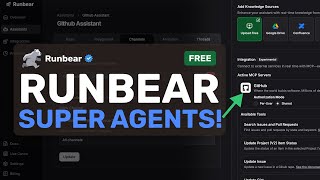
YouTube returned 6 videos for “Runbear”, and we withheld 5: 5 could not be judged, because “Runbear” is a single word that other videos use for other things. Showing the 1 we can prove is about Runbear.
Official links
Tools that pair well with Runbear
Common stack mates teams adopt alongside Runbear, with the specific reason each pairing earns its keep.

Plain
AI support infrastructure that unifies Slack, Teams, email and in-app conversations into one queue where human and AI agents work the same
Gemini
Gemini is Google's multimodal AI assistant for grounded search, drafting, and voice, video, and agentic tasks.

MaxAI.me
MaxAI.me is a Chrome and Edge AI sidebar that summarizes, translates, and drafts replies on any webpage using GPT, Claude, and Gemini
Featured Head-to-Head Comparisons
Runbear vs Presto Voice
Buy Presto Voice if you're a QSR chain wanting to automate drive-thru ordering and boost revenue through upselling—it delivers up to 95% non-intervention and measurable ROI. Choose Runbear if you need AI agents inside Slack/Teams that pre-read context, automate tasks, and connect to thousands of tools—ideal for ops teams that want proactive, no-code automation.
Runbear vs Truleo
If you're a police department drowning in siloed data (RMS, jail calls, body cameras), Truleo is your only choice. For every other ops team wanting proactive AI agents in Slack—sales, support, HR—Runbear is the clear winner. They serve completely different buyers; choose based on your domain.
Runbear vs B Rokratt
Runbear wins for any team needing proactive AI agents inside Slack/Teams that act on CRM, tickets, and knowledge bases — but only if you're not in Estonia. Bürokratt is the must-have free tool for Estonian residents navigating government services, but is irrelevant outside that scope. Choose based on geography and workflow: Bürokratt for civic tasks, Runbear for business ops automation.
Alternatives to Runbear
View all

Frequently Asked Questions
Best-of guides
Used Runbear? Help shape our editorial sentiment research.