
Side Space
Side Copilot puts a vertical tab sidebar and an AI agent in your browser's side panel, so you can organize, chat with, and automate the tabs you already have
Side Copilot is one of the few tab managers where the AI half earns its place. Vertical tabs, Spaces, Group Guard, and suspend/de-duplicate cover the basics well, and Chat Mode summarizing your open tabs is genuinely faster than reading six of them. Pro at $2.9/mo billed annually ($4.9/mo monthly) buys unlimited Spaces plus Agent Mode with BYOK; Pro+ at $7.9/mo billed annually ($8.9/mo monthly) adds the Cross-Page Agent, multi-tab chat, and file chat. Compare against Arc or Dia, where you must abandon Chrome, and against plain vertical-tab extensions that have no agent at all. Skip it if you run ten tabs or fewer.
Verified 5d ago · liveness 82/100 · cite: rightaichoice.com/tools/side-space
- People who routinely keep 20+ tabs open
- Students and researchers collecting sources
- Arc or Dia refugees who want to stay in Chrome
- Remote workers using multiple browsers or devices
- Safari users — the extension is not published for Safari
- People who prefer a horizontal tab strip
- Casual users who keep only a handful of tabs open
We scan live Reddit threads, YouTube comments, X posts, G2 reviews and other communities — and hand you an honest verdict in under a minute.
- Honest verdict, not marketing
- Real pros & cons from real users
- Attributed quotes with receipts
3 free scans · no card needed
Skip Side Copilot if you browse in Safari, keep fewer than a dozen tabs open, or want autonomous scheduled automation running outside a browser side panel.
Pro includes Agent Mode only when you bring your own API key — your OpenAI or Anthropic usage is billed separately by that provider and can exceed the subscription itself at heavy agent use.
Pricing fits individuals and small teams, not enterprises. Free covers up to 5 Spaces with cloud sync and current-tab chat; Pro at $2.9/mo billed annually ($4.9/mo month-to-month) adds unlimited Spaces and Agent Mode with your own API key; Pro+ at $7.9/mo billed annually ($8.9/mo month-to-month) adds the Cross-Page Agent and the file/YouTube/Reddit/mind-map tools. Peers to weigh: Arc is free but requires leaving Chrome, while Comet and Dia bundle AI into a whole browser.
In short
Side Space — Side Copilot puts a vertical tab sidebar and an AI agent in your browser's side panel, so you can organize, chat with, and automate the tabs you already have. Best for People who routinely keep 20+ tabs open, Students and researchers collecting sources, Arc or Dia refugees who want to stay in Chrome. Free to start; paid plans from $2.9/mo.
What people actually say about Side Space — is it worth it?
We ran a structured research pass across product reviews, community discussions, and post-purchase forum threads to surface the patterns vendors won't publish themselves. Below: the recurring strengths, the hidden costs people mention most, and the cohort that consistently regrets adopting this tool.
60 mentions across 4 sources (Hacker News, Product Hunt, Bluesky, Lemmy) · researched Jul 5, 2026.
Average across the 4 sources that answered — each source counts once, not each post.
- +Arc-like vertical sidebar works within existing browsers without switching.
- +AI grouping organizes tabs by domain or custom rules automatically.
- +Spaces (workspaces) keep work, personal, and research contexts separate.
- +Cross-browser sync across Chrome, Edge, Brave, and Firefox.
- +Drag-and-drop tab management feels intuitive and responsive.
- −Browser compatibility seems inconsistent, with Edge-only reports.
- −No Firefox addon despite community demand.
- −Cloud sync data storage location not transparent to users.
- −AI features lack detailed community feedback on real-world usefulness.
- −Free tier's 5-space cap may feel too restrictive for testing.
- • Pro and Pro+ pricing not publicly listed on available data
- • BYOK requires you to supply your own AI model key which may incur external costs
Viability Score
How well maintained and how widely used is Side Space? Built from what the vendor actually publishes (docs, changelog, tutorials, integrations, pricing), whether the site is live, and how much real users discuss it. How we calculate this
Last calculated: October 2026
How we score →Key Features
- Vertical tab sidebar in the browser side panel
- Spaces for grouping tabs by topic (workspace, social, shopping, personal, study)
- Chat Mode: ask questions about your open tabs
- Chat with the current tab on the free plan
- Agent Mode: autonomous tab and browser task automation
- Page Agent for browser automation (Pro)
- Cross-Page Agent for multi-page browser automation (Pro+)
- Cloud sync of Spaces across browsers and devices
- Works across Chrome, Edge, Brave, Vivaldi, Sigma, Comet, Firefox, Zen
- Group tabs by domain in one click
- Group tabs by AI into your custom categories
- Group Guard: auto-detect and group tabs by custom patterns
- Pin tabs inside Spaces for speed-dial access
- Fuzzy search across tabs and Spaces
- Suspend tabs to free system memory
About Side Space
Side Copilot is a browser extension that swaps your horizontal tab strip for a vertical side-panel tab manager and layers AI on top of it. Tabs live in themed Spaces — workspace, social media, shopping, personal, study — inside the same window, so you can keep work, shopping, and personal browsing apart without juggling windows. You get the usual power-user tab tooling: pin, fuzzy-search, suspend to free memory, de-duplicate, expand/collapse groups, save and restore tab groups, copy every URL in a Space as markdown, text, or JSON, and move selected tabs or groups into new windows. Group Guard auto-groups tabs against custom patterns, and one-click AI grouping sorts open tabs into your categories. Two AI modes sit on top. Chat Mode knows the context of your open tabs and can summarize or answer questions about them; Chat Mode also offers a web search tool. Agent Mode is the browser-automation half — it groups tabs, manages windows, searches history, and runs multi-step research; the Pro+ Cross-Page Agent extends that to automating tasks across pages. Pro+ also adds chat with multiple tabs, PDF/Word/Excel/PPT/image file chat, a YouTube video chatting tool, Reddit post search, and mind map generation. Spaces sync across browsers and devices when you sign in, covering Chrome, Edge, Brave, Vivaldi, Sigma, Comet, Firefox, and Zen — so you keep your existing browser instead of moving to Arc, Dia, Comet, or ChatGPT Atlas. The interface supports English, Chinese, French, Spanish, and Japanese, plus dark mode and per-Space color theming. The pitch is straightforward: researchers, students, and anyone running dozens of tabs get Arc-style vertical tabs and an AI organizer without changing browsers.
Behind the Verdict
The honest framing of Side Copilot is that it is two products stacked. The first is a well-built vertical tab sidebar: Spaces you can rename, theme, and reorder; pinning for speed-dial tabs; fuzzy search across tabs and Spaces; suspend to reclaim memory; de-duplication; one-click grouping by domain or by AI; Group Guard for pattern-based auto-grouping; save and restore tab groups; copy-all-URLs to markdown, text, or JSON; and moving groups into new windows. None of that is novel individually, but the vertical layout plus Spaces in the same window is a solid answer to tab overload in Chrome, Edge, Brave, Vivaldi, Sigma, Comet, Firefox, and Zen — and it is the reason people describe themselves as Arc refugees in the testimonials. The second product is the AI layer, which is where the paywall lives. Free gets you Chat Mode against the current page only, with unlimited AI chat on that page, 5 Spaces, cloud sync, and Group Guard patterns. Agent Mode shows up as 2 free trials per day on Free, is included with BYOK on Pro, and is unlimited-with-our-agent on Pro+. That distinction matters more than the tier names suggest: your running cost on Pro depends on the API key you bring, whereas Pro+ bundles agent usage with Side Copilot's own AI. Pro+ is where the tool stops being a tab manager and starts being a research surface — chat with multiple tabs at once, chat with PDFs, Word, Excel, PPT and images, summarize YouTube videos, search Reddit posts, and generate mind maps from your tabs or videos. Those are the features that justify stepping up from $2.9/mo to $7.9/mo billed annually, and they are also the ones most likely to overlap with tools you already pay for. Where it does not fit: Safari users are out (the vendor's own footer lists Chrome, Brave, Edge, Dia, Comet, Vivaldi, Sigma, Firefox, and Zen, and a reviewer explicitly asks for Safari). People who like horizontal tabs should not bother. And heavy agent automation still runs through a side panel inside a browser rather than a headless environment — if your goal is unattended, scheduled automation, a browser extension is the wrong shape. Treat Side Copilot as a daily-driver productivity layer, not an automation platform.
Researching Side Space? Get your full AI stack in 60 seconds.
Free, no signup — tell us your goal and get tools matched to your budget & existing stack.
Real-world workflow fit
Concrete scenarios for the personas Side Space actually fits — and what changes day-one when you adopt it.
Opens 40+ journal pages across a week, lets Group Guard and AI grouping sort them into a Study Space by topic, then asks Chat Mode to summarize the open tabs and extract publication dates before writing.
Outcome: Keeps the whole reading list organized in one Space with per-tab summaries instead of losing sources in a horizontal strip.
Runs a Workspace Space and a Personal Space in the same window, pins the four dashboards they open daily, then uses Agent Mode to group incoming tabs and search browser history for a link from last month.
Outcome: Work and personal context stay separated in one window without extra browser profiles or windows.
On Pro+, loads client PDFs, an Excel model, and slide decks into a multi-tab chat alongside the relevant web pages, summarizes a competitor's YouTube briefing, and generates a mind map of the findings.
Outcome: One side-panel session produces summaries and a mind map that would otherwise require four separate tools.
Use Cases
- Group a messy window of research tabs into topic-based Spaces with one AI grouping click.
- Ask Chat Mode to summarize every open tab on a project and pull out key dates.
- Keep work, shopping, and personal browsing in separate Spaces in one window.
- Sync your Spaces across a work laptop and a personal machine by logging in.
- Run Agent Mode to group tabs, manage windows, and search history on a repeating task.
- Save a full research session as a tab group and restore it later.
- Chat with several PDFs and web pages side by side on Pro+ for deep research.
- Turn a YouTube video or a set of open tabs into a mind map (Pro+).
Models Under the Hood
as of 2026-10-18
Limitations
- Side Copilot runs as a browser extension in the side panel rather than a standalone app, so it only exists inside a supported Chromium or Firefox-based browser.
- The free plan caps you at 5 Spaces and limits AI grouping to 1,000 URLs, and free Chat Mode works only with the current tab rather than multiple tabs.
- Agent Mode is tier-gated: Free gets 2 trials per day, Pro includes it when you bring your own API key, and unlimited use with Side Copilot's own agent requires Pro+.
- File chat, multi-tab chat, the YouTube video tool, Reddit post search, and mind maps are all Pro+ only, and the history/session/bookmark tools need additional authorization.
- There is no Safari build.
as of 2026-10-03
Verification history
We have re-verified Side Space 10 times since . Each pass re-reads the vendor's own pages and re-checks every listed field against that evidence; passes where nothing had changed are marked as such.
- — re-checked, vendor evidence unchanged
- — re-checked, vendor evidence unchanged
- — re-verified summary, description, our verdict, our analysis, pricing model, pricing tiers, features, integrations, who it suits, who should skip it
- — re-checked, vendor evidence unchanged
- — re-checked, vendor evidence unchanged
- — re-checked, vendor evidence unchanged
Showing the 6 most recent of 10 verification passes.
Free to cite with attribution — this page re-verifies continuously.
12-month cost
Project the real annual outlay, including the implied monthly cost when only an annual tier is published.
Vendor list price only. Add-on usage, seat overages, and contract minimums are surfaced under Hidden costs & gotchas.
Plans compared
For each published Side Space tier: who it actually fits, and what it adds vs. the previous tier. Cross-reference the cost calculator above for projected annual outlay.
Free
$0/mo
Ideal for
Someone testing AI tab organization who keeps under five topics of browsing, or a student who only wants summaries of the page they are already on.
What this tier adds
Starting tier: up to 5 Spaces with cloud sync, the vertical tab layout, Space management, Group Guard patterns, and unlimited AI chat with the current tab only.
Pro
$2.9/mo billed annually (or $4.9/mo monthly)
Ideal for
Serial multi-tabbers who want unlimited Spaces, browser automation, and control over which AI models they pay for through their own API key.
What this tier adds
Adds versus Free: unlimited Spaces, Agent Mode with a Page Agent, unlimited Customized Shortcuts Templates, and cloud-synced AI chat history.
Pro+
$7.9/mo billed annually (or $8.9/mo monthly)
Ideal for
Advanced users running cross-page automation and research workflows who need file, video, and multi-tab chat rather than a single-page assistant.
What this tier adds
Adds versus Pro: the Cross-Page Agent, unlimited Agent Mode using Side Copilot's own AI, chat with multiple tabs, PDF/Word/Excel/PPT/image file chat, the YouTube video tool, Reddit post search, and mind maps.
Where the pricing makes sense
The company stage and team size where Side Space's pricing actually pencils out — and where peers do it cheaper.
Pricing fits individuals and small teams, not enterprises. Free covers up to 5 Spaces with cloud sync and current-tab chat; Pro at $2.9/mo billed annually ($4.9/mo month-to-month) adds unlimited Spaces and Agent Mode with your own API key; Pro+ at $7.9/mo billed annually ($8.9/mo month-to-month) adds the Cross-Page Agent and the file/YouTube/Reddit/mind-map tools. Peers to weigh: Arc is free but requires leaving Chrome, while Comet and Dia bundle AI into a whole browser.
Setup time & first value
How long it actually takes to get something useful out of Side Space — broken out by persona, not the marketing-page minute.
Installing the extension from the Chrome Web Store or your browser's add-on store takes about a minute, and the side panel opens immediately with your existing tabs. First real value — grouping tabs into a Space and asking Chat Mode one question — lands in roughly 5 minutes. Free account sign-in for syncing Spaces is a couple more minutes; Pro+ file chat and mind maps take a bit longer because
Switching to or from Side Space
How to bring data in from common predecessors and how to get it back out — written for the switcher, not the buyer.
- →From Arc: keep Chrome or Edge installed, add Side Copilot, and recreate your Spaces and pinned tabs manually — Arc workspaces do not export into the extension.
- →From plain Chrome vertical-tab extensions: install Side Copilot, run Group by AI on your current window once, and let Group Guard handle recurring patterns from then on.
- →From a horizontal tab habit: sign in so Spaces sync, then move your daily-driver tabs into a pinned Workspace Space before your first Group Guard run.
- →From Dia, Comet, or ChatGPT Atlas: stay in your current browser, add the extension, and use Chat Mode for the tab-context questions you were opening a separate AI browser for.
- ↗To Arc or Dia: export nothing automatically — copy each Space's tab list as markdown with Copy all URLs, then rebuild the workspaces by hand.
- ↗To a plain tab manager: run Copy all URLs in JSON per Space, then paste the lists into the new tool's import flow.
- ↗To Chrome's built-in tab groups: use Copy all URLs to get each Space's tabs, open them together, and drag them into native groups.
- ↗To a full AI browser: your synced AI chat history stays in Side Copilot, so download any long-running threads you want to keep before switching.
Integrations
Resources & Guides
Tutorials & Learning

Chrome拡張機能「Side Space」の使い方
Daily Extensions
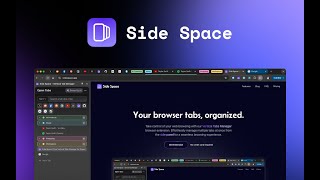
Side Space 1.0 | Your AI-powered Vertical Tabs Manager for Browsing
Robert Shaw

Side Space 2.0 | The World First AI Assistant for your Tabs
Robert Shaw
YouTube returned 6 videos for “Side Space”, and we withheld 2: 2 did not mention Side Space. Showing the 4 we can prove are about Side Space.
Official links
Featured Head-to-Head Comparisons
Side Space vs Presto Voice
Side Space and Presto Voice serve entirely different markets. Side Space is a browser extension for individual productivity, while Presto Voice is an enterprise drive-thru voice AI for QSR chains. Choose Side Space if you manage dozens of tabs and need AI organization; choose Presto Voice if you operate a QSR chain aiming to boost revenue via voice automation. They are not direct competitors.
Side Space vs Locus Robotics
Locus Robotics and Side Space serve entirely different markets: Locus is a physical automation solution for large-scale warehouse operations, while Side Space is a browser extension for individual productivity. Choose Locus if you need to 2-3x fulfillment throughput in a high-volume warehouse; choose Side Space if you drown in browser tabs daily. There is no direct competition.
Side Space vs Truleo
Truleo and Side Space serve entirely different worlds: Truleo is a specialized law enforcement intelligence platform that transforms siloed data into case leads, while Side Space is a productivity browser extension for taming tab chaos. Your choice depends on whether you work in policing or just need a better browser workflow. For law enforcement, Truleo is indispensable; for everyday multitab users, Side Space is a free, lightweight solution.
Popular in Productivity

Genspark
Genspark is an agentic AI workspace that turns one prompt into cited answers, slide decks, dashboards and live web apps.

Poke (Interaction Co.)
Poke is an AI personal assistant that lives in your texts on Apple Messages, WhatsApp, Telegram and RCS
Frequently Asked Questions
Best-of guides
Topics
Used Side Space? Help shape our editorial sentiment research.