
Splutter AI
No-code platform for building AI chatbots and voicebots across web, SMS, WhatsApp, Messenger, Slack and phone.
For SMBs and non-technical teams, Splutter AI covers ground most no-code chatbot builders don't: one configuration drives both a web/SMS/WhatsApp chatbot and a phone voicebot, with a debugger that lets you compare LLM models on real conversations rather than guess. Tying chats to Stripe revenue via custom events is a genuinely unusual feature at this price point, and the recent additions of Deepseek and Grok model support plus Twilio SMS campaigns widen the reach. The trade-off is maturity — the public changelog shows alpha 0.x versions shipping roughly weekly, with 0.6.0 still in progress, so expect rough edges. If you need enterprise SSO, audit logs or heavy fine-tuning on proprietary
Verified 1d ago · liveness 85/100 · cite: rightaichoice.com/tools/splutter-ai
- SMBs wanting one multi-channel chatbot with revenue tracking
- Non-technical teams building AI support agents without code
- Teams that want to test and swap LLM models with a built-in debugger
- Businesses wanting a voicebot with configurable third-party TTS voices
- Enterprises requiring SSO, audit logs or heavy fine-tuning on proprietary data
- Teams needing deep analytics dashboards, A/B testing and funnel reports
- Buyers who want a simple single-channel website widget only
We scan live Reddit threads, YouTube comments, X posts, G2 reviews and other communities — and hand you an honest verdict in under a minute.
- Honest verdict, not marketing
- Real pros & cons from real users
- Attributed quotes with receipts
3 free scans · no card needed
Skip Splutter AI if you need enterprise-grade SSO, audit logs or heavy fine-tuning on proprietary data, or if you want a mature, stable release rather than an alpha that ships breaking changes most weeks.
Voicebot TTS runs through Deepgram, 11Labs or Cartesia on your own accounts, so voice minutes bill separately from your Splutter plan.
Splutter AI sits in the SMB no-code chatbot bracket, priced below enterprise support suites like Intercom Fin while covering more channels than single-purpose website-widget tools. The free trial needs no credit card; API calling, webhooks, ticketing, lead capture and voice chat are paid-plan features. Model, TTS and Twilio usage bills flow through your own provider accounts, so total cost scales with conversation volume rather than seats.
In short
Splutter AI — No-code platform for building AI chatbots and voicebots across web, SMS, WhatsApp, Messenger, Slack and phone. Best for SMBs wanting one multi-channel chatbot with revenue tracking, Non-technical teams building AI support agents without code, Teams that want to test and swap LLM models with a built-in debugger. Free to use.
No head-to-head comparison for Splutter AI yet — the alternatives below are the closest matches we list.
What's new in Splutter AI
Checked 4 days agoAcross the latest 3 updates: 3 feature updates.
AI Media Transcription Implementation & Media Projects
Added AI-powered transcription for audio and video files plus a media projects tool for managing that content inside Splutter.
Twilio SMS Campaign Implementation
Introduced SMS campaigns through Twilio, covering contacts, groups and campaign management.
Enhanced Calendar Tool & Booking System + AI Models
Enhanced the calendar and booking tool and added support for Deepseek and Grok AI models.
What people actually say about Splutter AI — is it worth it?
We ran a structured research pass across product reviews, community discussions, and post-purchase forum threads to surface the patterns vendors won't publish themselves. Below: the recurring strengths, the hidden costs people mention most, and the cohort that consistently regrets adopting this tool.
16 mentions across 3 sources (YouTube, Product Hunt, Lemmy) · researched Aug 16, 2026.
Average across the 3 sources that answered — each source counts once, not each post.
- +No-code builder accessible to non-technical SMB teams
- +Omnichannel coverage: website, SMS, WhatsApp, Messenger, Slack
- +Voicebot with custom TTS from Deepgram, 11Labs, Cartesia
- +Modular bot setup allows hot-swapping LLMs, databases, tools
- +Built-in debugger to compare LLM model performance side-by-side
- −Almost zero independent user feedback or reviews
- −Product Hunt launch had only 2 upvotes, indicating low traction
- −YouTube reviews are promotional, lacking critical depth
- −No mention of real-world reliability or uptime in feedback
- −Support quality unknown — no user comments on response time
- • Potential overage charges for high message volumes
- • Voicebot minutes may come at extra cost
Viability Score
How well maintained and how widely used is Splutter AI? Built from what the vendor actually publishes (docs, changelog, tutorials, integrations, pricing), whether the site is live, and how much real users discuss it. How we calculate this
Last calculated: October 2026
How we score →Key Features
- No-code AI chatbot embeddable on a website
- AI voicebot with STT-LLM-TTS pipeline and phone testing
- Custom TTS via Deepgram, 11Labs and Cartesia
- Omnichannel deployment: web, SMS, WhatsApp, Messenger, Slack, Telegram
- Human escalation to live chat and ticketing
- Lead capture tool built into conversations
- Chat and revenue attribution via window.splutterai custom events
- Restricted Stripe API key for revenue attribution
- Built-in bot debugger comparing LLM models side by side
- Structured prompt engineering dashboard with prompt variables and phonetics
- Modular bot configuration: hot-swap models, databases and tools
- AI media transcription for audio and video files with media projects
- Twilio SMS campaigns: contacts, groups and campaigns
- Enhanced calendar and booking tool (Cronofy integration)
- Visitor profiling and tracking with allowed domains
About Splutter AI
Splutter AI is a no-code platform for building customer-facing AI agents that run as both chatbots and voicebots. You configure one bot and deploy it across web chat, telephony, SMS, WhatsApp, Messenger, Slack and Telegram, with voice output handled through third-party TTS providers you choose (Deepgram, 11Labs, Cartesia). The platform ships a built-in bot debugger that compares different LLM models side by side on your real conversations, a structured prompt engineering dashboard with prompt variables and phonetics, and modular configuration that lets you hot-swap models, databases and tools without rebuilding the bot. On the revenue side, window.splutterai custom events map a chat or voice session to a visitor ID, email or phone, and a restricted Stripe API key ties that session to actual revenue. Lead capture, human escalation to live chat and tickets, and analytics key events are included. Recent alpha releases added AI media transcription with media projects, Twilio SMS campaigns (contacts, groups, campaigns), an enhanced calendar and booking tool, visitor profiling with domains, voicebot mini iFrame embedding, team permissions, and support for Deepseek and Grok models. The project is in active alpha (0.6.0 in progress), so behavior can shift between releases.
Behind the Verdict
Splutter AI's core idea is that a support or sales agent shouldn't be rebuilt for every channel. You define the bot once — models, databases, tools, prompt — and then expose it as a website widget, an SMS number, a WhatsApp or Messenger thread, or a phone voicebot. That modular configuration layer is the real product: models, databases and tools are hot-swappable, which means you can move from one LLM provider to another, or from a Notion knowledge base to a SQL database, without a rebuild. The debugger is where this pays off. Most no-code chatbot tools ask you to trust a single provider's model; Splutter lets you run the same conversation through different LLMs and compare performance. Recent releases added Deepseek and Grok alongside the earlier Groq custom models, so the comparison set keeps growing. Strengths: broadest no-code channel coverage we saw in this bracket (web, SMS, WhatsApp, Messenger, Slack, Telegram, plus voice over telephony); voicebot pipeline with configurable TTS from Deepgram, 11Labs and Cartesia; lead capture, ticketing and human escalation built in rather than bolted on; revenue attribution through window.splutterai events and a restricted Stripe key. Weaknesses: this is alpha software. The changelog shows 0.x releases shipping roughly weekly, and 0.6.0 is explicitly marked in progress, so behavior can shift between releases. Analytics are event-based rather than a full reporting suite — there's no documented A/B testing or funnel-reporting UI. Voicebot output depends on third-party TTS providers you configure, each carrying their own costs and limits, as do the model providers you connect. Where it fits: SMBs that want one multi-channel agent with revenue tracking, non-technical teams building AI support without code, teams that want to test and swap LLMs with a built-in debugger, and businesses that want a voicebot with configurable third-party TTS voices. Where it doesn't: enterprises requiring SSO, audit logs or heavy fine-tuning on proprietary data; teams needing deep analytics dashboards, A/B testing and funnel reports; buyers who want a simple single-channel website widget only.
Researching Splutter AI? Get your full AI stack in 60 seconds.
Free, no signup — tell us your goal and get tools matched to your budget & existing stack.
Real-world workflow fit
Concrete scenarios for the personas Splutter AI actually fits — and what changes day-one when you adopt it.
Connect a Notion knowledge base, configure the bot in the prompt engineering dashboard, then deploy the same agent to the website widget, an SMS number and a WhatsApp thread.
Outcome: Tickets get pre-screened and routine questions answered before a human touches them, with escalation into live chat when the bot can't resolve.
Add window.splutterai custom events to the site, attach a restricted Stripe API key, and run a Twilio SMS follow-up campaign to contacts who chatted but didn't buy.
Outcome: Chat sessions tie back to actual Stripe revenue, so the team can see which conversations produced sales rather than just lead counts.
Build one bot, attach a Twilio number, pick a Deepgram, 11Labs or Cartesia voice, and use the STT-LLM-TTS pipeline plus the built-in debugger to compare models on real calls.
Outcome: Inbound calls are handled by a voicebot whose model and voice can be swapped without a rebuild, and every call is recorded and reviewable.
Use Cases
- Automate pre-screening of support tickets before a human picks them up
- Generate and qualify leads from website chat with revenue attribution
- Answer customer questions from an internal knowledge base imported from Notion
- Handle inbound phone calls with a voicebot using custom TTS voices
- Run SMS marketing and follow-up campaigns through Twilio
- Transcribe and organize audio and video files into media projects
- Book meetings or appointments directly inside the chat or voice flow
- Compare how different LLM models perform on your real conversations
Models Under the Hood
as of 2026-10-16
Limitations
- Splutter AI is in active alpha — the public changelog shows 0.x versions shipping roughly weekly, with 0.6.0 still in progress, so features can change or break between releases.
- Voicebot output depends on third-party TTS providers (Deepgram, 11Labs, Cartesia) that you configure and that carry their own costs and limits, as do the model providers you connect (OpenAI, Anthropic, Google, Groq, Deepseek, Grok).
- Analytics are event-based rather than a full reporting suite: there is no documented A/B testing or funnel-reporting UI.
- The docs and developer pages were not reachable for this review, so API surface and documentation depth are not assessed here.
as of 2026-10-09
Verification history
We have re-verified Splutter AI 22 times since . Each pass re-reads the vendor's own pages and re-checks every listed field against that evidence; passes where nothing had changed are marked as such.
- — re-checked, vendor evidence unchanged
- — re-checked, vendor evidence unchanged
- — re-checked, vendor evidence unchanged
- — re-checked, vendor evidence unchanged
- — re-checked, vendor evidence unchanged
- — re-checked, vendor evidence unchanged
Showing the 6 most recent of 22 verification passes.
Free to cite with attribution — this page re-verifies continuously.
12-month cost
Project the real annual outlay, including the implied monthly cost when only an annual tier is published.
Vendor list price only. Add-on usage, seat overages, and contract minimums are surfaced under Hidden costs & gotchas.
Plans compared
For each published Splutter AI tier: who it actually fits, and what it adds vs. the previous tier. Cross-reference the cost calculator above for projected annual outlay.
Free Trial
$0/mo
Ideal for
A non-technical founder or marketing lead who wants to test a web chatbot and a phone voicebot before committing budget.
What this tier adds
Starting tier; no credit card required, core chatbot features and web plus phone testing.
Paid plans
Contact sales
Ideal for
SMBs running live support or lead-gen traffic who need API calling, webhooks, ticketing, lead capture and the voice chat tool.
What this tier adds
Adds API calling and webhooks, ticketing, lead capture, voice chat, higher usage limits and priority support over the free trial.
Where the pricing makes sense
The company stage and team size where Splutter AI's pricing actually pencils out — and where peers do it cheaper.
Splutter AI sits in the SMB no-code chatbot bracket, priced below enterprise support suites like Intercom Fin while covering more channels than single-purpose website-widget tools. The free trial needs no credit card; API calling, webhooks, ticketing, lead capture and voice chat are paid-plan features. Model, TTS and Twilio usage bills flow through your own provider accounts, so total cost scales with conversation volume rather than seats.
Setup time & first value
How long it actually takes to get something useful out of Splutter AI — broken out by persona, not the marketing-page minute.
Non-technical teams can embed a web chatbot the same day: paste the snippet or use the WordPress, Bubble or Webflow plugin and point it at a Notion knowledge base. A voicebot takes longer because you must attach a Twilio number and configure a TTS provider — plan a few hours to a day. Full omnichannel plus Stripe revenue attribution is a multi-day project once you factor in event wiring.
Switching to or from Splutter AI
How to bring data in from common predecessors and how to get it back out — written for the switcher, not the buyer.
- →From Notion-based FAQ bot: import your Notion database directly as the bot's knowledge source.
- →From a WordPress or Webflow widget: install Splutter's dedicated plugin instead of the third-party snippet.
- →From an OpenAI-only chatbot: bring your key under Integrations, then use the debugger to compare Claude, Gemini, Deepseek and Grok on the same prompts.
- →From a Twilio SMS tool: connect the same Twilio number and rebuild contacts as groups and campaigns inside Splutter.
- →From Calendly: keep Calendly or move booking into the built-in calendar tool built on Cronofy.
- ↗To Intercom Fin: export conversation transcripts and rebuild resolution flows in Intercom's helpdesk for enterprise SSO and audit logs.
- ↗To Tidio: move the web widget and knowledge base across if you need a more stable, single-purpose support tool.
- ↗To a Dialogflow-based build: take your prompt design and tool definitions into Google's stack for deeper fine-tuning control.
- ↗To a self-hosted LLM app: pull your Qdrant vector database and prompt configuration out and run the bot on your own infrastructure.
Integrations
Resources & Guides
Tutorials & Learning
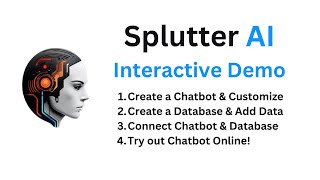
YouTube returned 6 videos for “Splutter AI”, and we withheld 5: 5 could not be judged, because “Splutter AI” is a single word that other videos use for other things. Showing the 1 we can prove is about Splutter AI.
Official links
Tools that pair well with Splutter AI
Common stack mates teams adopt alongside Splutter AI, with the specific reason each pairing earns its keep.

Treble.ai
Official WhatsApp Business API platform with AI chatbots, mass campaigns, and native HubSpot/Salesforce sync for LATAM-focused teams.

Sierra
Sierra builds AI customer agents from your SOPs and transcripts, then runs them across chat, voice, email, SMS and WhatsApp.

Landbot
No-code AI agent and chatbot builder for WhatsApp and your website
Alternatives to Splutter AI
View all
Treble.ai
Official WhatsApp Business API platform with AI chatbots, mass campaigns, and native HubSpot/Salesforce sync for LATAM-focused teams.


Frequently Asked Questions
Best-of guides
Topics
Used Splutter AI? Help shape our editorial sentiment research.