
Tabbit Browser
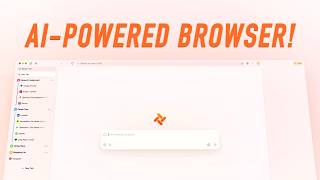
Tabbit Browser is an AI-native browser that turns tabs, screenshots, and files into prompt context with a single @ mention.
If your research, support, or e-commerce work happens in Chinese-language web content, Tabbit is the tightest AI browsing setup available — @ mention context capture and script-based task automation change the job rather than decorating it. The trade is explicit: you get a roster of domestic Chinese frontier models and no Western ones, and we found no published enterprise controls. Pick it for the workflow, not for GPT or Claude access.
Verified 19h ago · liveness 43/100 · cite: rightaichoice.com/tools/tabbit-browser
- Chinese-language researchers, analysts, and knowledge workers who read across many sources
- Podcasters and creators assembling source material from dozens of pages
- E-commerce and support teams running high-volume buyer message replies
- Heavy tab users who want repetitive browser tasks automated without writing code
- Users who depend on GPT, Claude, or other Western frontier models
- Chrome power users locked into a specific extension stack
- Organizations that need SSO and centralized device management — none was documented on the vendor site
We scan live Reddit threads, YouTube comments, X posts, G2 reviews and other communities — and hand you an honest verdict in under a minute.
- Honest verdict, not marketing
- Real pros & cons from real users
- Attributed quotes with receipts
3 free scans · no card needed
Skip Tabbit if your workflow or compliance rules require GPT, Claude, or other Western frontier models — the assistant runs only on Chinese models (Kimi K3, GLM 5.2, DeepSeek V4, MiniMax M3, Doubao-Seed-2.0, Qwen3.7-Max, LongCat) and no enterprise SSO or admin controls are published.
Tabbit's published pricing is a single free tier at $0/mo that includes the full AI assistant, @ mention context referencing, all seven switchable models, script-based task automation, tab grouping, Resource Catcher, and Tricks. That is unusually generous against Western AI browsers that gate model access or message volume behind $20/mo subscriptions, but buyers should note no paid tier or enterprise plan is published, so teams needing SSO, admin controls, or a support contract have nothing to
In short
Tabbit Browser — Tabbit Browser is an AI-native browser that turns tabs, screenshots, and files into prompt context with a single @ mention. Best for Chinese-language researchers, analysts, and knowledge workers who read across many sources, Podcasters and creators assembling source material from dozens of pages, E-commerce and support teams running high-volume buyer message replies. Free to use.
Viability Score
How well maintained and how widely used is Tabbit Browser? Built from what the vendor actually publishes (docs, changelog, tutorials, integrations, pricing), whether the site is live, and how much real users discuss it. How we calculate this
Last calculated: October 2026
How we score →Key Features
- @ mention context referencing for open tabs, tab groups, bookmarks, and local files
- Per-conversation switching between Kimi K3, GLM 5.2, DeepSeek V4, MiniMax M3, Doubao-Seed-2.0, Qwen3.7-Max, and LongCat
- Task mode: describe a complex request in plain language and Tabbit executes it autonomously
- Natural-language script generation that opens pages, fills forms, and submits actions
- Tricks: save prompts, scripts, and completed task flows for one-click reuse
- Resource Catcher batch extraction of images, text, and links across pages
- Smart customer service mode: read guidelines, extract buyer intent, draft and bulk-submit replies
- Smart tab grouping with automatic classification in a collapsible vertical sidebar
- Highlight-to-ask and screenshot-region Q&A without leaving the page
- Full-text bookmark capture that preserves page content, plus hover AI summaries
- Built-in AI webpage translation
- Full-text search across bookmarks, browsing history, and past conversations
- One-click migration of bookmarks, history, extensions, and settings from your current browser
- Cross-platform: macOS 12+ (Apple Silicon M1+ and Intel), Windows 10+, mobile builds
- Linux support and student zone listed on the vendor site
About Tabbit Browser
Tabbit is an AI-native desktop browser built for people who live in tabs. Instead of bolting a chat sidebar onto Chrome, the assistant sits inside the browser chrome, and the whole product revolves around one idea: whatever is on your screen should be usable as context. Type @ and you can reference an open tab, a tab group, a bookmark, or a local file. Highlight text or drag a screenshot region and ask about it without leaving the page. Full-text bookmark capture saves page content rather than just the link, so search reaches into what you saved and what you discussed. The automation layer is where it diverges from a chat window. Describe a repetitive job in plain language and Tabbit generates a script that opens pages, fills forms, and executes actions. Tricks store your prompts, scripts, and finished task flows for one-click reuse. Resource Catcher batch-extracts images, text, and links across pages, and a smart customer-service mode reads your operating guidelines, pulls buyer intent from each incoming message, and drafts standardized replies for bulk submission. Housekeeping is handled too: tabs are auto-classified into a vertical sidebar, and full-text search spans bookmarks, history, and past conversations. Model choice stays in your hands per conversation, with domestic Chinese frontier models on the roster, and built-in AI page translation is positioned as a replacement for paid translation extensions. It ships for macOS 12+ on Apple Silicon (M1 and up) and Intel, plus Windows 10 and above, with mobile builds and one-click migration of bookmarks, history, extensions, and settings. Linux and a student zone are listed on the vendor site. Tabbit is aimed squarely at Chinese-language web work, so the comparison against Western AI browsers comes down to model depth versus GPT or Claude access.
Behind the Verdict
We'd reach for Tabbit the moment a task involves more than three tabs. The @ mention gesture is the whole trick — pulling a tab group or a local file into a prompt beats alt-tabbing and re-pasting every time, and hover summaries on saved pages mean old bookmarks become searchable instead of forgotten. Podcasters and writers assembling source material across dozens of pages get the most obvious return. Where it earns its keep beyond chat is repetition. Task mode turns a plain-language description into a runnable script, and Tricks make that script a one-click button afterward. If you answer product inquiries in bulk, the smart customer-service mode does the whole loop: read the guidelines, extract intent, draft, submit. That is a genuine labor swap, not a demo. When to pass. If your stack depends on GPT or Claude, this is the wrong browser — the model lineup is Kimi K3, GLM 5.2, DeepSeek V4, MiniMax M3, Doubao-Seed-2.0, Qwen3.7-Max, and LongCat. Chrome power users with a specific extension stack will also chafe; migration copies extensions over, but the browsing surface is not Chrome. And we found nothing about SSO or centralized device management on the vendor site, so treat enterprise fleet deployment as unproven. In practice, the automation has a confirmation step for a reason — scripted actions run against real pages, and live sites change. Budget time to re-record a Trick when a target page redesigns. The closest alternative is a Chrome-plus-sidebar setup: cheaper to adopt, but you lose page-level context capture and script generation, which is the actual product here. Arc or Dia make sense only if your work demands Western frontier models. If it doesn't, Tabbit is the more useful browser for Chinese-language web content.
Researching Tabbit Browser? Get your full AI stack in 60 seconds.
Free, no signup — tell us your goal and get tools matched to your budget & existing stack.
Real-world workflow fit
Concrete scenarios for the personas Tabbit Browser actually fits — and what changes day-one when you adopt it.
Load your operating guidelines, open the day's buyer message queue, and run the smart customer service mode to extract intent and key details from each inquiry, generate standardized replies, and submit them in bulk.
Outcome: A full day of message replies is closed out in one pass instead of being typed message by message, with consistent wording across every response.
Open dozens of source pages, use smart tab grouping to organize them into a vertical sidebar, @ mention the whole tab group into one conversation, and save the extraction prompts as Tricks for the next episode.
Outcome: Source material is extracted, summarized, and archived into a tab group that stays searchable, cutting the manual collection and filing work that used to eat production time.
Describe the research topic in Task mode and let Tabbit autonomously find and read relevant papers, then produce a first draft or report against your stated requirements.
Outcome: A structured draft lands in the conversation with the reading already done, and the flow can be saved as a Trick for the next brief.
Use Cases
- Automate high-volume customer service by reading your operating guidelines, extracting each buyer's intent, and submitting standardized replies in bulk.
- Research a complex topic across many tabs, then @ mention them all into one conversation for a synthesized answer.
- Prep a podcast episode by having Tabbit extract, summarize, and archive source material from hundreds of pages.
- Write an article or social posts using referenced web content as context, with saved prompts reused as Tricks.
- Batch-pull images, text, and links from multiple pages with Resource Catcher for a swipe file or mood board.
- Auto-group a cluttered tab bar into a vertical sidebar, save groups to the tab group homepage, and search across everything later.
- Read foreign-language sites with built-in AI translation instead of a paid extension.
- Describe a shopping need and let a generated task filter products and stage an order for your confirmation.
Models Under the Hood
as of 2026-09-25
Limitations
- The evidence scraped today is limited to a blog index and several navigation links, so only DeepSeek V4.1-Flash and DeepSeek V4 are named in the current live evidence; the additional models in the existing profile roster are not re-confirmed here.
- The blog presence of a Tabbit CLI suggests command-line functionality exists, but the scraped content contains no CLI or API documentation to verify programmatic access.
- Platform and system-requirement details could not be re-verified from the blog page alone.
as of 2026-09-14
Verification history
We have re-verified Tabbit Browser 8 times since . Each pass re-reads the vendor's own pages and re-checks every listed field against that evidence; passes where nothing had changed are marked as such.
- — re-verified summary, description, our verdict, our analysis, pricing model, pricing tiers, features, integrations, who it suits, who should skip it
- — re-verified summary, description, our verdict, our analysis, pricing model, pricing tiers, features, integrations, who it suits, who should skip it
- — re-verified summary, description, our verdict, our analysis, pricing model, pricing tiers, features, integrations, who it suits, who should skip it
- — re-verified summary, description, our verdict, our analysis, pricing model, pricing tiers, features, integrations, who it suits, who should skip it
- — re-verified summary, description, our verdict, our analysis, pricing model, pricing tiers, features, integrations, who it suits, who should skip it
- — re-verified summary, description, our verdict, our analysis, pricing model, pricing tiers, features, integrations, who it suits, who should skip it
Showing the 6 most recent of 8 verification passes.
Free to cite with attribution — this page re-verifies continuously.
12-month cost
Project the real annual outlay, including the implied monthly cost when only an annual tier is published.
Vendor list price only. Add-on usage, seat overages, and contract minimums are surfaced under Hidden costs & gotchas.
Plans compared
For each published Tabbit Browser tier: who it actually fits, and what it adds vs. the previous tier. Cross-reference the cost calculator above for projected annual outlay.
Free
$0/mo
Ideal for
Individual researchers, creators, and support operators in Chinese-language web work who want the full AI browser without a subscription.
What this tier adds
Starting tier and only published plan: $0/mo with the AI assistant, @ mention context referencing, all seven switchable models, script automation, smart tab grouping, Resource Catcher, and Tricks included.
Where the pricing makes sense
The company stage and team size where Tabbit Browser's pricing actually pencils out — and where peers do it cheaper.
Tabbit's published pricing is a single free tier at $0/mo that includes the full AI assistant, @ mention context referencing, all seven switchable models, script-based task automation, tab grouping, Resource Catcher, and Tricks. That is unusually generous against Western AI browsers that gate model access or message volume behind $20/mo subscriptions, but buyers should note no paid tier or enterprise plan is published, so teams needing SSO, admin controls, or a support contract have nothing to
Setup time & first value
How long it actually takes to get something useful out of Tabbit Browser — broken out by persona, not the marketing-page minute.
Expect roughly 5 minutes to first value, which is the length of the vendor's own onboarding guide: install the macOS or Windows build, run one-click migration of bookmarks, history, extensions, and settings, then type an @ mention in the new tab box to reference an open page. Script generation and the smart customer-service mode take longer to tune because both depend on your own guidelines and
Switching to or from Tabbit Browser
How to bring data in from common predecessors and how to get it back out — written for the switcher, not the buyer.
- →From Chrome: use one-click migration for bookmarks, history, extensions, and custom settings
- →From Edge: use one-click migration for bookmarks, history, extensions, and custom settings
- →From any Chromium-based browser: use one-click migration for bookmarks, history, extensions, and custom settings
- ↗To Chrome: export bookmarks and reproduce saved prompts as extension-based notes, since Tricks and saved task flows have no export path
- ↗To Edge: export bookmarks and rebuild tab-group structure manually, as tab group homepages do not transfer
Resources & Guides
Tutorials & Learning
Tabbit Browser: The AI browser for power users
Android Authority

Tabbit Browser: Your New AI Assistant
Seahorse_AI
YouTube returned 6 videos for “Tabbit Browser”, and we withheld 4: 4 did not mention Tabbit Browser. Showing the 2 we can prove are about Tabbit Browser.
Official links
Tools that pair well with Tabbit Browser
Common stack mates teams adopt alongside Tabbit Browser, with the specific reason each pairing earns its keep.

Spider Cloud
Spider Cloud is a web scraping and crawling API that turns live pages into markdown or JSON for agents and RAG pipelines.

Hyperbrowser
Cloud browser sessions, sandboxes, and AI agents for web scraping and agentic automation.

Ambient
Ambient pools your team's meetings, chats, and emails into one shared context layer your AI assistants can read.
Featured Head-to-Head Comparisons
Tabbit Browser vs Locus Robotics
Locus Robotics and Tabbit Browser serve completely different domains. Go with Locus if you run a warehouse and need physical automation to boost picking productivity 2–3x via RaaS. Choose Tabbit if you're a knowledge worker wanting a free AI browser that organizes tabs, automates web tasks, and leverages Chinese LLMs. No overlap in use cases.
Tabbit Browser vs Truleo
Choose Truleo if you are a law enforcement agency needing to connect siloed data and automate lead generation; it's purpose-built for police work. Pick Tabbit Browser if you are a researcher or power user wanting an AI-native browsing experience with free access to multiple Chinese AI models and task automation. They serve entirely different domains with no overlap.
Tabbit Browser vs Presto Voice
These tools serve completely different markets. Presto Voice is a specialized enterprise solution for QSR drive-thrus, backed by recent major partnerships like Dairy Queen. Tabbit Browser is a free, innovative browser for individual users who want AI integration and task automation. Choose based on your environment: restaurant chain or personal workflow.
Alternatives to Tabbit Browser
View all
Spider Cloud
Spider Cloud is a web scraping and crawling API that turns live pages into markdown or JSON for agents and RAG pipelines.

Hyperbrowser
Cloud browser sessions, sandboxes, and AI agents for web scraping and agentic automation.

Frequently Asked Questions
Best-of guides
Used Tabbit Browser? Help shape our editorial sentiment research.