tl;dv
AI meeting notetaker that records, transcribes, and pushes call outcomes into your CRM.
tl;dv handles the post-call grind well: CRM logging for Salesforce and HubSpot, AI-drafted follow-up emails, and cross-meeting rollups via the AI Prompt Library. The topic-clustered summaries and multi-language templates (MEDDIC in Japanese, Smart AI Topics in Spanish) are genuinely useful for global revenue teams that Gong-style suites price out of reach. But the August 2026 report of 181,874 unauthenticated recordings sits directly on the product's core promise, and the security page's encryption claims do not erase it. Start on internal calls, get written remediation detail before any customer recording goes in.
Verified 7d ago · liveness 87/100 · cite: rightaichoice.com/tools/tldv
- Sales reps who need CRM fields and follow-up emails handled after every call
- Sales managers tracking playbook adherence and coaching from real call clips
- Customer success teams collecting feedback and logging feature requests per account
- Product and marketing teams mining customer calls for pain points and quotes
- Teams recording confidential or regulated customer content before the August 2026 exposure is verifiably remediated
- Buyers wanting deep revenue intelligence and deal forecasting in the Gong class
- Solo users who only need offline transcription with no CRM or workflow automation
We scan live Reddit threads, YouTube comments, X posts, G2 reviews and other communities — and hand you an honest verdict in under a minute.
- Honest verdict, not marketing
- Real pros & cons from real users
- Attributed quotes with receipts
3 free scans · no card needed
Skip tl;dv if you record regulated or highly confidential customer conversations and cannot accept the risk from August 2026 reporting that 181,874 tl;dv recordings were accessible without authentication.
tl;dv's no-cost tier and low per-seat paid plan sit well below Gong-class revenue intelligence suites, which is the main reason middle-market revenue teams shortlist it. Expect to pay in configuration time rather than licence cost: templates, Smart AI Topics and Prompt Library rules need a real owner before any cross-meeting report is useful. Verify current tier prices and billing periods with the vendor, since this refresh could not reach the pricing page.
In short
tl;dv — AI meeting notetaker that records, transcribes, and pushes call outcomes into your CRM. Best for Sales reps who need CRM fields and follow-up emails handled after every call, Sales managers tracking playbook adherence and coaching from real call clips, Customer success teams collecting feedback and logging feature requests per account. Free to start; paid plans from $18/user/mo.
Viability Score
How well maintained and how widely used is tl;dv? Built from what the vendor actually publishes (docs, changelog, tutorials, integrations, pricing), whether the site is live, and how much real users discuss it. How we calculate this
Last calculated: October 2026
How we score →Key Features
- Automatic meeting recording for Zoom, Google Meet, Microsoft Teams and Webex
- AI-generated meeting minutes clustered by topic
- Customizable AI note templates including MEDDIC format
- Template automation rules applied per meeting or to all matching future calls
- Smart AI Topics for automatic topic tagging
- Transcription and translation in 30+ languages
- Automatic CRM logging of notes and deal outcomes to Salesforce and HubSpot
- AI-drafted follow-up emails and next-step tasks for review before sending
- AI Prompt Library for natural-language queries across multiple meetings
- AI-generated multi-meeting reports delivered to your inbox
- AI sales coaching with playbook adherence and objection-handling review
- AI-selected coaching clips from real customer calls for rep onboarding
- Commenting and action-item assignment on specific meeting moments
- Shareable video recordings, transcripts and highlight clips
- Automatic minutes delivery to selected teammates after each call
About tl;dv
tl;dv is an AI notetaker that joins Zoom, Google Meet, Microsoft Teams and Webex calls, records and transcribes them, then writes the meeting minutes for you. It is aimed at revenue-side teams — sales reps, sales managers, customer success, and product or marketing people who sit on a lot of customer calls — rather than at someone who just wants a transcript file. After each call you get an AI summary organised by topic, a shareable recording, and a translatable transcript covering 30+ languages. Notes follow templates, including a MEDDIC format, and you can run a MEDDIC template in Japanese or Smart AI Topics in Spanish rather than working around a one-language tool. On top of single-call notes, tl;dv aggregates across conversations: the AI Prompt Library answers natural-language questions like "what were the common objections from prospects on this week's calls?" and "which product bugs were mentioned in our Sales calls this week?", with reports delivered to your inbox. Sales managers get playbook-adherence tracking, objection-handling review, and AI-selected clips for onboarding reps. tl;dv markets end-to-end encryption, SOC 2 and GDPR compliance, EU hosting in ISO 27001-certified data centres, and AI processing through Anthropic with anonymised metadata and chunked processing — alongside a stated commitment never to train AI on your recordings. That security story now has to be weighed against August 2026 reporting that 181,874 tl;dv meeting recordings were left accessible without authentication.
Behind the Verdict
tl;dv's centre of gravity is the meeting workflow, not the transcript. The recording and transcription layer is table stakes; what differentiates it is everything downstream — topic-clustered AI meeting minutes, per-meeting or rule-based templates, comments and action items assigned to teammates on specific meeting moments, and automatic delivery of minutes to the people who need them. The CRM story is the strongest part of the pitch. After every call tl;dv logs call notes and outcomes into Salesforce or HubSpot, drafts a follow-up email and next-step tasks for you to review and send, and records deals, leads and action items where your revenue team already looks. If the alternative is a rep retyping notes into a CRM at 6pm, that is real time back. The aggregated layer is where it gets interesting for managers. The AI Prompt Library lets you ask questions across many meetings rather than one — common objections this week, feedback on a specific product line from this month's CS calls, pain points from discovery calls, customer quotes for the website, bugs raised in sales calls. Reports land in your inbox. Sales coaching builds on the same corpus: playbook adherence, objection-handling review, and AI-selected clips from real customer calls for onboarding. The language coverage matters more than it sounds. Transcription and translation run across 30+ languages, and templates are language-agnostic, so a Japanese MEDDIC template or a Spanish Smart AI Topic is a supported combination. Two caveats. First, the security record: tl;dv markets end-to-end encryption, SOC 2, GDPR, EU data residency, ISO 27001-certified data centres with AES-256 storage, and Anthropic-based AI processing with anonymised metadata — and in August 2026 a researcher reported 181,874 meeting recordings accessible without authentication. Whatever the vendor's posture on paper, that is the fact a buyer has to price into the decision. Second, expect tuning: the rollups are only as good as the templates and prompts you give them, and nobody gets useful cross-meeting reports on day one without that investment. Where it fits: middle-market revenue teams that want CRM autopilot and manager-level call analysis without Gong pricing. Where it doesn't: teams recording regulated or highly confidential customer content, and solo users who only want offline transcription.
Researching tl;dv? Get your full AI stack in 60 seconds.
Free, no signup — tell us your goal and get tools matched to your budget & existing stack.
Real-world workflow fit
Concrete scenarios for the personas tl;dv actually fits — and what changes day-one when you adopt it.
Runs three discovery calls back to back, then opens the day's meeting list instead of writing notes.
Outcome: Each call already has topic-clustered minutes, a drafted follow-up email with next steps, and CRM fields populated in Salesforce — the rep reviews and sends rather than retyping.
Asks the AI Prompt Library what common objections came up on this week's prospect calls, then pulls clips for the Monday team meeting.
Outcome: A written rollup of objections plus AI-selected clips for coaching, without watching hours of recordings.
Queries this month's CS calls for feedback on a specific product line and sends the report to the product team.
Outcome: A consolidated, quotable feedback report drawn from real calls, replacing manual note-gathering across the CS team.
Use Cases
- Sales managers review common objections from the week's prospect calls and coach reps with AI-selected clips.
- Customer success teams compile feedback on a specific product line from the month's CS calls.
- Marketing leaders pull customer quotes out of CS calls for website and campaign copy.
- Product managers find which bugs came up in this week's sales calls.
- CS reps let tl;dv update the CRM and draft the follow-up email after each call.
- New hires ramp by reviewing curated clips from best-in-class customer calls.
- Global teams run Japanese MEDDIC templates and Spanish Smart AI Topics in one workspace.
- Automatic CRM updates after every meeting remove manual note entry for reps.
Models Under the Hood
as of 2026-09-22
Limitations
- tl;dv's value is concentrated after the call — CRM logging, follow-up drafts, cross-meeting reports and coaching — so it rewards teams that configure templates and prompts rather than teams that want a raw transcript.
- Cross-meeting answers are only as good as the questions and rules you set.
- The most serious documented issue is the August 2026 report that 181,874 tl;dv meeting recordings were accessible without authentication, which contradicts the security posture the vendor markets (end-to-end encryption, SOC 2, GDPR, EU data residency, ISO 27001-certified data centres with AES-256 storage, Anthropic processing with anonymised metadata).
- Buyers should get written remediation detail before routing customer calls through it.
- Aggregated reporting is also a different product from deal forecasting and pipeline intelligence, so it does not replace a Gong-class revenue intelligence suite.
as of 2026-09-30
Verification history
We have re-verified tl;dv 20 times since . Each pass re-reads the vendor's own pages and re-checks every listed field against that evidence; passes where nothing had changed are marked as such.
- — re-verified summary, description, our verdict, our analysis, pricing model, pricing tiers, features, integrations, who it suits, who should skip it
- — re-checked, vendor evidence unchanged
- — re-verified summary, description, our verdict, our analysis, pricing model, pricing tiers, features, integrations, who it suits, who should skip it
- — re-verified summary, description, our verdict, our analysis, pricing model, pricing tiers, features, integrations, who it suits, who should skip it
- — re-verified summary, description, our verdict, our analysis, pricing model, pricing tiers, features, integrations, who it suits, who should skip it
- — re-checked, vendor evidence unchanged
Showing the 6 most recent of 20 verification passes.
Free to cite with attribution — this page re-verifies continuously.
12-month cost
Project the real annual outlay, including the implied monthly cost when only an annual tier is published.
Vendor list price only. Add-on usage, seat overages, and contract minimums are surfaced under Hidden costs & gotchas.
Where the pricing makes sense
The company stage and team size where tl;dv's pricing actually pencils out — and where peers do it cheaper.
tl;dv's no-cost tier and low per-seat paid plan sit well below Gong-class revenue intelligence suites, which is the main reason middle-market revenue teams shortlist it. Expect to pay in configuration time rather than licence cost: templates, Smart AI Topics and Prompt Library rules need a real owner before any cross-meeting report is useful. Verify current tier prices and billing periods with the vendor, since this refresh could not reach the pricing page.
Setup time & first value
How long it actually takes to get something useful out of tl;dv — broken out by persona, not the marketing-page minute.
Sales reps: minutes — install the notetaker and your first call produces minutes, a transcript and a draft follow-up automatically. Teams wanting CRM autopilot and cross-meeting rollups: allow a few working sessions to define templates, topic rules and Prompt Library queries, because aggregated reports are only as good as the configuration behind them.
Switching to or from tl;dv
How to bring data in from common predecessors and how to get it back out — written for the switcher, not the buyer.
- →From manual note-taking: connect your calendar and conferencing account so tl;dv joins scheduled calls and writes minutes automatically.
- →From a free transcription tool: move your summary formats into tl;dv note templates so the output matches what your team already reads.
- →From a generic notetaker: add CRM field mapping for Salesforce or HubSpot so post-call logging and outcome capture replace manual entry.
- ↗To a full revenue intelligence suite: expect to rebuild call scoring and deal-forecasting views, since tl;dv's aggregation is reporting and coaching rather than pipeline intelligence.
- ↗To a lightweight transcription tool: export transcripts and recordings first, because downstream CRM logging and follow-up drafting will not carry over.
Integrations
Resources & Guides
- Resourcetldv.io
tldv Blog | Meetings, Sales, AI, and Customer Success Content
As an AI Meeting Assistant, at tl;dv we write about Meetings, Sales, AI and Productivity for the day to day of teams.
- Resourcetldv.io
Integrations Homepage
Integrate Google Meet, Teams and Zoom with 5000+ apps Step into the world of tl;dv integration, where the magic of AI summaries and AI notes effortlessly blends with a variety of essential apps. Elevate your experience by seamlessly connecting tl;dv with CRMS, project management
Tutorials & Learning
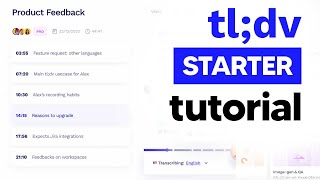
YouTube returned 6 videos for “tl;dv”, and we withheld 5: 5 could not be judged, because “tl;dv” is a single word that other videos use for other things. Showing the 1 we can prove is about tl;dv.
Official links
Tools that pair well with tl;dv
Common stack mates teams adopt alongside tl;dv, with the specific reason each pairing earns its keep.

Avoma
Avoma is an AI meeting assistant that records, transcribes, scores, and turns sales calls into coaching and forecast signals.
Fireflies.ai
Fireflies.ai is an AI meeting notetaker that transcribes, summarizes, and searches your calls across Zoom, Google Meet, and Microsoft Teams.

MeetGeek
AI meeting notetaker with bot, desktop, mobile, and Slack capture modes plus post-call automation
Featured Head-to-Head Comparisons
Otter Ai vs Tldv
If you're a sales team that lives in Salesforce or HubSpot and needs coaching clips plus multilingual coverage, tl;dv is the stronger pick—but the August 2026 security incident (181k exposed recordings) is a dealbreaker for anyone handling sensitive data. Otter.ai is the safer, more versatile choice for general knowledge work, education, and HR teams, with its AI Chat, MCP server, and bot-free desktop recording. Choose tl;dv for aggressive sales automation if you can mitigate the security risk; otherwise, Otter is the safer bet.
Read Ai vs Tldv
Granola vs Tldv
Fathom vs Tldv
Alternatives to tl;dv
View all
Avoma
Avoma is an AI meeting assistant that records, transcribes, scores, and turns sales calls into coaching and forecast signals.
Fireflies.ai
Fireflies.ai is an AI meeting notetaker that transcribes, summarizes, and searches your calls across Zoom, Google Meet, and Microsoft Teams.

Frequently Asked Questions
Best-of guides
Used tl;dv? Help shape our editorial sentiment research.