
Letterly
Voice dictation that turns speech into emails, notes, and meeting recaps across iPhone, Android, Mac, Windows, and Web.
At $4/mo for unlimited recordings and rewrites, 90-minute sessions, and 90+ languages with mid-sentence switching, Letterly is one of the better value picks in dictation right now. Pairing that with MCP so Claude, ChatGPT, or Cursor can read and write your notes makes it a legitimate hub for solo voice workflows. Skip it if your transcripts need to be shared and edited live by a team — this is a solo tool through and through.
Verified 4d ago · liveness 81/100 · cite: rightaichoice.com/tools/letterly
- Professionals who want to dictate emails and messages inside Slack, Gmail, or Notion instead of typing
- Students recording lectures up to 90 minutes and getting speaker-separated transcripts with summaries
- Bilingual speakers who switch languages mid-sentence and need automatic detection
- Journalers and note-takers who capture ideas by voice and organize them later
- Teams that need real-time collaborative editing on shared transcripts
- Users who require timestamp-level transcript editing for interviews or research
- People who prefer typing and won't build a voice habit
We scan live Reddit threads, YouTube comments, X posts, G2 reviews and other communities — and hand you an honest verdict in under a minute.
- Honest verdict, not marketing
- Real pros & cons from real users
- Attributed quotes with receipts
3 free scans · no card needed
Skip Letterly if your transcripts need to be reviewed and edited live by a team, or if you need timestamp-level editing for interview research — this is a solo voice-to-text tool, not a shared transcription workspace.
At $4/mo for Pro with unlimited recordings and rewrites, Letterly is one of the cheaper dedicated dictation apps — a solo professional, student, or bilingual note-taker gets full functionality for less than most transcription subscriptions charge for a single month of metered minutes. It is a straightforward individual purchase, not a seat-based team contract, so the cost does not scale with headcount the way collaborative workspace tools do.
In short
Letterly — Voice dictation that turns speech into emails, notes, and meeting recaps across iPhone, Android, Mac, Windows, and Web. Best for Professionals who want to dictate emails and messages inside Slack, Gmail, or Notion instead of typing, Students recording lectures up to 90 minutes and getting speaker-separated transcripts with summaries, Bilingual speakers who switch languages mid-sentence and need automatic detection. Free to start; paid plans from $4/mo.
What's new in Letterly
Checked 5 days agoAcross the latest 10 updates: 6 feature updates and 4 community discussions.
How to Think Out Loud and Review Your Pitch with Claude
Letterly blog post covers using voice notes with Claude to rehearse and review a pitch.
Letterly for Windows 1.2.0 adds meeting recording with headphones
Windows 1.2.0 captures computer audio alongside your mic, so calls are recorded even with headphones on, and splits recordings by speaker.
Letterly iOS 2.7.7: Record Without Opening the App
iOS 2.7.7 adds Apple Shortcuts for one-tap recording from Action Button, Control Center, or Lock Screen, plus background dictation into any app. Requires iOS 26+.
Letterly iOS 2.7.6: Voice Rewrite in the keyboard
Letterly Keyboard on iPhone can now rewrite dictated text by voice — shorten, change tone, translate, or fix mistakes, with undo support.
Part note-taker, part therapist: how Jonah made Letterly the center of his screen
Letterly blog profiles user Jonah, who keeps Letterly at the center of his screen for note-taking.
Letterly Windows 1.1.7 adds launch at startup
Windows 1.1.7 starts Letterly with the computer and keeps it in the system tray; on by default and toggleable in Preferences.
Letterly Android 2.4.4 adds MCP connections and log out
Android 2.4.4 connects Letterly notes to Claude, ChatGPT, Cursor and other AI tools via MCP; adds account log out with local data removal.
GPT vs. Letterly: Do You Really Have to Choose?
Letterly blog compares using GPT directly against Letterly for voice capture and dictation workflows.
Letterly Android 2.4.3 adds in-app note audio playback
Android 2.4.3 lets users listen to the original recording of a note inside the app instead of only the transcript.
Dictate Anywhere: Voice to Text on Every Device in Any App
Letterly blog post walks through cross-device dictation into any app.
What people actually say about Letterly — is it worth it?
We ran a structured research pass across product reviews, community discussions, and post-purchase forum threads to surface the patterns vendors won't publish themselves. Below: the recurring strengths, the hidden costs people mention most, and the cohort that consistently regrets adopting this tool.
44 mentions across 3 sources (YouTube, Product Hunt, App Store) · researched Aug 27, 2026.
Average across the 3 sources that answered — each source counts once, not each post.
- +Accurate speech-to-text that captures thoughts on the fly.
- +Polishes rambling into well-structured English and emails.
- +Great for meeting notes, summaries, and journaling.
- +Excellent value for money on the $4/month Pro plan.
- +Broad platform support: iOS, Android, Mac, Windows, Web.
- −Occasional data loss on long recordings (30-40 min).
- −Lifetime deal billing issues via AppSumo, with slow support.
- −Not for teams; lacks real-time collaboration and timestamp editing.
- −Minor app bugs: auto-return and stuck listening indicator.
- −Product Hunt reviews conflate with a different, defunct service.
- • Lifetime deals via AppSumo carry risk of billing issues and lack of vendor support
- • No enterprise tier, so teams may need additional tools
Viability Score
How well maintained and how widely used is Letterly? Built from what the vendor actually publishes (docs, changelog, tutorials, integrations, pricing), whether the site is live, and how much real users discuss it. How we calculate this
Last calculated: October 2026
How we score →Key Features
- Dictate into any app via the system keyboard (Gmail, Slack, Notion)
- In-app recording for notes, lists, and journal entries
- Record meetings, lectures, and interviews up to 90 minutes per session
- Speaker-separated transcripts with AI summaries
- AI rewrites with a premade style library or your own custom styles
- Voice rewrite from the iOS keyboard — say how to change a dictation (iOS 2.7.6)
- One-tap recording from Action Button, Control Center, or Lock Screen via Apple Shortcuts (iOS 2.7.7)
- Background dictation into any app (iOS 2.7.7, requires iOS 26+)
- Capture computer audio alongside your mic for headphone meeting recording (Windows 1.2.0)
- Automatic detection of 90+ languages with mid-sentence switching
- Translate any note into 90+ languages
- Offline recording without an internet connection
- Text Replacements swap spoken phrases for custom text
- Dictionary for custom words and names
- Audio and video upload for transcription from any device
About Letterly
Letterly is a voice-to-text app for anyone who would rather tap record than type. It handles three jobs: dictate straight into any input field on Gmail, Slack, or Notion through its system keyboard; speak into the app to capture notes, lists, and journal entries; or record long talks such as meetings and lectures and get back a speaker-separated transcript plus an AI summary shaped by a premade rewrite style or one you build yourself. Recordings and AI rewrites are unlimited, and single sessions run up to 90 minutes. Coverage spans 90+ languages with automatic detection that handles mid-sentence switching, so bilingual speakers can drift between tongues without touching a setting. Everything syncs live across iPhone, Android, Mac, Windows, and Web, and the app also transcribes uploaded audio and video, records from an Apple Watch, and translates any note into 90+ languages. Recent releases pushed the desktop and mobile apps further: Windows 1.2.0 captures computer audio alongside your mic so calls record even with headphones on, and iOS 2.7.7 adds one-tap recording from the Action Button, Control Center, or Lock Screen via Apple Shortcuts, plus background dictation into any app. MCP support means Claude, ChatGPT, and Cursor can query and write your notes, and the 2026-10-09 blog walks through rehearsing a pitch by talking it out and reviewing with Claude. The vendor lists 300,000+ users with a 4.8 App Store rating and 4.7 on Google Play, and states your words are never used to train AI. Pro runs $4/mo. Positioning-wise, Letterly bundles dictation, transcription, and AI rewriting into one app instead of stacking three subscriptions. It is built for individuals rather than teams — if you need shared, live-edited transcripts, look elsewhere.
Behind the Verdict
Where Letterly earns its keep is the boring, constant stuff: replying to Slack, drafting an email, jotting a note before the thought evaporates. The keyboard route matters more than the app route for most people — you dictate inside the field you were already typing in and never leave. If your day is 40 small messages rather than four long documents, that is the feature to test first. For long talks, the combination of 90-minute sessions, speaker separation, and AI summaries covers meetings and lectures without much setup. The Windows 1.2.0 release is the one that changed our read for desk workers: capturing computer audio alongside your mic means online calls record properly even with headphones on. Anyone who switched to a laptop-only desk setup during the pandemic knows how often that trips up meeting recorders. The 90+ language support with mid-sentence switching is the other differentiator. If you work in two languages in the same conversation, most dictation tools force you to pick one and silently mangle the rest. Letterly just handles it. Where it bites: this is a solo tool. There is no real-time collaborative editing on shared transcripts, and if your work involves timestamp-level transcript surgery for research or interviews, a dedicated transcription service is still the right call. Noisy environments will still wreck accuracy — no software fixes a bad mic in a loud room. The closest alternatives are Otter and Superwhisper, and the choice is mostly about shape. Otter leans team-meeting; Letterly leans individual dictation-into-any-app plus MCP so your notes feed your AI stack. If you mostly dictate into apps and want your AI assistant to reach your notes, Letterly is the cheaper and more flexible pick. Our advice: start on the free tier, run it for a
Researching Letterly? Get your full AI stack in 60 seconds.
Free, no signup — tell us your goal and get tools matched to your budget & existing stack.
Real-world workflow fit
Concrete scenarios for the personas Letterly actually fits — and what changes day-one when you adopt it.
You open Gmail, tap the Letterly keyboard, and dictate a reply out loud instead of typing it; you tap a rewrite style to tighten the tone before sending.
Outcome: A polished reply sent in under two minutes without leaving the inbox or opening a separate app.
You record a 70-minute lecture, then let Letterly produce a speaker-separated transcript and an AI summary, and dictate your own study notes on the walk home.
Outcome: A readable lecture transcript plus summary you can review later, and a set of notes captured before the material fades.
You capture ideas by voice throughout the day, then connect Letterly to Claude or Cursor over MCP and ask the assistant to search, merge, or rewrite those notes.
Outcome: Voice notes become raw material your AI tools can query and shape, with no copy-paste between apps.
Use Cases
- Dictate an email reply directly in Gmail without opening the app.
- Record a lecture and get a speaker-separated transcript plus a summary.
- Jot down shopping lists, to-dos, or journal entries by speaking aloud.
- Capture a brainstorming session and convert it into a structured note.
- Write a social media post by speaking the idea and letting AI polish it.
- Take meeting notes hands-free and share a clean summary afterward.
- Dictate a message in Slack or Notion using the system keyboard.
- Ask Claude or ChatGPT to search and manage your Letterly notes over MCP.
Limitations
- Letterly caps individual recordings at 90 minutes, which may not cover very long meetings or lectures.
- Full functionality (unlimited recordings and AI rewrites, 90-minute sessions, speaker-separated summaries, Dictionary, Text Replacements) requires the Pro plan; the free tier is a starting point across iOS, Android, Mac, Windows, and Web.
- Background dictation and shortcut-driven capture on iOS require iOS 26 or later.
as of 2026-10-04
Verification history
We have re-verified Letterly 10 times since . Each pass re-reads the vendor's own pages and re-checks every listed field against that evidence; passes where nothing had changed are marked as such.
- — re-verified summary, description, our verdict, our analysis, pricing model, pricing tiers, features, integrations, who it suits, who should skip it
- — re-verified summary, description, our verdict, our analysis, pricing model, pricing tiers, features, integrations, who it suits, who should skip it
- — re-verified summary, description, our verdict, our analysis, pricing model, pricing tiers, features, integrations, who it suits, who should skip it
- — re-verified summary, description, our verdict, our analysis, pricing model, pricing tiers, features, integrations, who it suits, who should skip it
- — re-verified summary, description, our verdict, our analysis, pricing model, pricing tiers, features, integrations, who it suits, who should skip it
- — re-verified summary, description, our verdict, our analysis, pricing model, pricing tiers, features, integrations, who it suits, who should skip it
Showing the 6 most recent of 10 verification passes.
Free to cite with attribution — this page re-verifies continuously.
12-month cost
Project the real annual outlay, including the implied monthly cost when only an annual tier is published.
Vendor list price only. Add-on usage, seat overages, and contract minimums are surfaced under Hidden costs & gotchas.
Plans compared
For each published Letterly tier: who it actually fits, and what it adds vs. the previous tier. Cross-reference the cost calculator above for projected annual outlay.
Free
$0/mo
Ideal for
A new user on iOS, Android, Mac, Windows, or Web who wants to test whether voice capture fits their day before paying.
What this tier adds
Starting tier — voice dictation, note capture, talk recording with transcripts, 90+ languages, and cross-device sync at no cost.
Pro
$4/mo
Ideal for
A solo professional, student, or bilingual note-taker who dictates daily and records meetings or lectures longer than a quick memo.
What this tier adds
Adds unlimited recordings and AI rewrites, 90-minute sessions, speaker-separated transcripts with summaries, Dictionary and Text Replacements, offline recording, custom rewrite styles, and MCP access for Claude, ChatGPT, and Cursor.
Where the pricing makes sense
The company stage and team size where Letterly's pricing actually pencils out — and where peers do it cheaper.
At $4/mo for Pro with unlimited recordings and rewrites, Letterly is one of the cheaper dedicated dictation apps — a solo professional, student, or bilingual note-taker gets full functionality for less than most transcription subscriptions charge for a single month of metered minutes. It is a straightforward individual purchase, not a seat-based team contract, so the cost does not scale with headcount the way collaborative workspace tools do.
Setup time & first value
How long it actually takes to get something useful out of Letterly — broken out by persona, not the marketing-page minute.
For a solo professional dictating in Gmail or Slack: install the app, enable the Letterly keyboard, and you can dictate into your first field within about five minutes. For a student recording lectures: install, start a recording, and review the first transcript in roughly ten minutes. Wiring Letterly into Claude, ChatGPT, or Cursor over MCP is the longest step — budget fifteen to twenty minutes
Switching to or from Letterly
How to bring data in from common predecessors and how to get it back out — written for the switcher, not the buyer.
- →From Apple Dictation or Gboard voice typing: install Letterly, set the Letterly keyboard as your dictation entry point, and add custom words to the Dictionary so names and jargon come through correctly.
- →From Otter.ai or a dedicated transcription service: install Letterly on your phone, record your next meeting, and compare the speaker-separated transcript and summary against your old workflow.
- →From a notes app used with voice memos: record directly in Letterly instead of the voice memo app, then use Merge Notes to fold older captures into a single note.
- ↗To Otter.ai or a team transcription platform: export or copy your Letterly transcripts and rebuild them in the shared workspace where collaborators can edit live.
- ↗To a note app like Obsidian or Notion: move your Letterly notes across and continue capturing by voice into Notion through the system keyboard.
- ↗To a dedicated interview transcription tool: re-run recordings through a service that offers timestamp-level editing, since Letterly does not provide it.
Integrations
Resources & Guides
Tutorials & Learning
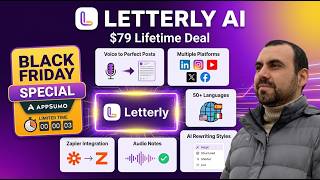
YouTube returned 6 videos for “Letterly”, and we withheld 5: 5 could not be judged, because “Letterly” is a single word that other videos use for other things. Showing the 1 we can prove is about Letterly.
Official links
Tools that pair well with Letterly
Common stack mates teams adopt alongside Letterly, with the specific reason each pairing earns its keep.

Willow
Willow is AI voice dictation for Mac, Windows, and iPhone that turns natural speech into clean, formatted text in any app.

Wispr Flow
Wispr Flow turns spoken rambling into polished text in any app, with AI voice dictation on Mac, Windows, iOS, and Android.

Lemon
System-wide macOS and Windows voice tool that turns rambling speech into structured prompts and clean dictation in any text field.
Featured Head-to-Head Comparisons
Letterly vs Poke Interaction Co
If your pain point is typing—you want to speak emails, notes, or messages and have them polished instantly—Letterly’s deep integration with any app’s keyboard and 90+ language support makes it the clear pick. If you’d rather never leave your messaging app and need an AI that manages your calendar, email, and health data autonomously, Poke’s chat-first assistant wins. Choose based on where you want the AI to live: in your keyboard or in your chat thread.
Letterly vs Guesty
If your pain is typing emails and notes, Letterly is a no-brainer. If you manage vacation rentals, Guesty automates guest messaging and operations. They serve completely different needs; choose based on whether your bottleneck is input or property management.
Letterly vs Gem
Gem and Letterly serve fundamentally different needs. Pick Gem if you're a recruiting team wanting to automate sourcing, screening, and scheduling with AI agents—it's a full-stack ATS/CRM. Pick Letterly if you're an individual who wants to speak to text in any app for faster writing—notes, emails, messages. They aren't competitors; your choice depends on whether you're hiring or dictating.
Alternatives to Letterly
View all
Willow
Willow is AI voice dictation for Mac, Windows, and iPhone that turns natural speech into clean, formatted text in any app.

Wispr Flow
Wispr Flow turns spoken rambling into polished text in any app, with AI voice dictation on Mac, Windows, iOS, and Android.

Frequently Asked Questions
Best-of guides
Used Letterly? Help shape our editorial sentiment research.