
Olvy Changelogs
In-app changelogs and feedback management with an AI release writer
Olvy earns its place if you want one tool for both in-app changelogs and feedback triage. The AI Copilot drafts releases from issue context, and feedback from Slack, Zendesk, and Intercom lands in the same system you publish updates from — Beamer and Announcekit don't tie those loops together. The catch is pricing mechanics: the free plan caps you at 1,000 unique visitors per month and 25 analyzed feedback items, and each extra builder runs $25/month plus $20/month per integration. If you only need a static changelog page, Beamer or Headway cost less; if you want a pure feedback board, Canny or Frill is the cleaner fit.
Verified 4h ago · liveness 78/100 · cite: rightaichoice.com/tools/olvy-changelogs
- SaaS product teams under ~50 people
- Teams that want changelog publishing and feedback management in one tool
- Startups that need in-app announcements without engineering time
- Customer success teams consolidating feedback from multiple channels
- Teams that only need a plain public changelog page
- Organizations requiring self-hosted or on-premise deployment
- High-traffic sites that need more than 1,000 unique visitors per month on a free plan
We scan live Reddit threads, YouTube comments, X posts, G2 reviews and other communities — and hand you an honest verdict in under a minute.
- Honest verdict, not marketing
- Real pros & cons from real users
- Attributed quotes with receipts
3 free scans · no card needed
Skip Olvy if you only need a static public changelog page, or if your app exceeds 1,000 monthly unique visitors and you're unwilling to move past a $60/month plan plus $25/builder and $20/integration add-ons.
Each additional builder beyond your plan's included seats costs $25/builder/month, so a five-person product team on Essentials pays $160/month, not $60.
For a solo product person or a small startup, the Free and Essentials tiers are genuinely usable — Essentials at $60/month covers one builder with unlimited visitors and a custom domain, which is cheaper than a comparable Beamer or Announcekit setup. But once you add builders ($25 each) and integrations ($20 each), the math turns against you, and Business at $240/month (listed 20% off) is priced closer to Canny or Productboard territory. Canny is cheaper if you only need feedback boards; Beamer
In short
Olvy Changelogs — In-app changelogs and feedback management with an AI release writer. Best for SaaS product teams under ~50 people, Teams that want changelog publishing and feedback management in one tool, Startups that need in-app announcements without engineering time. Free to start; paid plans from $60/mo.
What's new in Olvy Changelogs
Checked todayAcross the latest 5 updates: 3 feature updates and 2 changelog entries.
How to Target Changelog Releases to Specific Users
New guide explaining how to deliver product updates to specific user segments based on custom metadata such as language.
Understanding Release Editor Settings
Guide to release editor settings before publishing, including options that control the appearance and behavior of releases.
Convert Issues into Release
Create release notes directly from completed user feedback issues to automatically notify users of resolved items.
Write Releases with Olvy AI Copilot
AI assistant that speeds up changelog writing by generating drafts from issue descriptions and offering editing tools.
Changelog Appearance and Theme Settings
Customization options for changelog branding and theming to match your product's appearance, including CSS and layout settings.
Viability Score
How well maintained and how widely used is Olvy Changelogs? Built from what the vendor actually publishes (docs, changelog, tutorials, integrations, pricing), whether the site is live, and how much real users discuss it. How we calculate this
Last calculated: October 2026
How we score →Key Features
- In-app announcement widgets (sidebar, modal, popup)
- One-line embed script installation
- No-code changelog builder
- Custom CSS for widget branding
- Custom domain for changelog portal
- SEO settings (meta title, meta description)
- Olvy AI Copilot for release drafting
- AI release editor: change tone, make longer, make shorter, summarize, fix grammar, generate headings
- Generate releases as bullet points
- Link resolved issues to enrich AI release context
- Convert issues into release notes
- Multi-language support for changelog and feedback widgets
- User segmentation for targeted releases based on custom metadata
- Custom properties and user/company profiles
- Release scheduling
About Olvy Changelogs
Olvy Changelogs lets product, customer success, and founder teams publish in-app product updates and collect user feedback in one place. You embed a changelog widget into your own product as a sidebar, modal, or popup using a short embed script, then customize its appearance, subdomain, and SEO meta title and description to match your brand. A no-code builder handles layout and theming, and custom CSS is available for deeper styling. Olvy AI Copilot writes and edits releases: you give it context from issues, and it generates drafts as bullet points or full changelog entries, with an editor that can change tone, make text longer or shorter, summarize, fix spelling and grammar, and generate headings. Feedback flows in from Slack, Zendesk, Intercom, email, Discord, Excel/CSV, and Zapier, then gets analyzed and summarized on the Business plan (up to 10,000 feedback items). Issues can be synced with Jira and Linear, and multi-language support lets one release display in several languages. Compared to single-purpose changelog tools like Beamer, Announcekit, and Headway, Olvy bundles changelog publishing with feedback management and AI writing, though pricing scales with builders and integrations.
Behind the Verdict
Olvy's core pitch is simple: stop writing release notes by hand and stop losing feedback in a dozen channels. The in-app widget is the strongest piece. You paste one embed script, and your changelog becomes a sidebar, modal, or popup inside your own product — so users see feature updates without leaving the app. Smplrspace, cited on Olvy's site, reports a 2x increase in feature adoption after embedding the widget and treating the changelog as a feature-adoption mechanism. The no-code builder covers theming, custom domain, and SEO meta title and description, and custom CSS is there when you want the widget to be genuinely indistinguishable from your product. The AI layer is the second differentiator. Olvy AI Copilot generates release drafts from basic issue context, and the release editor offers concrete actions: change tone, make longer, make shorter, summarize, fix spelling and grammar, and generate a heading. You can link resolved issues to enrich the context, and in-app the announcement widget supports system text translations and custom tags. Multi-language support appears in both changelog and feedback widgets. Feedback management is where Olvy either fits your workflow or doesn't. It imports feedback from Slack, Discord, email, Excel/CSV, and Zapier, plus helpdesk integrations like Zendesk and Intercom, and it can sync issues with Jira and Linear. AI summarization and analysis are gated to the Business tier, where you get up to 10,000 analyzed feedback items — the free plan stops at 25, which is fine for a look but useless for real triage. The honest weaknesses are commercial, not functional. Pricing scales on builders and integrations: the Essentials plan is $60/month for one builder, extra builders are $25/builder/month, and integrations are $20/month each. Unlimited viewers, API keys, webhooks, CRM integrations, multi-language support, and user segmentation all sit on Business at $240/month (listed with a 20% discount). The free tier's 1,000 unique-visitor monthly cap will bite anyone with real traffic. And on the AI side, Olvy describes its capabilities without naming the underlying models, so you can't evaluate which model powers your releases. None of that disqualifies it, but it does mean Olvy is a commitment, not a free experiment.
Researching Olvy Changelogs? Get your full AI stack in 60 seconds.
Free, no signup — tell us your goal and get tools matched to your budget & existing stack.
Real-world workflow fit
Concrete scenarios for the personas Olvy Changelogs actually fits — and what changes day-one when you adopt it.
Embeds the Olvy changelog widget as a sidebar in their web app, then each Friday feeds that week's resolved issues into Olvy AI Copilot to generate a draft release, edits the tone and length, and schedules it for Monday morning.
Outcome: Release notes go out weekly without a dedicated writer, and users see updates inside the product instead of on a page they never visit.
Routes feedback from Slack, Zendesk, and Intercom into Olvy's feedback repository, then uses AI summarization on the Business plan to group recurring themes into issues that sync to Linear for engineering triage.
Outcome: Feedback from three channels lands in one queue instead of three, and the team can show customers which requested features shipped and where.
Writes one release in Olvy with multi-language enabled, targets it to users by language segment, and publishes it through the in-app widget and email subscription.
Outcome: One release reaches English, Spanish, and German users in their own language without three separate writing passes.
Use Cases
- Publish product updates inside your web app via a sidebar, modal, or popup widget so users see them without leaving the product.
- Write release notes faster by feeding issue descriptions to Olvy AI Copilot and editing the draft rather than starting from a blank page.
- Collect feedback from Slack, Discord, email, and Excel/CSV into one repository instead of scattered threads.
- Summarize up to 10,000 feedback items into themes to decide what to build next (Business plan).
- Target a changelog release to a specific user segment using custom metadata such as language.
- Sync resolved feedback issues with Jira or Linear so engineering and product stay on the same record.
- Embed a public changelog on your own subdomain with SEO meta title and description set.
- Run in-app NPS surveys and analyze the responses alongside other feedback.
Limitations
- Olvy does not name the specific AI models behind its Copilot or feedback summarization, so you cannot evaluate which model writes your releases.
- Plan gating is strict: the Free plan caps you at 1,000 unique visitors per month and 25 analyzed feedback items, while API keys and webhooks, CRM integrations, multi-language support, and user segmentation require the Business plan at $240/month.
- Builders and integrations are billed separately — extra builders at $25/builder/month and integrations at $20/month each.
- Self-hosted and on-premise deployment are not offered.
as of 2026-09-14
Verification history
We have re-verified Olvy Changelogs 7 times since . Each pass re-reads the vendor's own pages and re-checks every listed field against that evidence; passes where nothing had changed are marked as such.
- — re-checked, vendor evidence unchanged
- — re-verified summary, description, our verdict, our analysis, pricing model, pricing tiers, features, integrations, who it suits, who should skip it
- — re-verified summary, description, our verdict, our analysis, pricing model, pricing tiers, features, integrations, who it suits, who should skip it
- — re-checked, vendor evidence unchanged
- — re-verified summary, description, our verdict, our analysis, pricing model, pricing tiers, features, integrations, who it suits, who should skip it
- — re-verified summary, description, our verdict, our analysis, pricing model, pricing tiers, features, integrations, who it suits, who should skip it
Showing the 6 most recent of 7 verification passes.
Free to cite with attribution — this page re-verifies continuously.
12-month cost
Project the real annual outlay, including the implied monthly cost when only an annual tier is published.
Vendor list price only. Add-on usage, seat overages, and contract minimums are surfaced under Hidden costs & gotchas.
Plans compared
For each published Olvy Changelogs tier: who it actually fits, and what it adds vs. the previous tier. Cross-reference the cost calculator above for projected annual outlay.
Free
$0/mo
Ideal for
A solo builder evaluating Olvy — one person publishing release notes to a small or pre-launch audience.
What this tier adds
Free entry point: 1 builder, unlimited release notes, SEO settings, up to 25 analyzed feedback items, and 1,000 unique visitors per month.
Essentials
$60/mo
Ideal for
A small SaaS just starting feedback collection and wanting the Olvy branding removed from its widget.
What this tier adds
Adds no Olvy branding, unlimited visitors, custom domain, release scheduling, advanced customization, and up to 100 analyzed feedback items for $60/month.
Business
$240/mo (20% Off)
Ideal for
A product team of 5+ running real feedback volume and needing integrations, API access, and segmentation.
What this tier adds
Adds 5 builders, unlimited viewers, up to 10,000 analyzed feedback items, AI feedback summarization, unlimited widgets, unlimited integrations, API keys, webhooks, CRM integrations, multi-language support, and user segmentation.
Enterprise
Custom
Ideal for
Larger organizations requiring SSO, audit trails, custom contracts, and white-glove migration.
What this tier adds
Adds customized limits, bulk user import, SSO/SAML, audit logs, custom contract and invoicing, priority support, custom integrations, migration from other tools, and white-glove onboarding.
Where the pricing makes sense
The company stage and team size where Olvy Changelogs's pricing actually pencils out — and where peers do it cheaper.
For a solo product person or a small startup, the Free and Essentials tiers are genuinely usable — Essentials at $60/month covers one builder with unlimited visitors and a custom domain, which is cheaper than a comparable Beamer or Announcekit setup. But once you add builders ($25 each) and integrations ($20 each), the math turns against you, and Business at $240/month (listed 20% off) is priced closer to Canny or Productboard territory. Canny is cheaper if you only need feedback boards; Beamer
Setup time & first value
How long it actually takes to get something useful out of Olvy Changelogs — broken out by persona, not the marketing-page minute.
A solo PM can get to first value in a few hours: paste the embed script, pick a widget type (sidebar, modal, or popup), and the changelog renders in your app. Olvy's own Smplrspace case study describes going from install to brand-aligned, subdomain-hosted, in-app changelog 'in just a few hours.' Teams wiring up Slack, Zendesk, and Intercom imports plus Jira or Linear sync should budget a day or
Switching to or from Olvy Changelogs
How to bring data in from common predecessors and how to get it back out — written for the switcher, not the buyer.
- →From Beamer: use Olvy's migration assistance (Enterprise) or import existing release notes manually, then embed the widget script in place of Beamer's.
- →From Announcekit: recreate your posts in Olvy's builder, point your changelog subdomain at Olvy, and swap the embed script.
- →From Headway: export past releases, import them into Olvy, and replace Headway's widget with Olvy's in-app announcement widget.
- →From a Notion/Google Docs changelog: paste entries into Olvy's builder and use AI Copilot to reformat them into consistent release notes.
- →From Canny: import feedback via Excel/CSV, then recreate your board structure as Olvy projects and categories.
- ↗To Beamer: export Olvy releases and re-import them into Beamer, replacing Olvy's embed script with Beamer's widget.
- ↗To Headway: copy release content out, host on Headway, and drop Olvy's in-app widget in favor of Headway's.
- ↗To Canny: export feedback via CSV and rebuild boards in Canny if you want a dedicated feedback tool without changelog publishing.
- ↗To an in-house changelog: remove the Olvy embed script and migrate posts to your own CMS on your own subdomain.
Integrations
Resources & Guides
- Documentationolvy.co
Docs · Olvy Changelogs
Full product docs from olvy.co
- Documentationolvy.co
Changelog · Olvy Changelogs
Full product docs from olvy.co
- Documentationolvy.co
Integrations · Olvy Changelogs
Full product docs from olvy.co
- Documentationolvy.co
Widgets · Olvy Changelogs
Full product docs from olvy.co
- Documentationolvy.co
Feedback Management · Olvy Changelogs
Full product docs from olvy.co
- Documentationolvy.co
Users · Olvy Changelogs
Full product docs from olvy.co
- Documentationolvy.co
Issues · Olvy Changelogs
Full product docs from olvy.co
- Documentationolvy.co
Developer Docs · Olvy Changelogs
Full product docs from olvy.co
- Documentationolvy.co
Analysing With Olvy Ai · Olvy Changelogs
Full product docs from olvy.co
- Documentationolvy.co
Survey · Olvy Changelogs
Full product docs from olvy.co
Tutorials & Learning
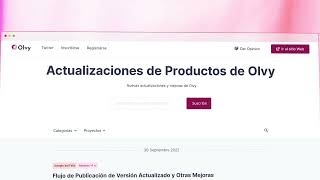
YouTube returned 6 videos for “Olvy Changelogs”, and we withheld 5: 5 did not mention Olvy Changelogs. Showing the 1 we can prove is about Olvy Changelogs.
Official links
Tools that pair well with Olvy Changelogs
Common stack mates teams adopt alongside Olvy Changelogs, with the specific reason each pairing earns its keep.

Mintlify Agent
Mintlify Agent is the AI writer, docs assistant, and MCP layer that makes your Mintlify docs readable by coding agents.

Userpilot
Product growth platform uniting analytics, in-app engagement, feedback, and session replay in one suite.

metastory AI
AI product management platform that turns a project context conversation into structured requirements, linked UI screens, and cost estimates.
Featured Head-to-Head Comparisons
Olvy Changelogs vs Hi Marley
Choose Olvy Changelogs if you need a modern changelog and feedback tool to engage SaaS users with interactive announcements and AI-powered release notes. Choose Hi Marley only if you are a P&C insurer seeking to eliminate phone tag and speed up claims via SMS. These tools serve entirely different markets and cannot substitute each other.
Olvy Changelogs vs Chatlyn
Olvy Changelogs and Chatlyn serve entirely different markets — Olvy is a lean changelog+feedback tool for product teams, while Chatlyn is a hospitality-centric omnichannel platform. Buyers should choose based on their industry: product teams needing polished in-app announcements will benefit from Olvy’s AI-powered release notes and user segmentation; hotel chains wanting to automate guest communications across WhatsApp and PMS will find Chatlyn’s Automation Studio and multi-property dashboard invaluable. Neither tool is a substitute for the other.
Olvy Changelogs vs B Rokratt
These tools serve completely different needs: Olvy is for product teams wanting to announce features and collect feedback, while Bürokratt is a government assistant for Estonian residents. Choose Olvy if you run a SaaS and need a polished changelog with AI writing help; pick Bürokratt only if you're navigating Estonian bureaucracy.
Alternatives to Olvy Changelogs
View allMintlify Agent
Mintlify Agent is the AI writer, docs assistant, and MCP layer that makes your Mintlify docs readable by coding agents.

Userpilot
Product growth platform uniting analytics, in-app engagement, feedback, and session replay in one suite.

metastory AI
AI product management platform that turns a project context conversation into structured requirements, linked UI screens, and cost estimates.
Frequently Asked Questions
Best-of guides
Topics
Used Olvy Changelogs? Help shape our editorial sentiment research.