
Mina Meeting Assistant
Mina is an AI meeting assistant for Zoom, Meet, and Teams that speaks up live, answers questions, and updates your CRM mid-call.
Pick Mina when your calls generate work that currently waits hours to finish — live product answers, CRM updates, Jira tickets, follow-ups. The 40+ skills, 200+ integrations, and the function-aligned teammates (Sales Engineer, Scrum Master, Recruitment Interview Loop, CS, L&D) are real substance, each with a job description and a success metric, not a blank template. Against silent notetakers it is a different product class: Mina speaks. If you only want transcripts, look elsewhere.
Verified 16h ago · liveness 75/100 · cite: rightaichoice.com/tools/mina-meeting-assistant
- Sales engineers running live discovery who want product answers, account context, and CRM updates during the call
- Customer success teams running QBRs that need health scores tracked and churn risk escalated in real time
- Recruiters managing interview loops who need rubric coverage tracked live and scorecards written to Greenhouse or Lever
- Engineering leads running standups who want blockers captured and Jira tickets filed on the spot
- Teams that want passive transcription only and would rather no AI ever speak in their meetings
- Organizations with strict policies barring third-party AI from joining recorded calls
- Teams that require on-premise or offline processing with no cloud call participation
We scan live Reddit threads, YouTube comments, X posts, G2 reviews and other communities — and hand you an honest verdict in under a minute.
- Honest verdict, not marketing
- Real pros & cons from real users
- Attributed quotes with receipts
3 free scans · no card needed
Skip Mina if you want a silent notetaker that produces a clean transcript and nothing else — Mina is built to speak up, ask-answer, and touch your CRM during the call, and that is the whole point.
At $20/mo launch pricing (regularly $40/mo) for Pro and $49/mo (regularly $79/mo) for Pro Plus, Mina sits in the same band as per-seat notetakers but does materially more per seat — live answers, CRM writes, and ticket filing. It is priced for teams of five and up; a five-seat Pro commitment at launch pricing is about $100/mo. Heavier live-call volume pushes you to Pro Plus rather than buying more Pro seats.
In short
Mina Meeting Assistant — Mina is an AI meeting assistant for Zoom, Meet, and Teams that speaks up live, answers questions, and updates your CRM mid-call. Best for Sales engineers running live discovery who want product answers, account context, and CRM updates during the call, Customer success teams running QBRs that need health scores tracked and churn risk escalated in real time, Recruiters managing interview loops who need rubric coverage tracked live and scorecards written to Greenhouse or Lever. Free to start; paid plans from $20/mo.
What's new in Mina Meeting Assistant
Checked 7 days agoAcross the latest 2 updates: 2 feature updates.
New agent-based skills for Sales, Engineering, Talent, and CS
Function-aligned teammates like Sales Engineer, Scrum Master, and Recruitment Interview Loop were introduced, each shipping with a job description and a success metric rather than as a blank skill template.
Added Proactive Agents
Teams can now schedule agents to act between meetings, sending follow-ups or updating connected systems automatically without anyone opening a tab.
What people actually say about Mina Meeting Assistant — is it worth it?
We scanned public community sources for Mina Meeting Assistant on Jul 2, 2026 and could not establish that the discussion we found is about this tool rather than something else sharing its name. Our own analysis of that scan says the posts were off-subject. Rather than publish a sentiment score built on the wrong subject, we publish nothing here and re-run the scan.
Viability Score
How well maintained and how widely used is Mina Meeting Assistant? Built from what the vendor actually publishes (docs, changelog, tutorials, integrations, pricing), whether the site is live, and how much real users discuss it. How we calculate this
Last calculated: October 2026
How we score →Key Features
- Active voice participation — Mina answers live questions and interjects on user-controlled cues
- Real-time transcription and live notetaking across Zoom, Google Meet, and Microsoft Teams
- Live answers pulled from connected tools and knowledge bases during the call
- In-call workflow automation: CRM updates, ticket filing, follow-ups, next-step booking
- Outputs generated while the meeting runs — summaries, proposals, action items, dashboards
- 40+ built-in skills spanning sales, engineering, recruitment, customer success, and L&D
- 200+ integrations including Slack, Salesforce, HubSpot, Jira, Linear, Greenhouse, Lever
- Function-aligned teammates: Sales Engineer, Scrum Master, Recruitment Interview Loop, CS, L&D Coach
- Proactive Agents scheduled to send follow-ups and update systems between meetings
- Assistant and agent creation, each with a job description and a success metric
- Skill Creator for building custom meeting capabilities
- Memory search across transcripts, speakers, timelines, and decisions
- Second-screen desktop and browser use during live calls
- SOC 2 Type II certified, GDPR friendly, 256-bit encryption, secure OAuth
- User-controlled participation; Mina never deletes emails or meetings without explicit action
About Mina Meeting Assistant
Mina is an AI meeting participant rather than a notetaker — it joins Zoom, Google Meet, and Microsoft Teams calls, listens, and then actually participates. When you cue it, Mina answers live account questions, pulls the latest numbers from connected tools, posts updates, and files tickets while the conversation is still moving. The design assumption is blunt: meetings should produce outcomes, not a backlog of after-call cleanup. Three layers do the work. A voice layer decides when Mina speaks; live follow-through generates summaries, proposals, action items, CRM updates, and dashboards from the running conversation; a memory layer searches across transcripts, speakers, timelines, and decisions. Underneath sit 40+ built-in skills and 200+ integrations covering Slack, HubSpot, Salesforce, Jira, Linear, Greenhouse, Lever, and a long list beyond — plus a Skill Creator for roles the defaults miss. The recent release adds function-aligned teammates shipped as agents: an AI Sales Engineer (live discovery, MEDDPICC, CRM updates), Scrum Master (standups, blockers, Jira tickets, Slack digest), Recruitment Interview Loop (interviewer briefs, live rubric tracking, evidence-backed scorecards to Greenhouse or Lever), Customer Success (QBRs, health scores, churn escalation), and L&D Coach (cohorts, engagement, personalized learner feedback). Proactive Agents can be scheduled to send follow-ups or update systems between meetings. Security covers SOC 2 Type II, GDPR-friendly handling, 256-bit encryption, and secure OAuth, with user-controlled participation — you decide when Mina speaks, and it never deletes emails or meetings without explicit action. Positioned against silent notetakers like Otter or Granola, Mina's pitch is that it is built to talk back.
Behind the Verdict
The meeting-AI category split in two, and Mina sits squarely on the active side. Where Otter and Granola record and summarize, Mina joins the call and does things during it — cue it and it answers account questions, files a Jira ticket, updates HubSpot, books the next step. We'd reach for it when the work behind a meeting is the expensive part, not the notes. The agent-based skills introduced in the May 2026 release are the reason to look now. Sales Engineer, Scrum Master, Recruitment Interview Loop, Customer Success, and L&D Coach each arrive with a job description and a success metric rather than as a blank prompt. For a hiring team tracking rubric coverage live or an eng lead wanting blockers turned into tickets during standup, that's a shorter path than assembling your own skills. Where it bites: Mina is cloud-based and joins recorded calls as a participant. Teams with policies barring third-party AI in meetings, or shops needing on-prem or offline processing, are out of scope. The user-controlled participation model helps, but the cultural hurdle is real — convincing a skeptical buyer that an AI will speak up mid-call takes a champion. Proactive Agents, added in April 2026, extend the value between meetings: scheduled follow-ups, system updates, no one opening a tab. That's the quiet workhorse feature, less flashy than voice but arguably more useful day to day. Pricing on file runs Free at $0, Pro at $20/mo launch (regularly $40/mo), Pro Plus at $49/mo launch (regularly $79/mo), and custom Enterprise. Solo users with a single light meeting cadence won't extract much from a per-seat plan; the value shows up at team scale across sales, success, engineering, or talent. Closest alternative depends on your need. Want a silent, polished notetaker with strong
Researching Mina Meeting Assistant? Get your full AI stack in 60 seconds.
Free, no signup — tell us your goal and get tools matched to your budget & existing stack.
Real-world workflow fit
Concrete scenarios for the personas Mina Meeting Assistant actually fits — and what changes day-one when you adopt it.
Mina joins the Zoom call on time, pulls the account's latest numbers and open opportunities from Salesforce, answers a product question mid-demo, and writes the MEDDPICC fields plus next-step booking before the call ends.
Outcome: Discovery notes and CRM updates are complete before you close the tab, instead of an hour of post-call cleanup.
Mina joins the standup, prompts each engineer in turn, captures blockers, files Jira tickets for the ones that need them, and posts the digest to Slack.
Outcome: Standup ends with tickets already filed and the team digest already posted, and blocker patterns surface before they become flight risk.
Mina briefs interviewers before the loop, tracks rubric coverage live during each session, runs the structured debrief, and drafts evidence-backed scorecards into Greenhouse for approval.
Outcome: Scorecards land in the ATS with evidence attached, and rubric gaps are caught during the loop rather than after the hire decision.
Use Cases
- Sales: Live discovery, MEDDPICC coverage, and CRM updates during the call without a post-call write-up
- Engineering: Run standups, capture blockers, file Jira tickets, and post the digest to Slack
- Recruiting: Brief interviewers, track rubric coverage live, write evidence-backed scorecards to Greenhouse or Lever
- Customer Success: Run QBR prep, track account health, draft meeting reports, and escalate churn risk in real time
- Learning & Dev: Run training cohorts, track engagement and knowledge transfer, generate personalized feedback per learner
- Busy executives: Get live answers and summaries during back-to-back meetings instead of a transcript to read later
Models Under the Hood
as of 2026-10-18
Limitations
- Mina joins calls in Zoom, Google Meet, and Microsoft Teams, so it depends on those external services and a live internet connection.
- Voice participation is explicitly user-controlled — a person decides when Mina speaks.
- Custom assistants, agents, and connected tool stacks require setup before outputs are useful.
as of 2026-10-11
Verification history
We have re-verified Mina Meeting Assistant 11 times since . Each pass re-reads the vendor's own pages and re-checks every listed field against that evidence; passes where nothing had changed are marked as such.
- — re-verified summary, description, our verdict, our analysis, pricing model, pricing tiers, features, integrations, who it suits, who should skip it
- — re-verified summary, description, our verdict, our analysis, pricing model, pricing tiers, features, integrations, who it suits, who should skip it
- — re-verified summary, description, our verdict, our analysis, pricing model, pricing tiers, features, integrations, who it suits, who should skip it
- — re-verified summary, description, our verdict, our analysis, pricing model, pricing tiers, features, integrations, who it suits, who should skip it
- — re-checked, vendor evidence unchanged
- — re-verified summary, description, our verdict, our analysis, pricing model, pricing tiers, features, integrations, who it suits, who should skip it
Showing the 6 most recent of 11 verification passes.
Free to cite with attribution — this page re-verifies continuously.
12-month cost
Project the real annual outlay, including the implied monthly cost when only an annual tier is published.
Vendor list price only. Add-on usage, seat overages, and contract minimums are surfaced under Hidden costs & gotchas.
Plans compared
For each published Mina Meeting Assistant tier: who it actually fits, and what it adds vs. the previous tier. Cross-reference the cost calculator above for projected annual outlay.
Free
$0/mo
Ideal for
A single user or small team testing whether AI participation in live calls is tolerable before committing a budget line.
What this tier adds
Starting tier — $0 with no credit card required, covering Mina in Zoom, Google Meet, and Microsoft Teams plus connected-tool context.
Pro
$20/mo (launch; regularly $40/mo)
Ideal for
Sales, CS, engineering, or talent team of roughly 5-25 seats running several live calls a day.
What this tier adds
Adds the 40+ built-in skills, 200+ integrations, assistant and agent creation, and Proactive Agents — at $20/mo launch pricing (regularly $40/mo).
Pro Plus
$49/mo (launch; regularly $79/mo)
Ideal for
Larger revenue or L&D organizations running many simultaneous live calls and needing more agent capacity.
What this tier adds
Higher usage limits and expanded agent and skill capacity above Pro, at $49/mo launch pricing (regularly $79/mo).
Enterprise
Custom
Ideal for
Procurement- and security-reviewed buying teams that need custom deployments and a compliance conversation.
What this tier adds
Adds SOC 2 Type II and GDPR documentation, secure OAuth across tools, custom assistant and skill deployments, and procurement/security review support at custom pricing.
Where the pricing makes sense
The company stage and team size where Mina Meeting Assistant's pricing actually pencils out — and where peers do it cheaper.
At $20/mo launch pricing (regularly $40/mo) for Pro and $49/mo (regularly $79/mo) for Pro Plus, Mina sits in the same band as per-seat notetakers but does materially more per seat — live answers, CRM writes, and ticket filing. It is priced for teams of five and up; a five-seat Pro commitment at launch pricing is about $100/mo. Heavier live-call volume pushes you to Pro Plus rather than buying more Pro seats.
Setup time & first value
How long it actually takes to get something useful out of Mina Meeting Assistant — broken out by persona, not the marketing-page minute.
Sales and CS teams connecting a CRM plus Slack should see first value on the first live call if they start from a function-aligned teammate rather than a blank assistant — the agents ship with a job description and success metric already attached. Engineering and talent teams adding Jira or Greenhouse need an extra configuration pass. Building a fully custom assistant from the Skill Creator is a
Switching to or from Mina Meeting Assistant
How to bring data in from common predecessors and how to get it back out — written for the switcher, not the buyer.
- →From Otter.ai or Fireflies: connect the same calendar and conferencing accounts, then route the follow-up and CRM steps to Mina agents instead of post-call summaries.
- →From Granola or a manual notes doc: keep the transcript habit, add a function-aligned teammate so outputs generate during the call rather than after it.
- →From a CRM-only workflow: connect HubSpot, Salesforce, Pipedrive, Attio, or Close via OAuth so Mina can read account context and write updates live.
- →From spreadsheets and Slack reminders for standups: deploy the Scrum Master teammate to prompt engineers, file Jira tickets, and post the digest.
- ↗To a passive notetaker (Otter, Fireflies, Granola): export your transcript history and rely on their post-call summaries if you no longer want AI participating.
- ↗To a general-purpose assistant plus Zapier: rebuild the between-meeting automations as Proactive Agent replacements in your workflow tool of choice.
- ↗To a CRM-native AI feature: if HubSpot or Salesforce ships equivalent live call assistance, the write-back layer moves in-house and you keep only transcription external.
Integrations
Resources & Guides
Tutorials & Learning
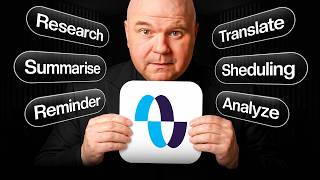
YouTube returned 6 videos for “Mina Meeting Assistant”, and we withheld 5: 5 did not mention Mina Meeting Assistant. Showing the 1 we can prove is about Mina Meeting Assistant.
Official links
Tools that pair well with Mina Meeting Assistant
Common stack mates teams adopt alongside Mina Meeting Assistant, with the specific reason each pairing earns its keep.

Read.ai
Read.ai is an AI meeting assistant that turns Zoom, Meet, and Teams calls into searchable summaries, action items, and transcripts.
Otter.ai
Otter.ai meeting transcription turns Zoom, Teams, and Meet calls into searchable notes, summaries, and action items.
tl;dv
AI meeting notetaker for Zoom, Google Meet and Teams that logs notes and CRM outcomes automatically
Featured Head-to-Head Comparisons
Mina Meeting Assistant vs Locus Robotics
Locus Robotics and Mina Meeting Assistant serve entirely different domains, so the choice depends on your need: if you run a high-volume warehouse and seek to boost productivity by 2-3x with flexible automation, Locus Robotics is the clear pick with its RaaS model and latest Locus Array Physical AI. If you're a professional drowning in meetings and need an active AI that can speak, take notes, and automate follow-ups in real time, Mina Meeting Assistant's freemium entry and live participation are unmatched. No overlap—choose based on whether you need to move physical goods or streamline conversations.
Mina Meeting Assistant vs Truleo
Truleo and Mina serve completely different markets: Truleo is a specialized law enforcement intelligence platform for connecting siloed data and automating lead generation, while Mina is a general-purpose active meeting assistant for business professionals. Choose Truleo if you're in law enforcement and need to automate case research and report writing. Choose Mina if you want an AI that actively participates in business meetings and automates follow-ups.
Mina Meeting Assistant vs Presto Voice
If you run a QSR chain with drive-thrus, Presto Voice is the clear choice for boosting revenue and efficiency with proven upselling. For sales teams and busy professionals drowning in meetings, Mina Meeting Assistant automates note-taking and follow-ups live. These tools serve entirely different needs, so choose based on your operational domain.
Alternatives to Mina Meeting Assistant
View all
Frequently Asked Questions
Categories
Best-of guides
Used Mina Meeting Assistant? Help shape our editorial sentiment research.