
TalkNotes
AI voice note app that records up to 2 hours and reshapes your speech into 100+ structured output styles.
TalkNotes earns its place if your bottleneck is the gap between talking and typing. The style system is the real product: one recording of a client call can leave as a formal email, a task list, or a journal entry, and custom styles let you encode your own formats instead of accepting someone else's template. Two limits decide it for you. Notes cap at 2 hours, and there is no live transcription mode — recordings are processed after the fact, so it won't caption a webinar as it happens. At $19.97/month billed monthly, or $197/year ($16/month billed annually), it sits well below human transcription services and full meeting-intelligence suites like Otter or Fireflies, but those tools do live
Verified 10d ago · liveness 69/100 · cite: rightaichoice.com/tools/talknotes
- Professionals who want quick, structured meeting notes and action items
- Students converting lectures into notes or flashcards
- Content creators drafting blog posts, scripts, and tweets by voice
- Freelancers capturing client calls and turning them into polished communication
- People needing real-time live transcription or captioning during meetings
- Anyone transcribing recordings longer than 2 hours in one go
- Professionals in medical or legal fields requiring human-reviewed, certified transcription
We scan live Reddit threads, YouTube comments, X posts, G2 reviews and other communities — and hand you an honest verdict in under a minute.
- Honest verdict, not marketing
- Real pros & cons from real users
- Attributed quotes with receipts
3 free scans · no card needed
Skip TalkNotes if you need live, in-the-moment transcription or captioning while a meeting or interview is still running, since it processes recordings after they finish.
A recording longer than 2 hours has to be cut into separate notes, so very long sessions mean extra fiddling and extra notes to manage
TalkNotes is a single-product subscription with two terms: $19.97/month billed monthly or $197/year ($16/month billed annually, advertised as an 18% saving), and both tiers carry the same feature set. That places it above low-cost dictation apps and below human transcription services and full meeting-intelligence platforms such as Otter or Fireflies, which charge more but add live capture and team workspaces. It fits individual professionals, students, and creators rather than teams buying
In short
TalkNotes — AI voice note app that records up to 2 hours and reshapes your speech into 100+ structured output styles. Best for Professionals who want quick, structured meeting notes and action items, Students converting lectures into notes or flashcards, Content creators drafting blog posts, scripts, and tweets by voice. Free to start; paid plans from $19.97/mo.
What people actually say about TalkNotes — is it worth it?
We ran a structured research pass across product reviews, community discussions, and post-purchase forum threads to surface the patterns vendors won't publish themselves. Below: the recurring strengths, the hidden costs people mention most, and the cohort that consistently regrets adopting this tool.
15 mentions across 2 sources (Hacker News, App Store) · researched Jul 3, 2026.
Average across the 2 sources that answered — each source counts once, not each post.
- +Beautifully designed and intuitive interface.
- +Transcribes and summarizes meetings with >90% accuracy.
- +Supports 50+ languages and multiple output styles.
- +Background recording and file upload work well.
- +WhatsApp integration for transcribing voice messages directly.
- −Recordings frequently cut off before the 2-hour limit.
- −App may fail to transcribe audio after some updates.
- −Cannot speak additional notes to an existing note.
- −No AI feature to expand or refine existing notes.
- −Bugs after updates can make the app completely unusable.
- • Some users report that the 2-hour recording limit per note still gets cut off at 20 minutes in practice.
Viability Score
How well maintained and how widely used is TalkNotes? Built from what the vendor actually publishes (docs, changelog, tutorials, integrations, pricing), whether the site is live, and how much real users discuss it. How we calculate this
Last calculated: October 2026
How we score →Key Features
- One-tap voice recording with background mode
- Transcription with 99% accuracy claim
- Automatic language detection across 50+ languages
- 100+ premade output styles
- Custom styles via your own prompt
- 9 styles available in the browser demo: Note, Transcript, List, Email (formal), Task List, Journal, Flashcard, Tweet, LinkedIn Post
- Up to 2 hours of recording per note
- Unlimited notes on paid plans
- File upload for MP3, M4A, and WAV audio
- Share notes as a URL or by email
- Export notes to text or mail
- Tagging and filtering to organize notes
- WhatsApp voice message transcription bot
- Zapier integration to send notes to other apps
- Webhook support for custom workflows
About TalkNotes
TalkNotes is a voice-first note app that turns spoken ideas into structured text. You record with one tap on Web, iOS, or Android (including background recording), or upload an existing MP3, M4A, or WAV file, and TalkNotes transcribes it in 50+ languages before reshaping the transcript with a chosen output style. The demo on the homepage shows nine styles — Note, Transcript, List, Email (formal), Task List, Journal, Flashcard, Tweet, and LinkedIn Post — and paid plans unlock the full library of 100+ premade styles plus custom styles you write yourself with your own prompt. Each note holds up to 2 hours of audio, and paid plans include unlimited notes. Finished output can be edited, then shared as a URL or email, exported to text or mail, or pushed into other apps through Zapier and webhooks. A WhatsApp bot transcribes WhatsApp voice messages to text without leaving the chat. It suits professionals and freelancers who want meeting notes and action items without typing, students turning lectures into notes and flashcards, creators drafting posts and articles by voice, and anyone keeping a spoken journal. What separates it from a plain voice recorder is the styling layer: the same recording can come out as a formal email, a task list, or a tweet depending on the style you pick. TalkNotes says it is trusted by more than 10,000 users, and it offers a 7-day free trial alongside a 1-minute interactive demo you can try in the browser before signing up.
Behind the Verdict
TalkNotes solves a narrower problem than most note AI, and it solves it well. The pitch is not "record a meeting and we'll summarize it" — it's "speak, then choose what shape the text should take." That distinction matters. The homepage demo walks through nine styles (Note, Transcript, List, Email (formal), Task List, Journal, Flashcard, Tweet, LinkedIn Post), and paid plans open up 100+ premade styles plus custom styles built from your own prompt. In practice that means your unstructured ramble about a client project can come out as a formal email you barely edit, or the same audio can become a flashcard set for revision. Very few voice tools let you re-render one recording into multiple formats. The workflow is deliberately short: one-tap record with background mode, auto language detection across 50+ languages, transcription the company rates at 99% accuracy, then edit and share. Notes can be shared as a URL or by email, exported to text, or pushed onward through Zapier and webhooks, so TalkNotes is often the front door to a workflow rather than the final destination. The WhatsApp transcriber handles voice messages where they arrive, which is a nice touch for people who live in that app. Cross-platform coverage on Web, iOS, and Android, plus file upload for MP3, M4A, and WAV, means existing recordings are not stranded. Where it stops: there is no live transcription, so it cannot caption a meeting or interview in progress — it processes recordings after the fact. A single note holds at most 2 hours of audio, so long recordings must be split. The tool is built for an individual's capture and reformatting, not for shared team note spaces with multi-user collaboration. And the free path is a 7-day trial plus a 1-minute browser demo, not an ongoing free tier — reviewers who need unlimited free transcription should budget for a subscription. Pricing is simple and generous in structure rather than in features: both paid plans carry identical capability (iOS and Android apps, unlimited notes, 2h per note, file upload, custom styles, export, storage and organization), so the only decision is term. Monthly is $19.97/month billed monthly; yearly is $197/year, which works out to $16/month billed annually at the advertised 18% saving. If you transcribe often enough to hit that yearly figure in eight months of monthly payments, annual is the obvious buy — and the pricing page states you can cancel anytime. Against human transcription it is dramatically cheaper, and against heavier meeting-intelligence platforms it is cheaper but does less. For a solo professional, student, or creator whose real problem is "I think faster than I type," that trade is a good one.
Researching TalkNotes? Get your full AI stack in 60 seconds.
Free, no signup — tell us your goal and get tools matched to your budget & existing stack.
Real-world workflow fit
Concrete scenarios for the personas TalkNotes actually fits — and what changes day-one when you adopt it.
After a client call, you open TalkNotes on your phone, tap record, and talk through what was agreed, what you promised, and what you need from the client.
Outcome: You pick the Email (formal) style to produce a follow-up message and switch the same recording to Task List for your own to-dos, then share the email version as a URL.
You record a lecture in one note, letting the app work in the background while you pay attention in class, and rely on automatic language detection for a session taught in a second language.
Outcome: You run the recording through the Flashcard style for revision and the Note style for a short summary, then tag both for the exam.
You ramble a rough draft of an idea out loud on a walk, using background recording on your phone, and upload an old WAV interview file from your laptop later.
Outcome: The spoken draft becomes a LinkedIn Post and the uploaded interview becomes a cleaned Transcript, and a webhook pushes the finished pieces into your publishing workflow.
Use Cases
- Record a brainstorming session and get a structured list of ideas
- Transcribe a lecture into clean notes with key points
- Dictate a draft email and have it formatted professionally
- Capture action items from a meeting as a task list
- Create study flashcards from spoken content
- Turn a voice memo into a tweet or LinkedIn post
- Transcribe an interview after the fact
- Keep a spoken journal with dated entries
Models Under the Hood
as of 2026-09-14
Limitations
- TalkNotes works on recordings rather than in real time, so it will not caption a live meeting or interview as it happens.
- A single note holds a maximum of 2 hours of audio, so longer sessions have to be split into multiple notes.
- The product is built around one person capturing and reformatting their own audio; there is no shared team note space or multi-user collaboration layer.
- The free path is a 7-day trial plus a 1-minute interactive demo, not a permanent free tier, and the demo is capped at one minute of recording.
- Paid plans unlock unlimited notes and the full style set.
- Transcription accuracy is stated by the vendor at 99%, which is a vendor claim rather than an independently verified figure.
as of 2026-09-28
Verification history
We have re-verified TalkNotes 7 times since . Each pass re-reads the vendor's own pages and re-checks every listed field against that evidence; passes where nothing had changed are marked as such.
- — re-checked, vendor evidence unchanged
- — re-verified summary, description, our verdict, our analysis, pricing model, pricing tiers, features, integrations, who it suits, who should skip it
- — re-verified summary, description, our verdict, our analysis, pricing model, pricing tiers, features, integrations, who it suits, who should skip it
- — re-verified summary, description, our verdict, our analysis, pricing model, pricing tiers, features, integrations, who it suits, who should skip it
- — re-verified summary, description, our verdict, our analysis, pricing model, pricing tiers, features, integrations, who it suits, who should skip it
- — re-verified summary, description, our verdict, our analysis, pricing model, pricing tiers, features, integrations, who it suits, who should skip it
Showing the 6 most recent of 7 verification passes.
Free to cite with attribution — this page re-verifies continuously.
12-month cost
Project the real annual outlay, including the implied monthly cost when only an annual tier is published.
Vendor list price only. Add-on usage, seat overages, and contract minimums are surfaced under Hidden costs & gotchas.
Plans compared
For each published TalkNotes tier: who it actually fits, and what it adds vs. the previous tier. Cross-reference the cost calculator above for projected annual outlay.
Free Trial
$0
Ideal for
Anyone who wants to test transcription and style output before committing — you get 7 days with access to all features, unlimited notes, 2h recording per note, file upload, and custom styles.
What this tier adds
Free entry point: full capability for 7 days, with a separate 1-minute interactive browser demo for instant testing.
Monthly
$19.97/mo
Ideal for
Solo professionals, students, or creators who want to try the tool on real work for a few months without committing to a year — for example a freelancer who transcribes client calls intermittently.
What this tier adds
Starting paid tier at $19.97/month billed monthly: iOS and Android apps, unlimited notes, 2h recording per note, file upload, custom styles, export to text/mail/URL, and note organization.
Yearly
$197/yr ($16/mo billed annually)
Ideal for
Regular users who record several times a week and expect to still be using it in a year — the break-even against monthly arrives in roughly eight months.
What this tier adds
Same capabilities as monthly, billed at $197/year ($16/month billed annually), which the vendor advertises as an 18% saving over paying monthly.
Where the pricing makes sense
The company stage and team size where TalkNotes's pricing actually pencils out — and where peers do it cheaper.
TalkNotes is a single-product subscription with two terms: $19.97/month billed monthly or $197/year ($16/month billed annually, advertised as an 18% saving), and both tiers carry the same feature set. That places it above low-cost dictation apps and below human transcription services and full meeting-intelligence platforms such as Otter or Fireflies, which charge more but add live capture and team workspaces. It fits individual professionals, students, and creators rather than teams buying
Setup time & first value
How long it actually takes to get something useful out of TalkNotes — broken out by persona, not the marketing-page minute.
Solo users on Web, iOS, or Android can record a first note within a few minutes — install or open the app, tap record, and choose a style at the end. Testing with an existing file is equally quick via MP3, M4A, or WAV upload. Adding Zapier or a webhook to route finished notes elsewhere takes longer, typically an afternoon, since you have to map the destination app yourself. Expect to spend
Switching to or from TalkNotes
How to bring data in from common predecessors and how to get it back out — written for the switcher, not the buyer.
- →From Apple Voice Memos or a phone recorder: upload the MP3, M4A, or WAV into TalkNotes and pick a style instead of transcribing by hand
- →From WhatsApp voice messages: send them to the TalkNotes WhatsApp transcriber and get text back in the chat
- →From manual note-taking: record with one tap during or after a meeting and let a style produce the structured version
- →From a human transcription service: run the same audio through TalkNotes yourself and edit the styled output rather than waiting on a vendor turnaround
- ↗To a general note app: export notes to text or mail and paste them into your existing notes system
- ↗To a live-transcription or meeting-intelligence tool: keep TalkNotes for post-recording styling and add a real-time tool for in-meeting captioning
- ↗To a custom workflow: route notes out via Zapier or webhooks into whichever destination you standardize on
Integrations
Resources & Guides
Tutorials & Learning
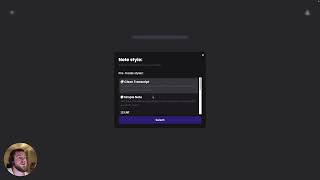
How to transcribe your voice using TalkNotes
TalkNotes

How to transcribe Voice Memos on Mac
TalkNotes

This is how you turn your thoughts into actionable notes using AI 🤖
TalkNotes
YouTube returned 6 videos for “TalkNotes”, and we withheld 3: 3 could not be judged, because “TalkNotes” is a single word that other videos use for other things. Showing the 3 we can prove are about TalkNotes.
Official links
Tools that pair well with TalkNotes
Common stack mates teams adopt alongside TalkNotes, with the specific reason each pairing earns its keep.

Wispr Flow
Wispr Flow is AI voice dictation and a meeting Notetaker that turns rambling speech into edited text in any app, on Mac, Windows, iOS, and Android.

Voicenotes
Voicenotes is a bot-free AI notetaker that records meetings from your own device, then hands you a summary and action items before you hang up.

Laxis
Laxis pairs an AI meeting notetaker with a voice keyboard that turns speech into polished text in any app.
Featured Head-to-Head Comparisons
Talknotes vs Poke Interaction Co
Choose Poke if you want an AI that runs tasks across email, calendar, Notion, and Oura from your messaging apps, with proactive automations on paid plans. Choose TalkNotes if your priority is turning voice notes into text, summaries, or structured formats with high accuracy and 50+ language support. They serve different needs: automation vs. transcription.
Talknotes vs Gem
Gem is a comprehensive recruiting platform for teams needing AI-powered ATS/CRM, while TalkNotes is a simple voice-to-text app for individual note-taking. Choose Gem if you're scaling hiring; choose TalkNotes if you want cheap, fast transcriptions.
Talknotes vs Guesty
These tools serve entirely different needs — Guesty is a comprehensive property management platform for vacation rental operators, while TalkNotes is a voice note app for personal productivity. Choose Guesty if you manage multiple rental listings and need automation across booking channels; choose TalkNotes if you want to quickly transcribe and summarize spoken ideas. There is no overlap in use cases.
Alternatives to TalkNotes
View all
Wispr Flow
Wispr Flow is AI voice dictation and a meeting Notetaker that turns rambling speech into edited text in any app, on Mac, Windows, iOS, and Android.

Voicenotes
Voicenotes is a bot-free AI notetaker that records meetings from your own device, then hands you a summary and action items before you hang up.
Frequently Asked Questions
Best-of guides
Used TalkNotes? Help shape our editorial sentiment research.